Hi,
Environment: ArcGIS Pro 3.5.4 / TomTom Intermediate Traffic Data for Hong Kong
I'm working to integrate TomTom OpenLR Live Traffic feed in ArcGIS Pro.
Following the instructions published on the "Work with Live Traffic" article,
- I've successfully created a compliant network dataset based on TomTom Multinet (Classic) data.
Compliant: network dataset has historical traffic and all the required attributes - I skipped step 4 and 5 because they are not relevant to me
- I configured the "Traffic Service" "Traffic Feeds" and checked "Hong Kong"
- I left "Use TMC Live Traffic" unchecked.
- I clicked "OK", saved, and created the corresponding .traffic file.
- I closed and restarted ArcGIS Pro,
Upon opening the project file, there appears to be traffic data!
I checked the traffic cache directory and there's stuff there too.
Horray? - I opened the "Traffic" tab in the Network Dataset Properties for my network dataset
- The Live Traffic Data Status shows:
"Last update failed" and the following messages:
***************
Current time : 11/18/2025 5:46:52 PM
Last Updated : None
Start Window : None
End Window : None
Speed Data Available : False
Road Closure Data Available: False
Messages warning. Traffic speeds not updated because N_1_OpenLRCache table is empty.
warning. Failed to retrieve traffic data.
"lastUpdatedMessages": [
{
"description": "Traffic speeds not updated because N_1_OpenLRCache table is empty.",
"type": "warning"
},
{
"description": "Failed to retrieve traffic data.",
"type": "warning"
}
Question 1: Is this a bug??? What does this error mean? How can I fix it?
I ran procmon and tcpmon to watch Pro and yes, indeed it was able to access the tomtom traffic feed server.
Not to mention there appears to be traffic data in map view ... So clearly Pro is lying to me here 😅.
Question 2: The document says "The appropriate network attributes for Functional Road Class, Form of Way, Travel Direction, and Length" How do I configure the Network Attribute Mappings? What is the correct workflow for this?
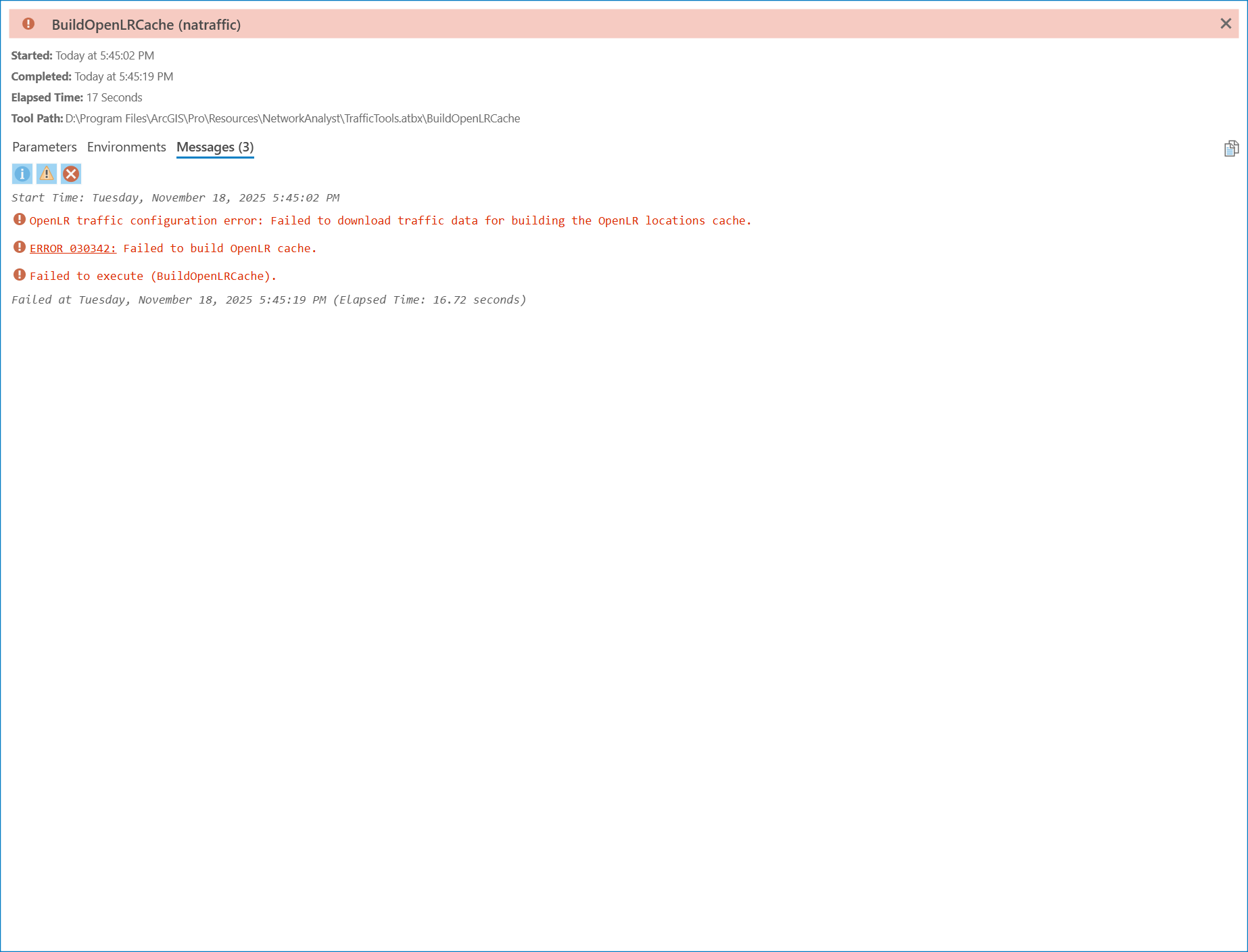
Question 3: I think my scenario is the "access to traffic feeds from a data provider such as TomTom" option (as documented) but the workflow seems to forget to talk about this. I see data in the map but all indicators shows red and errors (see attached "BuildOpenLrCache" and "Live Traffic Data Status" screenshots). How can i reliably know Pro fetched the data? Are these error indicators bugs in this part of the product?
Question 4: I have access to the TomTom incidents data which I also configured in the .traffic file but it seems like Pro didn't bother to fetch that.
a) How can I make Pro fetch and more importantly use the incidents data?
b) How can i ensure the Route solver will use the traffic data as a factor in its calculation?
c) How do I incorporate the incidents data for incorporation into Route solver?
Many thanks,
Derek
 Network Dataset Properties for Network ND






