Hi everyone,
I’ve encountered an issue in ArcGIS Field Maps where Administrators are unable to view maps that have location sharing enabled.
When attempting to open a map, the following error appears:
“Location sharing is unavailable. Using this map requires location sharing to be turned on, but you aren’t licensed for location sharing.”
I am one of the Administrators and administrative contacts for my organisation.
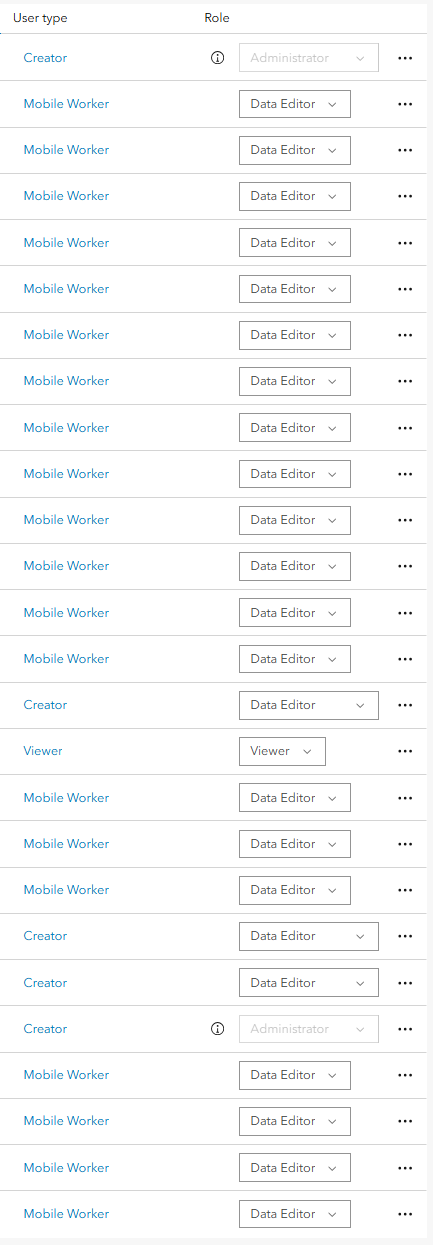
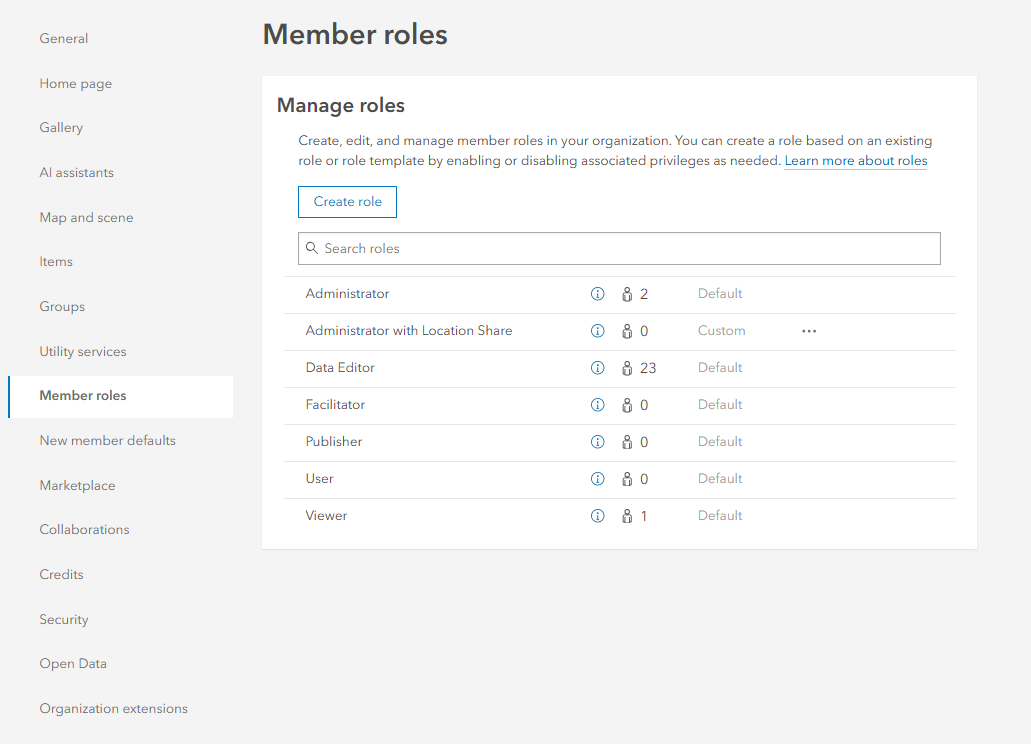
I’m familiar with the process for enabling location sharing (as outlined here), but it doesn’t appear to work for users listed as administrative contacts. I created a custom member role with location sharing permissions, but I can’t change the role of an administrative contact — meaning I can’t grant them access to location sharing. I’ve attached two screenshots below to demonstrate this behaviour.
It seems this issue has been raised previously, and I’d like to echo that concern. It’s important for our operations that Administrators are able to use location sharing, as they also undertake fieldwork and often need to test offline maps and workflows before deployment across the organisation.
Is there any known workaround for this? And if not, is ESRI planning to allow administrative contacts to be assigned location sharing permissions in future updates?
I’ve noticed the original discussion (linked above) continues to receive engagement since 2023, which suggests there’s strong interest in a resolution.
Thank you for your time, and I appreciate any guidance or updates you can provide.