We have a public-facing web app in ArcGIS Online for our zoning data. In order to keep that data updated, we used to use a script that truncated the table and appended the most recent data to it. This was cumbersome because every time the schema changed, we would have to update the script, and it would also frequently corrupt the indexes, making the layer unsearchable until the indexes were rebuilt.
We have slowly started migrating most of our key datasets to the portal to make use of branch versioning and to streamline the process of managing our data across both AGOL and Portal. I have migrated our zoning data over to Portal as a publicly shared, referenced (non-editable) feature service, so that the second we make edits to the layer, they show up. Since the layer is shared publicly, I used the ArcGIS assistant to open the JSON of the web map and replaced the zoning layer URL and itemid with the corresponding portal layer. The layers are identical aside from the fact that one is in Portal and one is in AGOL.
Even upon opening the map, the layer loads perfectly. I can see updates instantly in AGOL, and I can search the layer. It is great. The weird issue I am having is actually on the item details page of the web map where the layers were replaced. All of the layers that I have migrated into this web map from the portal by replacing the URL show the following error:
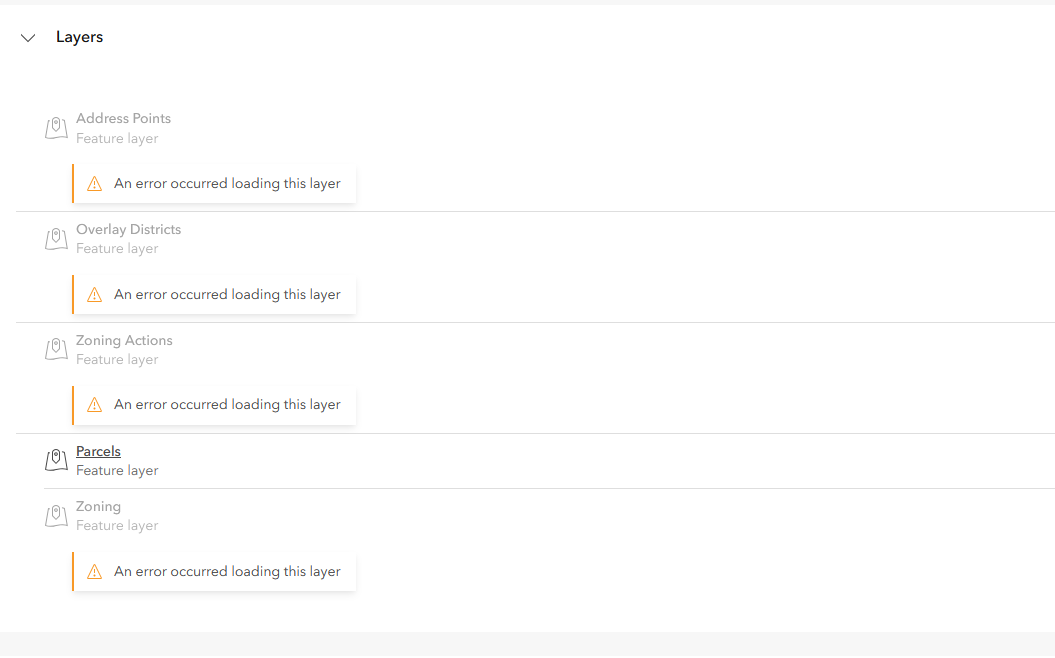
Parcels is the only layer that is still pointing towards its AGOL version, rather than the portal. I would really like to figure out why this workflow has broken the item details page, if possible.



