Hi there, I'm new to Experience Builder (be gentle with me!) and I'm having problems configuring a List widget how I would like. I've created an Experience consisting of three columns using the Grid layout configured as follows:
- The left most column has an Accordion with some Filters
- The middle column has a List element
- The right hand column has a map
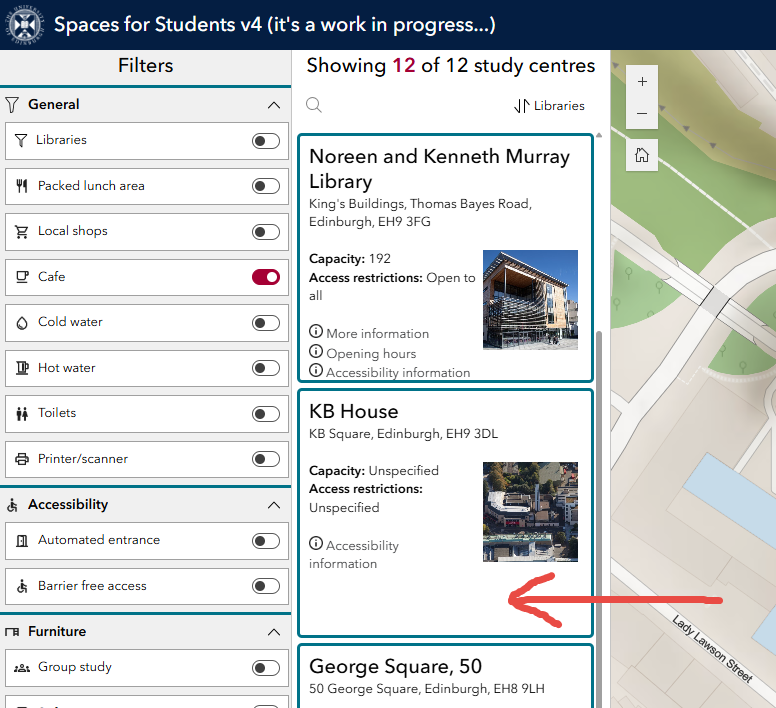
Users interact with the Experience using the Filters to limit the records shown in the List. The problem I'm having is that the individual List elements seem to have a fixed height but the contents are variable depending on the feature displayed. In the image below you can see the problem that there is a big bit of empty space in the KB House item because that feature has less information to display:
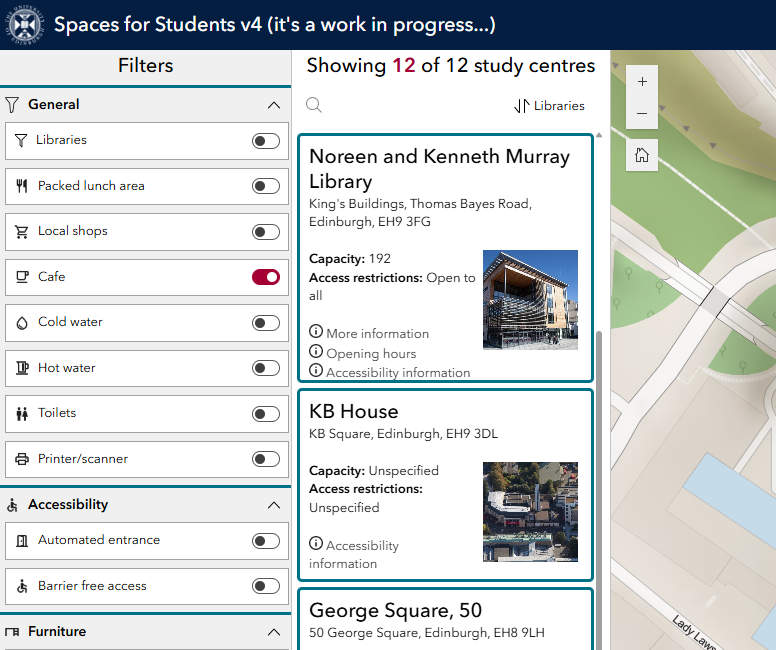
What I'd like is for the individual List elements to dynamically set their size depending on their contents so that it displays as follows:
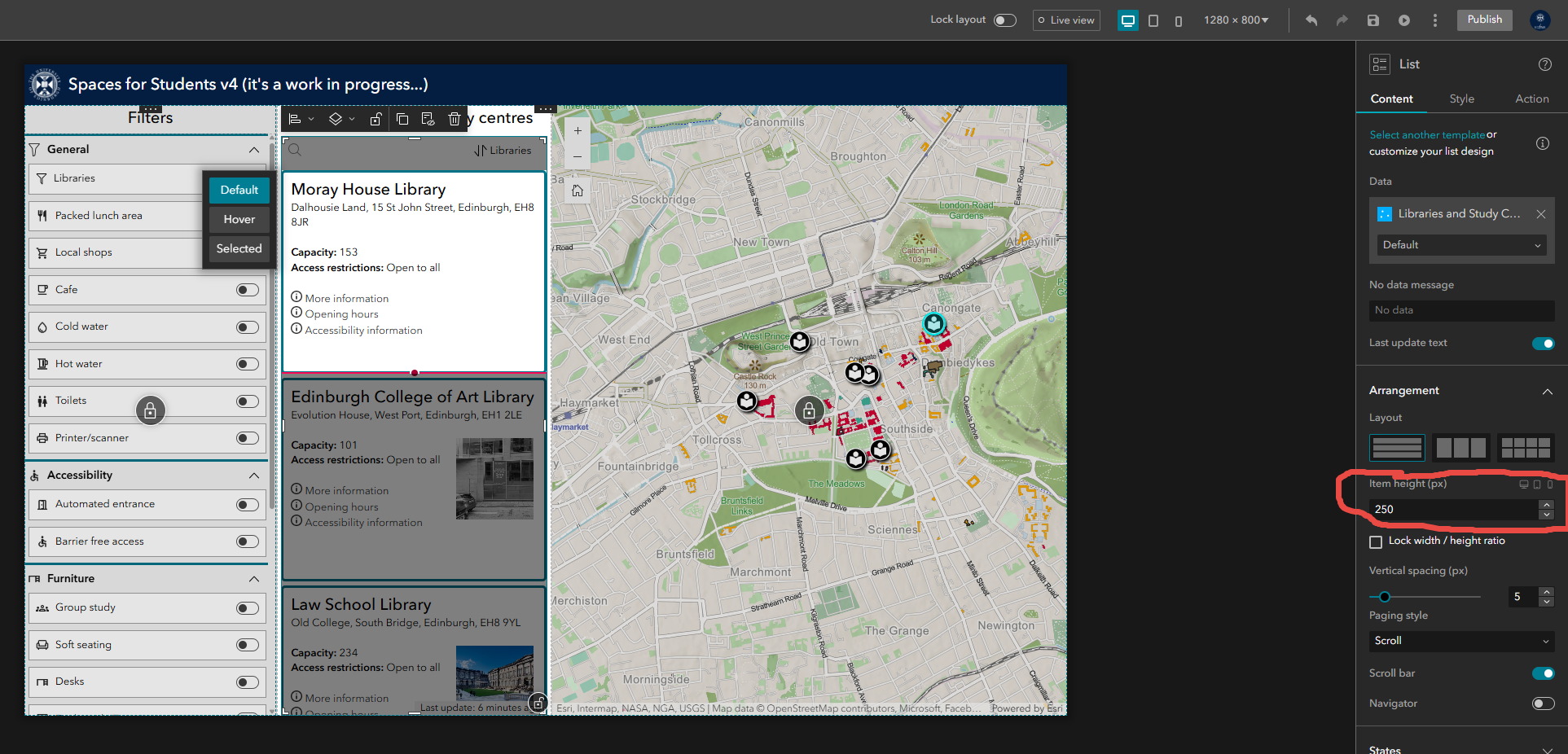
The only setting I can see in Experience Builder that controls the height of the individual List items requires a value in pixels, meaning that all list items are displayed at the same height, regardless of their contents:
Does anyone know if I'm missing something or if there is another way of achieving what I'm after (i.e. is there an alternative element to the List I could use instead)? I'm using ArcGIS Online, not Enterprise.
Any help/ideas would be greatly appreciate.

