I have a form where the user enters a start DateTime and an end DateTime, then a third field calculates and displays the average of those two DateTimes. I recently discovered that sometimes the calculations are off by one minute.
I suspect that this is due to rounding issues and converting back and forth between DateTime and decimal-date-time to perform the calculations. Similar to this post.
This is the equation I have been using to calculate and then display the average:
date-time((decimal-date-time(${Start_Time}) + decimal-date-time(${End_Time})) div 2)
This is one of the equations I tried with a round applied (arbitrarily picked 10 decimal places):
date-time(round((decimal-date-time(${Start_Time}) + decimal-date-time(${End_Time})) div 2, 10))
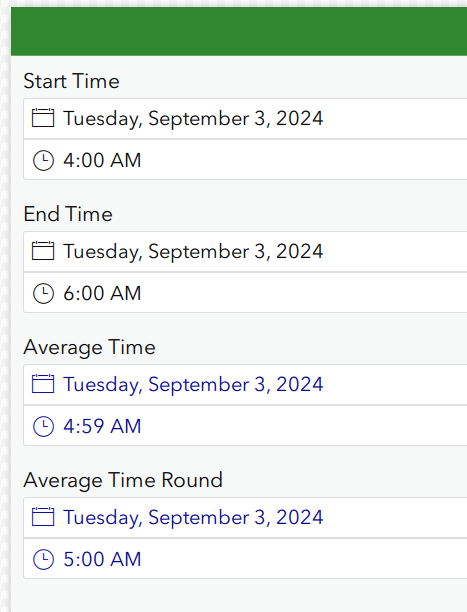
I've attached a simple XLS form to demonstrate this. For example, when entering 4:00 and 6:00, the average without rounding is a minute off at 4:59, whereas the average with rounding accurately shows 5:00:
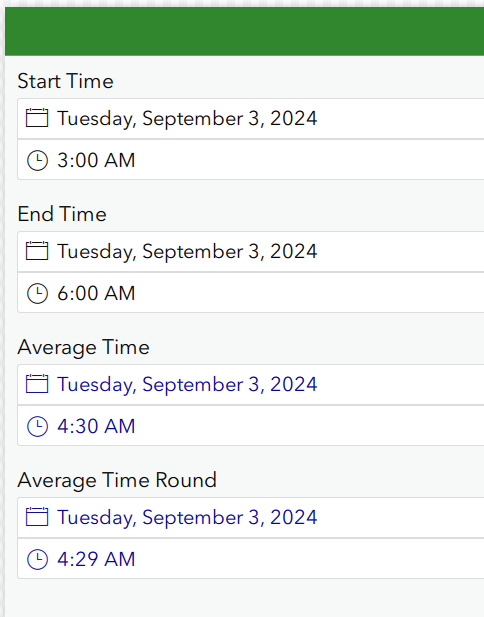
But when entering 3:00 and 6:00, the average without rounding shows 04:30 but the average with rounding is off by a minute and shows 04:29:
I've played around with applying the round in different parts of the equation, changed the number of rounded decimals, and used different sets of start and end times, but haven't yet been able to identify an equation that is accurate 100% of the time.
Is there a different equation that would produce the correct averages all of the time, or is this just a limitation of trying to average two DateTimes?
Thanks!



