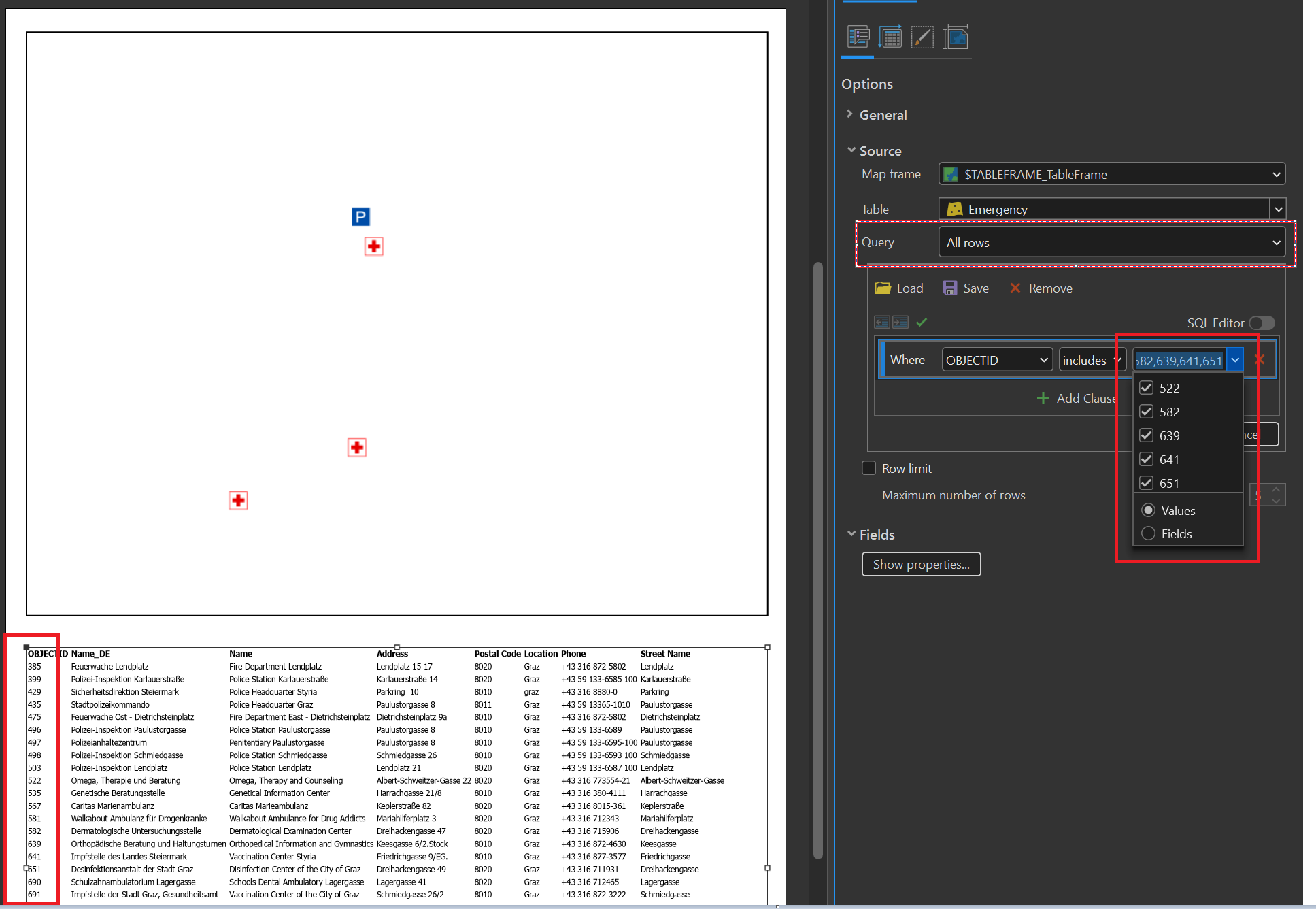
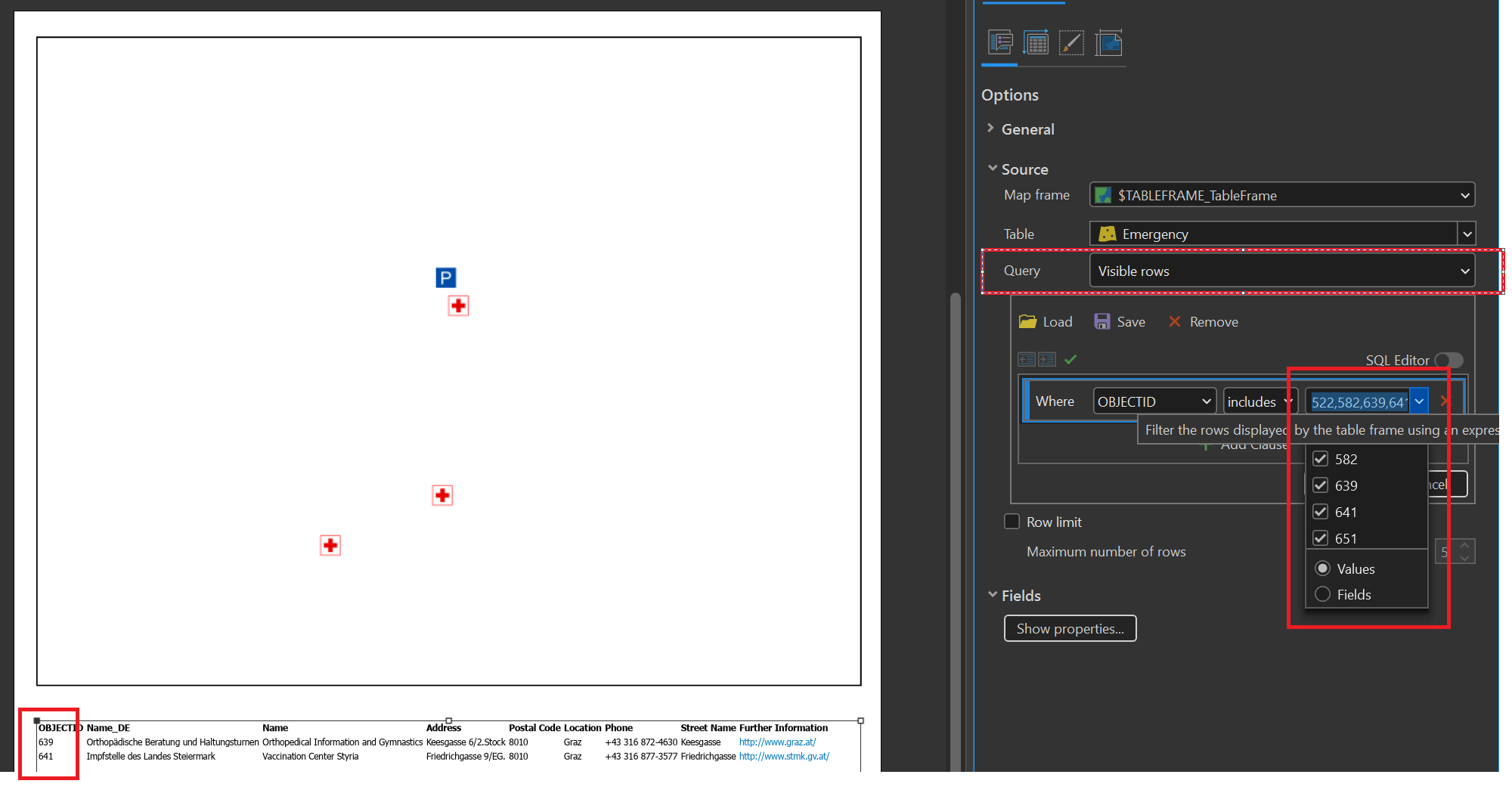
I am preparing an ArcGISProject, a layout and its elements within a python toolbox (.pyt). When the layout contains a TableFrameElement (CIMTableFrame) and the referenced map a selection, I try to apply a CustomWhereClause on the TableFrameElement in order to reflect the map's selection in the table. This works fine when the TableFrameElement.Query is set to VISIBLE_ROWS. However, if the TableFrameElement.Query is set to ALL_ROWS the custom where clause does not seem to apply when exporting the layout and the table just ignores it.
It is quiet good observable when opening the working ArcGISProject. The CustomWhereClause is not applied to the TableFrameElement if Query is set to ALL_ROWS. After clicking around in the project (opening the map, zooming to a layer, reapply the same query, etc.) suddenly the query is applied. So there is an update trigger missing somewhere?
The CustomWhereClause is successfully applied to the TableFrameElement if Query is set to VISIBLE_ROWS.
Whats confusing is that the doc says for the CustomWhereClause...
Gets or sets the custom where clause. Show rows that match custom where clause when FillingStrategy is set to esriCIMTableFrameFillingStrategy_CustomWhereClause.
https://pro.arcgis.com/en/pro-app/latest/sdk/api-reference/topic19955.html
On the CIM level I can apply the FillingStrategy, but after applying it with setDefinition, the TableFrameElement.Query remains. According to the docs, the TableFrameElement does not seem to support the new FillingStrategy, but it is present on the CIM level.
https://pro.arcgis.com/en/pro-app/3.3/arcpy/mapping/tableframeelement-class.htm
So I guess there seems to be a bug or the feature is not fully supported yet. Any help would be appreciated!


