Hi,
we are using the new Esri Metadata Editor to maintain metadata records for our spatial datasets using the ISO 19115-3 style.
When we create a Security Constraint the using the editor the classification can be selected using the drop down list - but after saving, if we export or view the XML (or HTML) the Classification is not populated. It is listed as missing.
This is the same behaviour across the Resource Constraints section and the Metadata Constraints sections.
Is the correct behaviour or user error?. My understanding is the drop down should map to the ISO 19115-3 MD_ClassificationCode codelist.
Other codelist mappings are functional.
We are using ArcGIS Enterprise v11.3
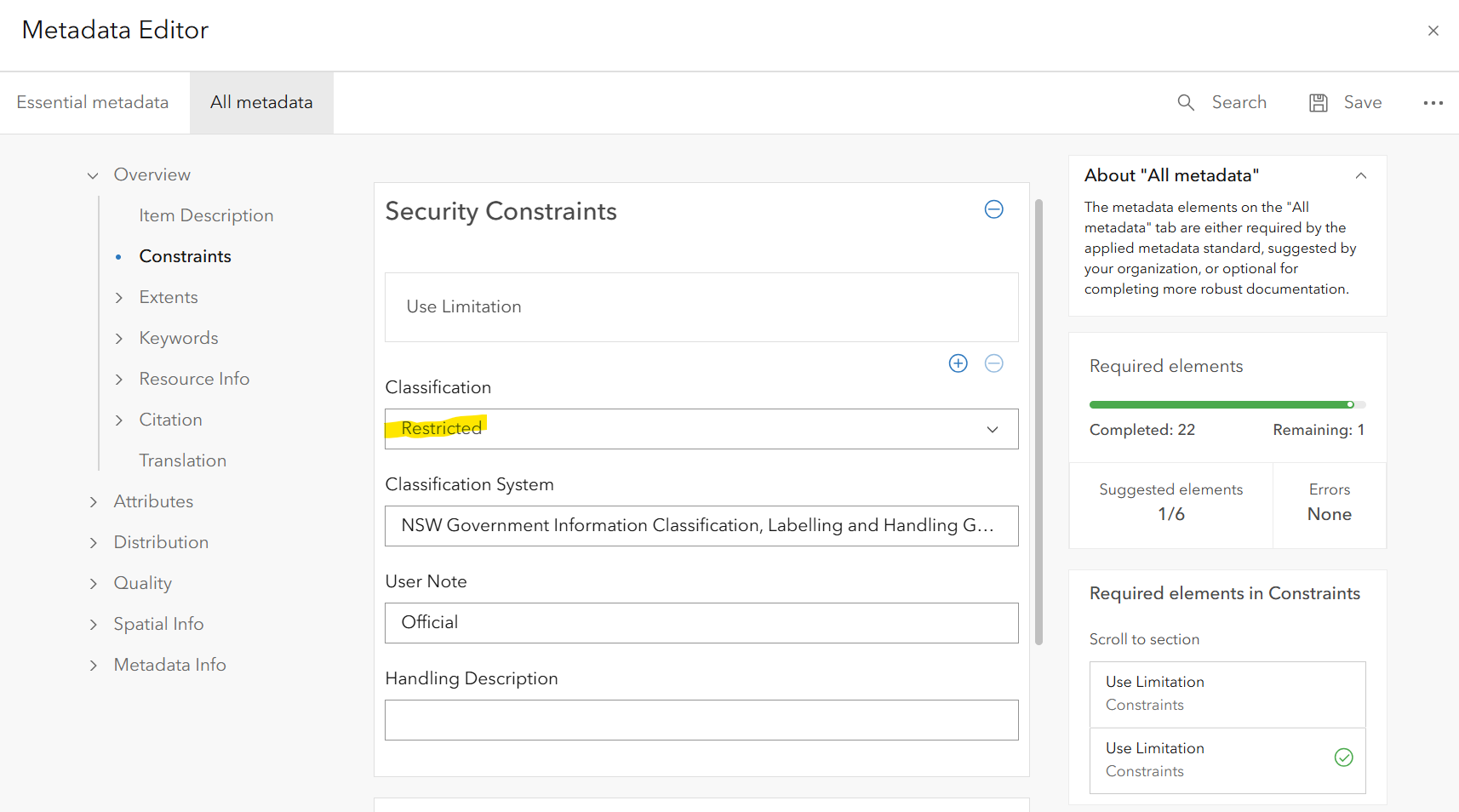
---fragments from resulting ISO 19115-3 Style XML.
<mri:resourceConstraints>
<mco:MD_SecurityConstraints>
<mco:classification gco:nilReason="missing"/>
<mco:userNote>
<gco:CharacterString>Official</gco:CharacterString>
</mco:userNote>
<mco:classificationSystem>
<gco:CharacterString>NSW Government Information Classification, Labelling and Handling Guidelines</gco:CharacterString>
</mco:classificationSystem>
</mco:MD_SecurityConstraints>
</mri:resourceConstraints>
<mdb:metadataConstraints>
<mco:MD_SecurityConstraints>
<mco:useLimitation>
<gco:CharacterString>NSW Government Information Classification, Labelling and Handling Guideline: Official</gco:CharacterString>
</mco:useLimitation>
<mco:classification gco:nilReason="missing"/>
</mco:MD_SecurityConstraints>
</mdb:metadataConstraints>



