Hello!
I've having trouble setting the correct parameters to return a route that follows the shape of my network.
In the screenshot below, the thin grey lines are my road network, the green line is the shape that's generated when I solve for a route using the ArcGIS Pro tools and the purple line is the shape that's returned when I solve for the same route using the Network Analyst python module.
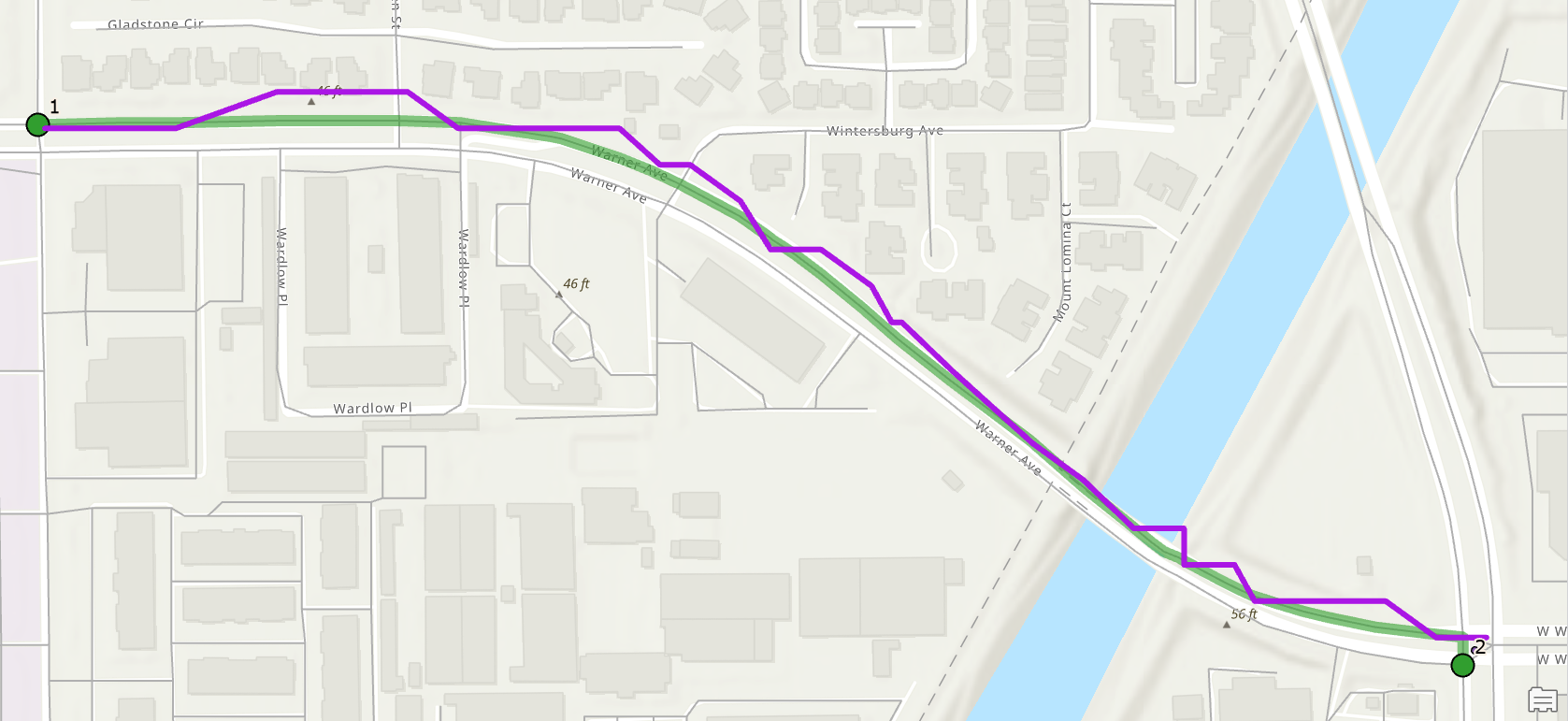
The relevant parts of my code are below. Almost all the parameters are left default, except that I've set the travel mode to "Walking" (I've tried different travel modes, they all return a funky line) and I've made sure to set the route shape type to "True Shape".
arcpy.nax.MakeNetworkDatasetLayer(oc_network_dataset, nd_layer_name)
nd_travel_modes = arcpy.nax.GetTravelModes(nd_layer_name)
travel_mode = nd_travel_modes["Walking"]
route = arcpy.nax.Route(nd_layer_name)
route.travelMode = travel_mode
route.routeShapeType = arcpy.nax.RouteShapeType.TrueShape
stopsCur = route.insertCursor(arcpy.nax.RouteInputDataType.Stops, ["Name", "SHAPE@"], append = False)
....
stopsCur.insertRow([on_from, row2[1]])
....
stopsCur.insertRow([on_from, row3[1]])
result = route.solve()
if result.solveSucceeded:
with result.searchCursor(arcpy.nax.RouteOutputDataType.Routes, ["SHAPE@"]) as resultCursor:
    for r in resultCursor:
        insertCursor.insertRow('Routed from UL Intersection points', r[0]))
Is there a parameter on the Route that I'm missing? Or am I not handling the results correctly?
Thank you!
Jill

