So, as a follow up to this post: https://community.esri.com/t5/arcgis-pro-questions/set-pro-s-default-settings-programmatically/m-p/1476524
I've been trying to edit user.config. I'm having no problem editing nodes that already exist in the config file.
Here's where I'm having trouble:
If the node that I want (e.g. RequireExplicitStartEditing) isn't there, I make a new one
    def newTag(tree, tag, section, value, serialType):
               #XML Tree Object,
               #"RequireExplicitStartEditing",
               #"Editing",
               #"True",
               #"String")

        parEl = tree.find(f"./userSettings/ArcGIS.Desktop.{section}.Settings")
        createFols = ET.SubElement(parEl,
                                  "setting",
                                  attrib = {"name": tag,
                                           "serialAs":serialType})

        child = ET.SubElement(createFols, "value")
        child.text = value
        return
This works great. It creates valid XML and no Python errors.
The issue I'm having is that opening up Pro after this will either cause it to crash OR give me the following:
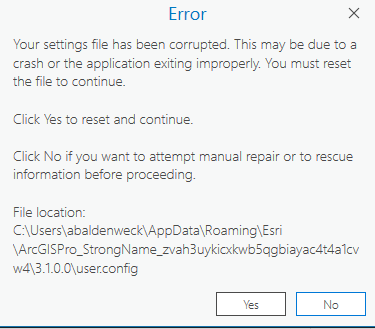
If I click "Yes", I get this message, which destroys the config file and undoes my work.
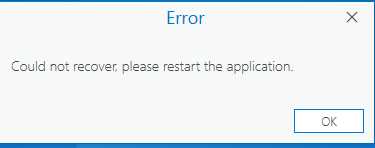
So, what am I doing wrong? I'd like to be able to create the necessary settings nodes on a fresh config file for each user.
Again, if the node is already there, I can edit the values no problem and have it work (not including my code for this one). It's when they're new that I have issues.
I've confirmed that the sections match up correctly in the configSections node (you need to add two sections for editing) and played with the node order, and I just can't get it to work.


