We have an existing WAB app that has a Latitude box, Longitude box, and a 3rd box for structure height. It has a calculate button. You can either click on the button or click on the map and it will update the lat/long boxes and use the structure height value to run a brief analysis by getting a pixel value from a hosted raster image service layer.
It works great, we've used it for several projects with various tweaks over the years. But now we need to move it to Experience Builder. I was starting from scratch but realized that one of Robert Scheitlin's Feature Panel Widget did much of the base stuff we needed. So I started with it and heavily modified it. Commented out all of the attribute stuff. Replaced its disabled popup with a new one that returns the values from the raster. I recreated our lat/long/height boxes in the side panel.
I've got half the stuff I needed done. But I can't figure out how to pass variables or values around between parts of the code. Which is what I need to do to get the Calculate button to trigger the popup based on the entered lat/long.
In WAB I would have inspected the DOM elements and modified their values. But in React this is apparently Very Bad To Do. All of the stuff I've read says to use States and particularly 'useState', but I cannot get them to work.
Here's my lat/long/height boxes and calculate button. This code is in the render section. They all show up and exist. You can use the arrow buttons or enter numbers and those change the values in the boxes.
Latitude: <input type="number" id="LatTextBox" defaultValue="34.7" style={this.latlongboxStyles} onChange={this.updateInputLat} value={this.state.latTextBoxvalue}/> Decimal Degrees
Longitude: <input type="number" id="LongTextBox" defaultValue="-86.9" style={this.latlongboxStyles} onChange={this.updateInputLong}/> Decimal Degrees
<br></br>
<div className="StructureHeightDiv">
Structure Height:
<input type="number" id="StructureHeightTextBox" defaultValue="0" style={this.latlongboxStyles} onChange={this.updateInputStructHeight}/> Feet
</div>
<div className="CalculateButtnDiv">
<button className="CalculateButton" type="button" onClick={this.handleCalculateButton}>Calculate</button>
</div>
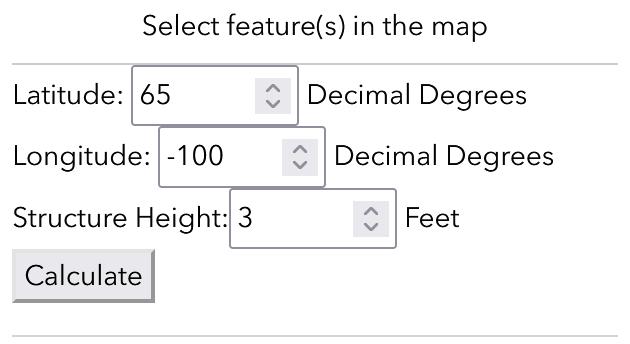
and my updateInputLat listener passes the event value succesfully
updateInputLat=(event)=>{
console.log("event.target.value : ");
console.log(event.target.value || "undefined"); //this does get the right value.
}
But I cannot figure out how to pass that value to a variable that I can access outside of updateInputLat
try{
{
console.log("this.latTextBoxvalue: ")
console.log(this.state.latTextBoxvalue)
}}
catch{
console.log("this.latTextBoxvalue is undefined")
}
try{
{
console.log("trying setlatTextBoxValue(event.target.value);: ")
//console.log(this.latTextBoxvalue)
this.setlatTextBoxValue(event.target.value);
console.log("returning setlatTextBoxValue")
console.log(setlatTextBoxValue)
console.log("returning latTextBoxValue")
console.log(latTextBoxValue)
}}
catch{
console.log("error between 337 to 341")
}
this.setState({latTextBoxValue: event.target.value})
console.log("2: latTextBoxValue???")
console.log(latTextBoxValue)
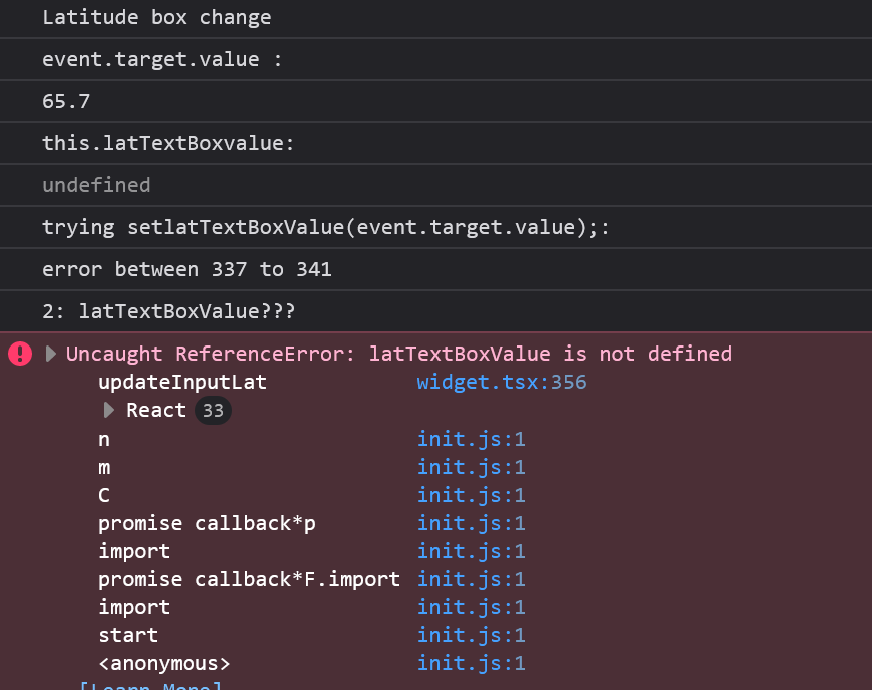
So in short, I have no idea how to define a global variable to pass around the... classes? functions? what are they even called? And I cant find any esri documentation on this. Eveyrthing I find for react doesnt work. I've tried declaring these variables all over the place and just cant figure it out.
Thanks for any help!

.png)

