When routing on the same network different results are generated between ArcMap and ArcPro. In the below images, the highlighted segment is closed for routing, however in ArcPro, it jumps to the nearest routable segment and creates a route, which is not the desired result. The same routes in ArcMap produce the following error:
“Warning: Location "Graphic Pick 2" in "Stops" is on a non-traversable network element position.
Warning: Need at least 2 valid stops.
Error: "Stops" does not contain valid input for any route.”
How can we get ArcPro to behave in a similar way to ArcMap? In route properties, the Network Locations tab, the options are not the same between ArcMap and ArcPro so finding out how to get them to behave the same is not straight forward. We can set a search tolerance in Pro, but we don’t have to do this in ArcMap to get the desired result. Any ideas?
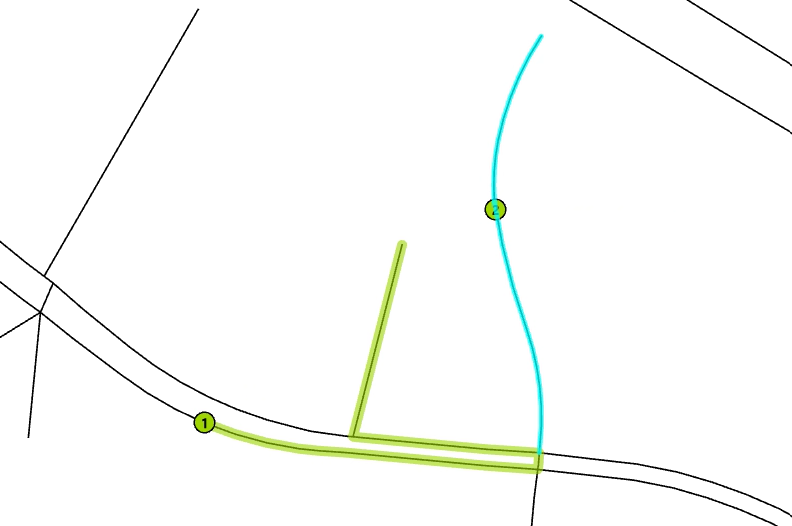
Figure 1: Routing jumping to nearest routable segment when attempting to route to a closed segment in ArcPro.
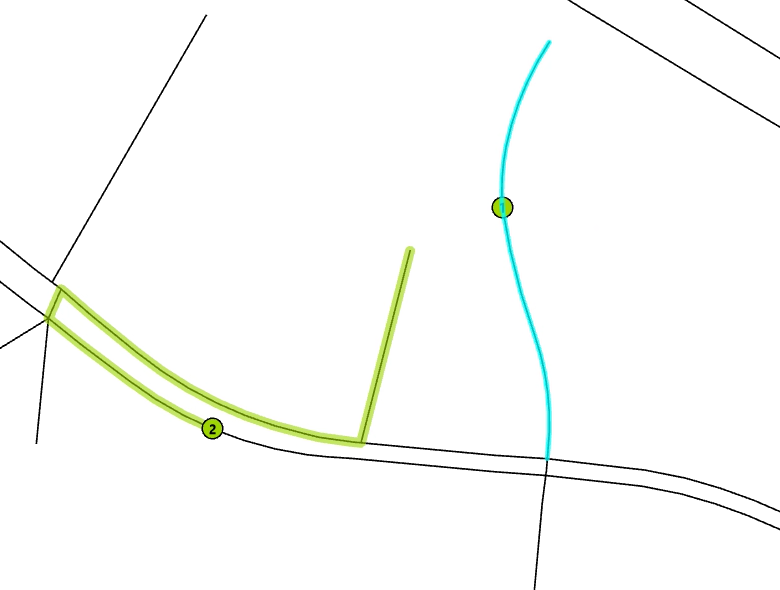
Figure 2: Routing jumping to nearest routable segment when attempting to route from a closed segment in ArcPro.
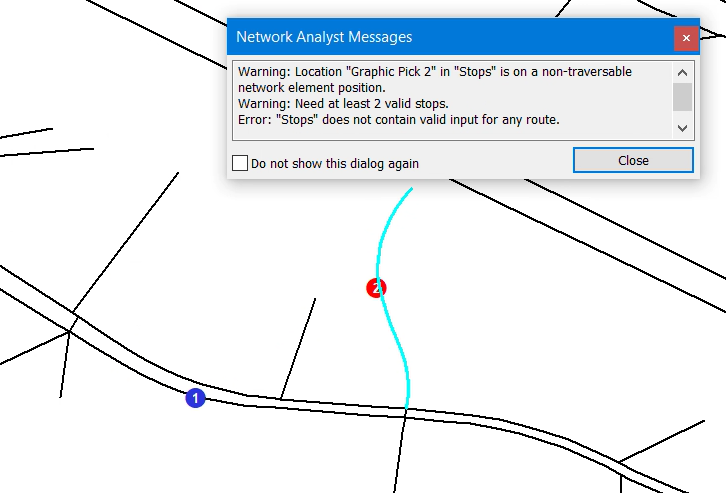
Figure 3: Routing error as expected when attempting to route to a closed segment in ArcMap.
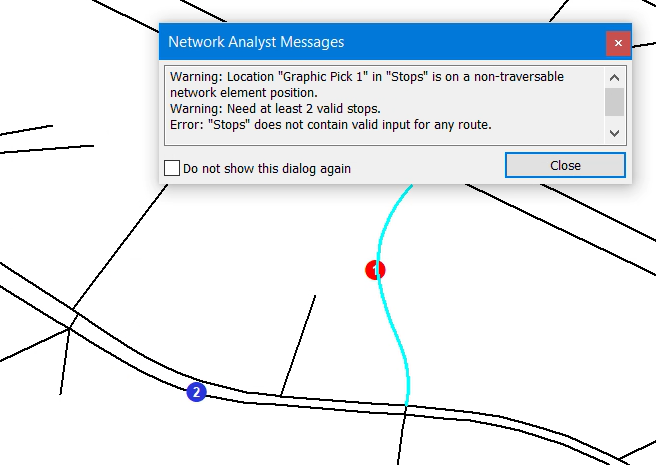
Figure 4: Routing error as expected when attempting to route from a closed segment in ArcMap.


