I have a specific map, layer, and filter configuration setup in Web AppBuilder that is used for a lot of web apps in my organization that I am having trouble working out how to implement in Experience Builder.
The setup is for side-by-side charting of data from specified location IDs in a web map layer. Essentially I have a feature service layer set up where I have joined a bunch of related table data to the base location points to compile all the data into one table, so for each location ID, I have multiple duplicate points for each combination of related data. I have these set up with an attribute called "list_index" where a value of 0 is the "parent" record with no values in the columns that are joined in from the related tables, and values of 1,2,3, etc. represent records with related table info.
In my web map, I have visible by default in the map one copy of this layer with the default filter of "list_index = 0" to display the single parent point for each location, and I have multiple copies of this layer that I use to add a halo underneath/around the parent points and to populate the charts when the user selects a location ID. The copies of the layer have the default filter of "list_index = -1" to ensure that these points don't show up on the map and that the charts are empty until after a user specifies a location ID. Default view when loading the app:
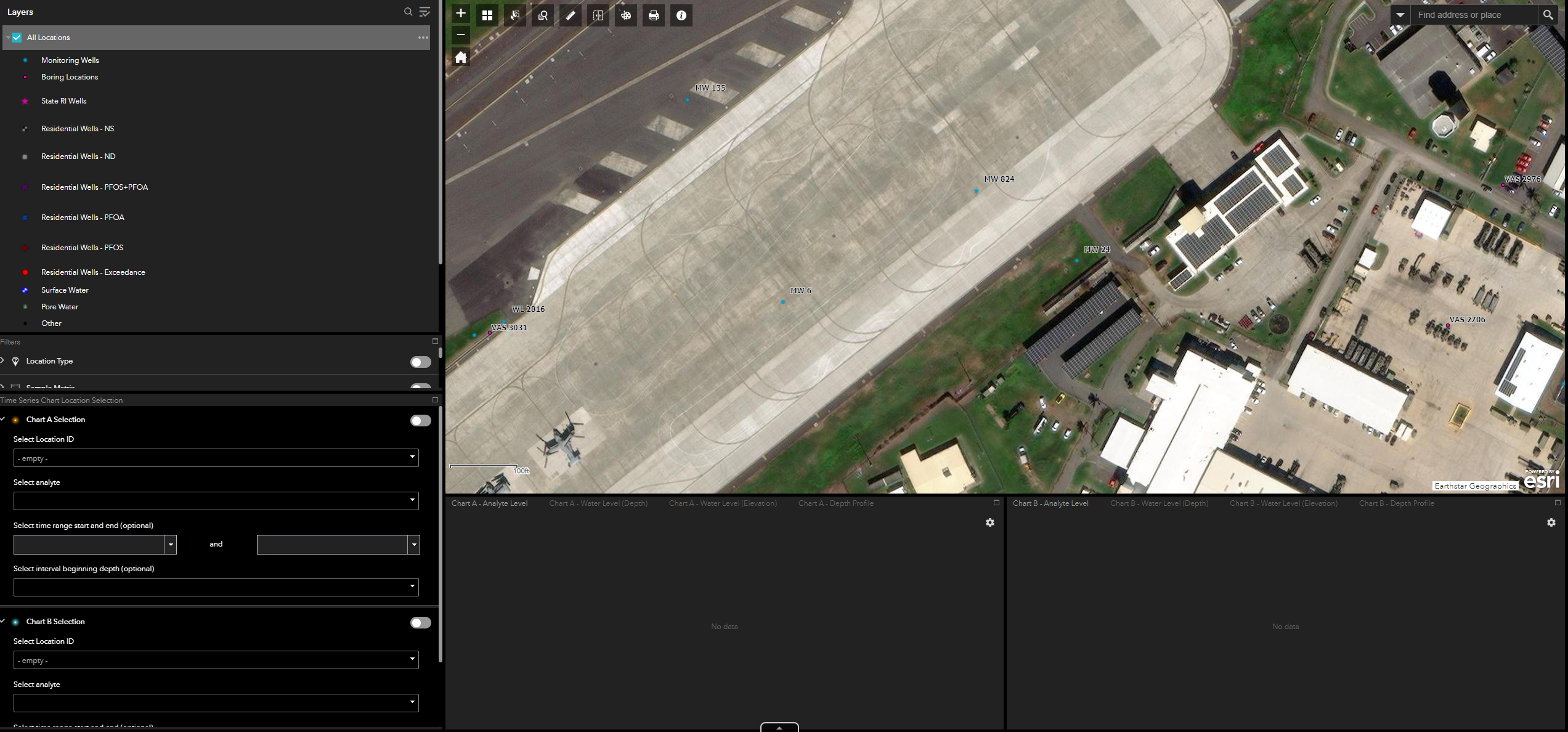
View after selecting location IDs and other parameter for the copy layers:
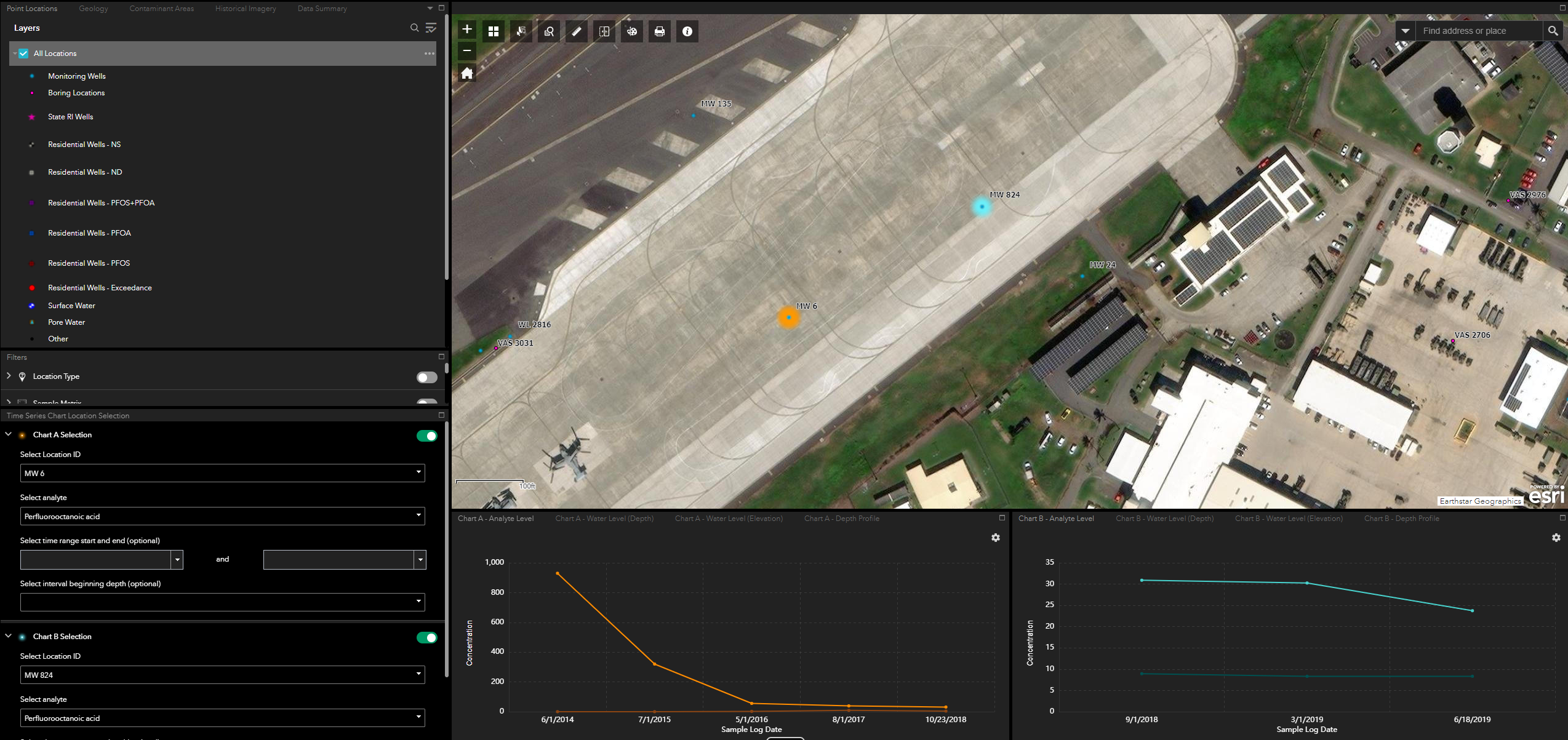
This is possible in Web AppBuilder because of the "Remove the preset layer filter from the map" option in the Filter widget:
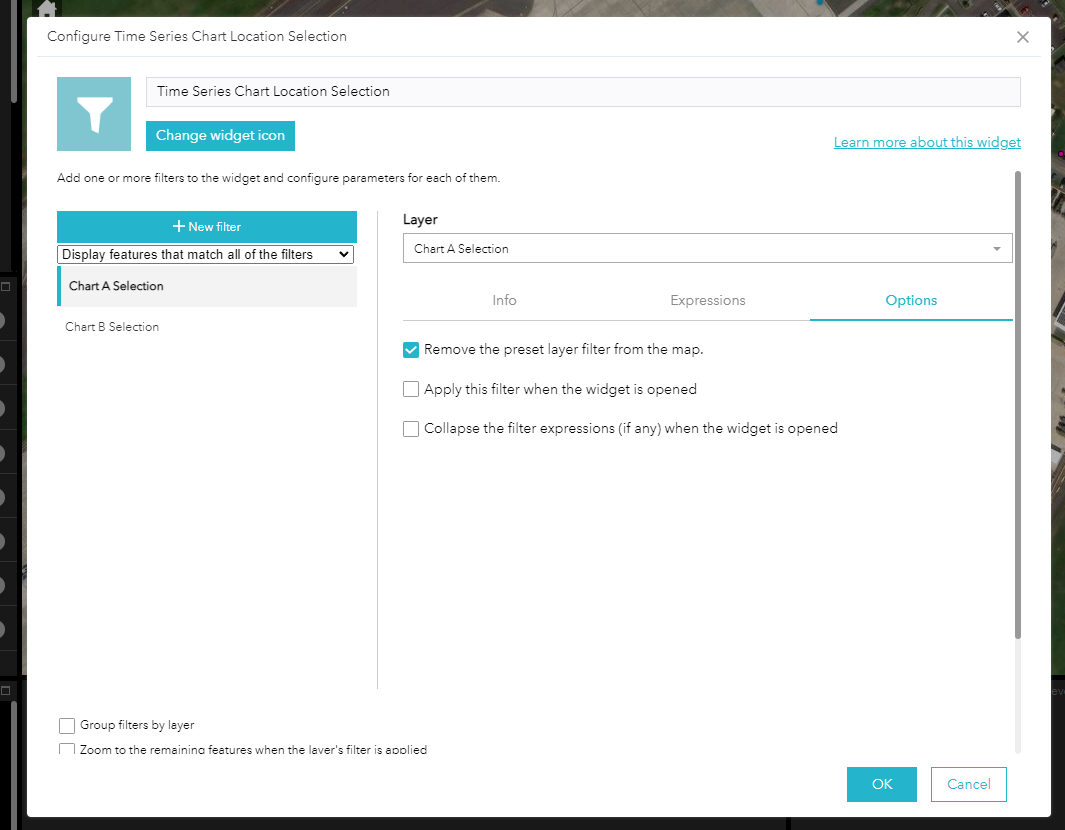
I can not find a similar option in Experience Builder. I have tried removing the default filters from the web map itself and changing it to be a default filter within the dataset in Experience Builder, creating a separate Data view with the default filter applied, etc. but haven't had any luck getting this to work so far.
Any way possible to do this?





