ArcGIS Pro 3.0.3 file geodatabase standalone table:
I've created a new row by clicking the "Click to add new row" pseudo-row.

I've entered the number 4 using the keyboard.
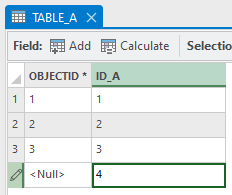
Now, I want to create an additional row by hitting the down arrow key.
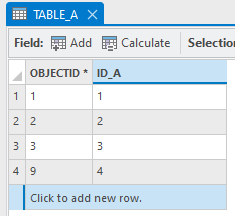
But when I hit enter or the down key, the only thing that happens is the "Click to add new row" pseudo-row gets highlighted. I can't proceed to create a new row using the keyboard; typing has no effect.
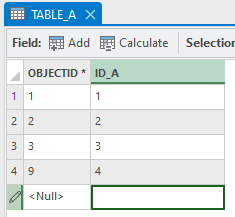
Could that behavior be changed so that hitting the down key after creating a new row automatically creates a new row? (highlighting the cell in that same column)
Like this:
Additionally, clicking or double-clicking "Click to add new row" has inconsistent results. Sometimes, clicking or double-clicking that pseudo-row works as expected: the row becomes editable with the cell value selected. But other times, clicking or double-clicking that row has no effect. The user needs to smash the mouse a few times to make the row editable, which is a frustrating experience. Could that behavior be improved as well?



