Hello everyone, I am a ArcMap user, and ArcGIS Pro is quite new to me. And now I need to visualize some 3D models in ArcGIS Pro, but I got some issue.
I downloaded the 3D models from a package. I tried the 3D models in 2 different format: .3ds and .obj: 3ds folder ( .3ds, .att and .jpg) , obj folder ( .obj, .mtl and .jpg).
I applied the "Import 3D Files" tool and got different results
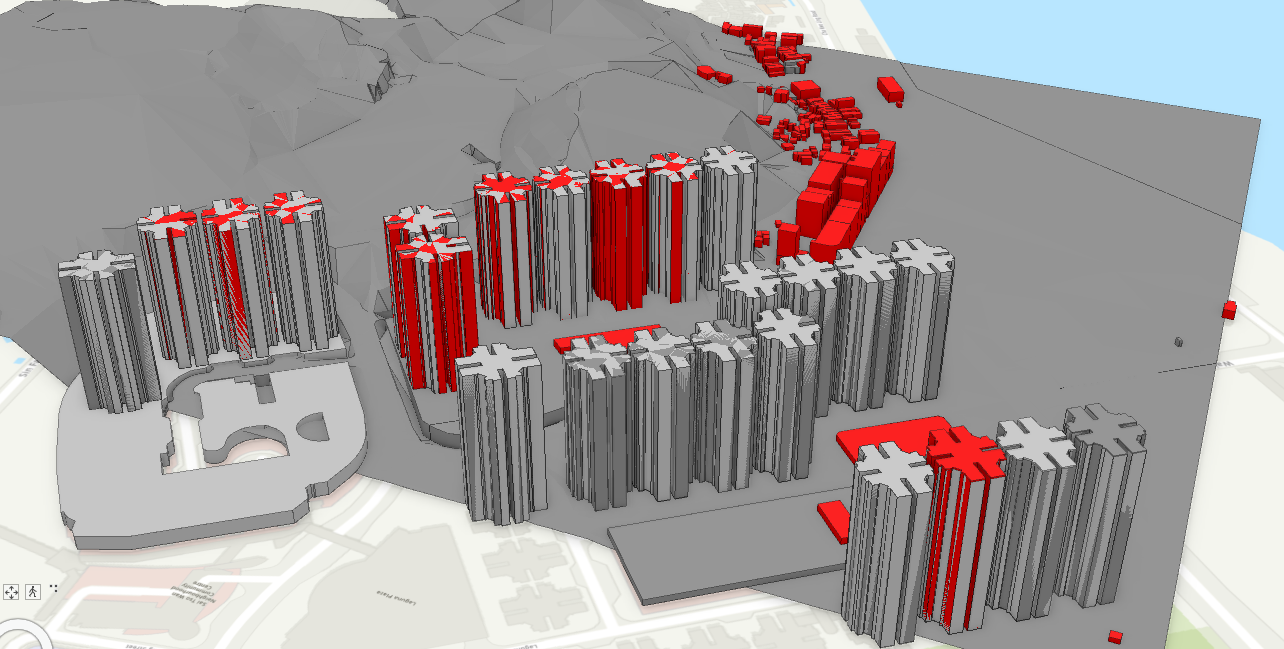
3ds: The model is placed at a correct coordinate but the model is missing the texture, some building is shown in grey and red.
--------------------------------------------------------------------------------
Obj: The model is not placed correctly even I have define the Coordinate system before running the "Import 3D Files" tool, part of the photorealistic texture can be shown.
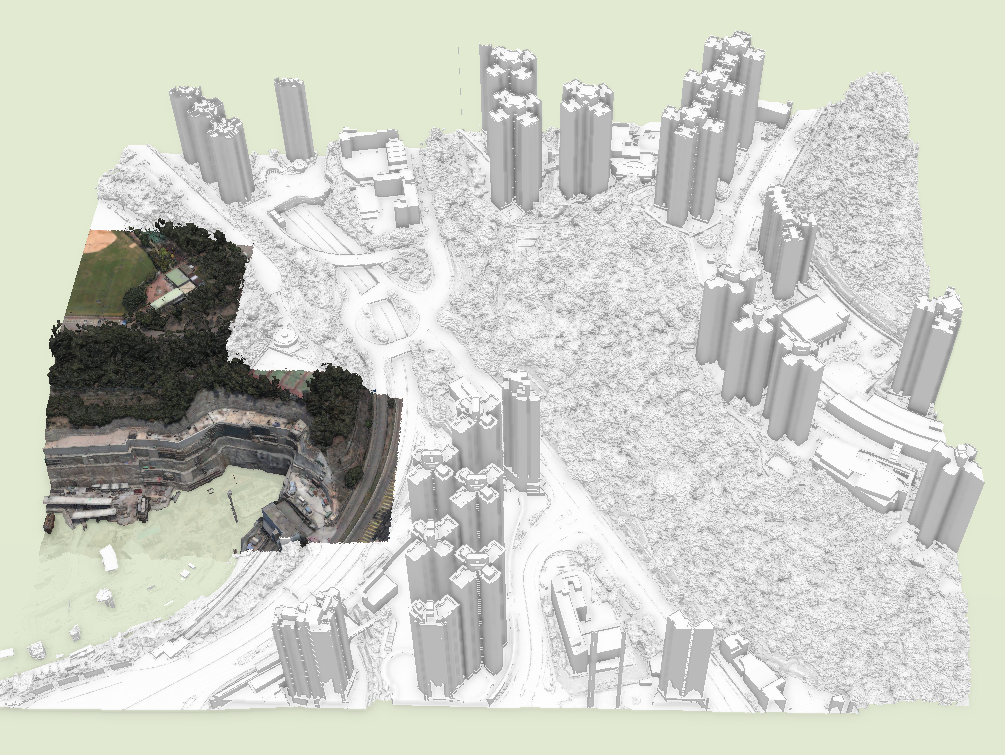
Question: How to place the model in the correct location and what's wrong with the texture display?
Your help is much appreciated!
Cindy



