Hi there,
I am currently working with the Data Loading Workspace. I want to load data into my Utility Network. While manually creating the workspace table and executing the data load works fine, I got some problems with trying to automise this process with python using the openpyxl library.
I got a Data Loading Workspace, (DataReference.xlsx, Folders for DataMapping, Domains and Scripts). The Worksheet "SourceTargetMapping" in my DataReference.xlsx is already prepared for loading Data into my Utility Network. I got a lot of source definition queries, target delete queries and the field mapping inside of the mapping workbooks is also ready for data loading.
What I want to do now is to automatically update the Paths in the Source and Target columns. My first approach was to update the paths in the "DataPath"-sheet as shown here:
workbook_source = reference_workbook+"\DataReference.xlsx" ('reference_workbook' contains the path of the DataLoadingWorkspace folder)
workbook = openpyxl.load_workbook(workbook_source)
worksheet = workbook.get_sheet_by_name('DataPath')
fd_string = str(featuredataset) (featuredataset contains my UtilityNetwork featuredataset)
worksheet['A2'] = source
worksheet['A3'] = fd_string
workbook.save(workbook_source)
When I run this code, my data paths are updated. This is how the DataPath sheet looks like after running my code:
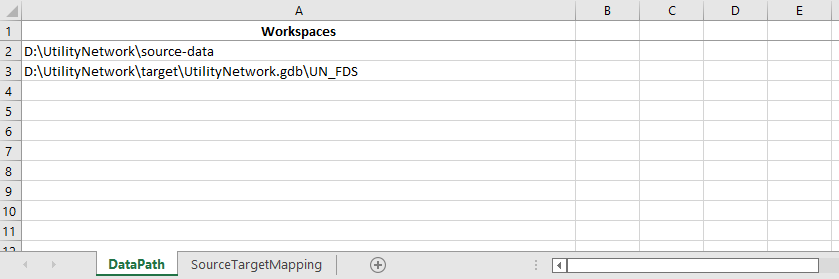
It looks good. When I manually create the DataLoadingWorkspace with this source and target paths, it looks excactly the same. But when I try to execute the data load, nothing happens. In fact, i get the following messages:
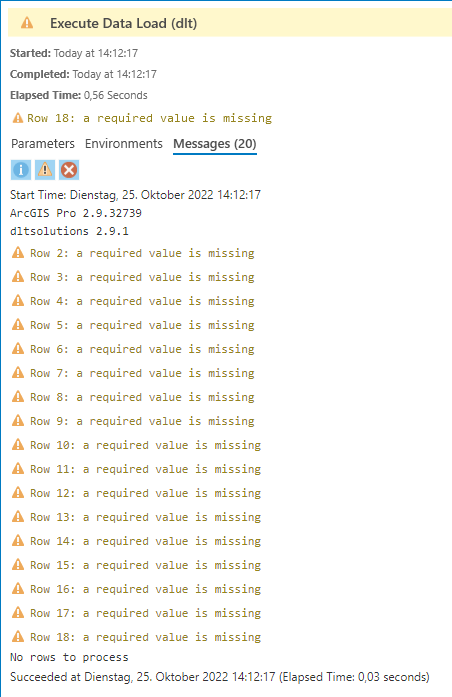
Which required values are missing here? Sadly I could not find some help online.
Thank you in advance for your help, i have been stuck on this problem for a while now..
Greetings from Germany
Luca




