THE SETUP
I created a Right of Way Excavation Permit form that was created in Survey123 Connect v3.12.232
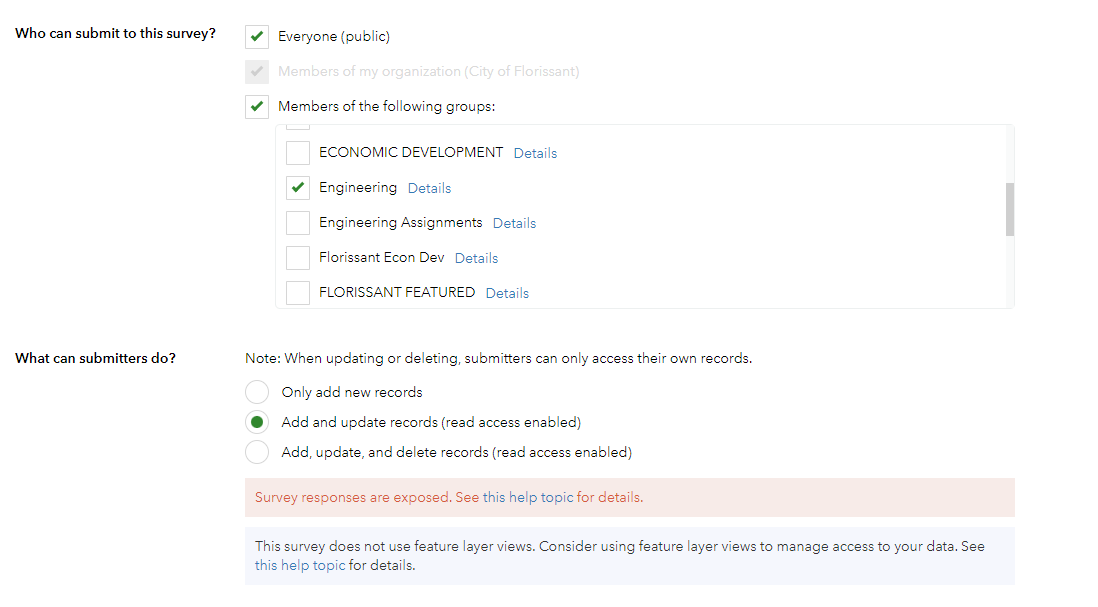
This survey is shared with Everyone (public), members of an Engineering group, and members of the ROW Excavation Manager group.
I also have allowed the ability to update records.
THE PROBLEM
I am having issues with members of my organization not seeing all the attribute data in their feature reports or rather seeing blanks where data is present.
Specifically these fields:
- Representing Organization Name -- This is a text question.
- Applicant Role -- This is a select one type question.
- Field Rep Name, Phone, Email -- These are text questions.
- Owner Name, Phone, Email -- These are text questions.
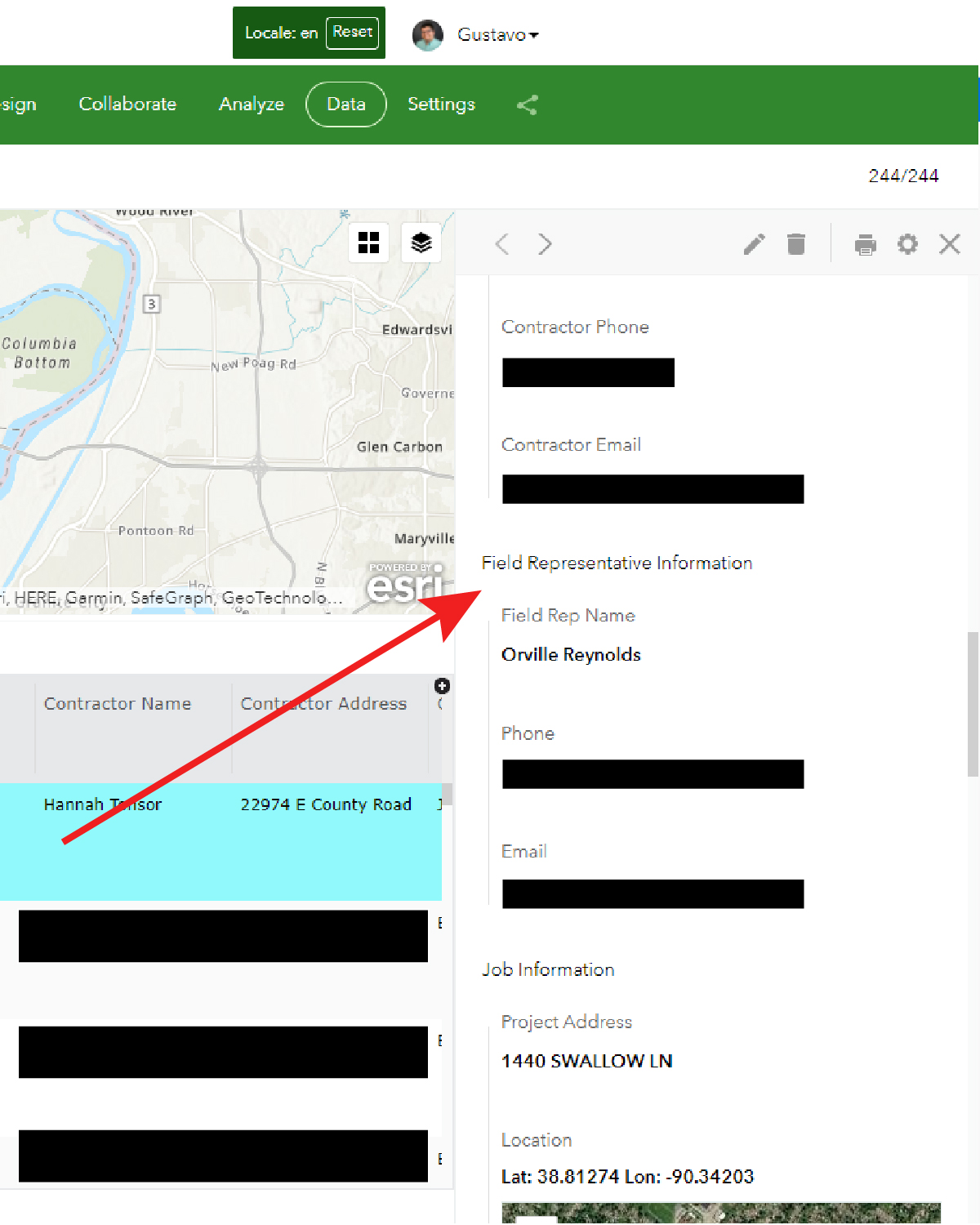
The odd thing is that when I pull these reports the data is all there and these fields are viewable from the right-hand 'Form view' --see screenshot below. I noticed that these fields were missing in the slide from another member's list of attributes on their 'Form view', but when they go to edit the form the fields are there for editing. Once they close the Form view edit the attributes are still not present.
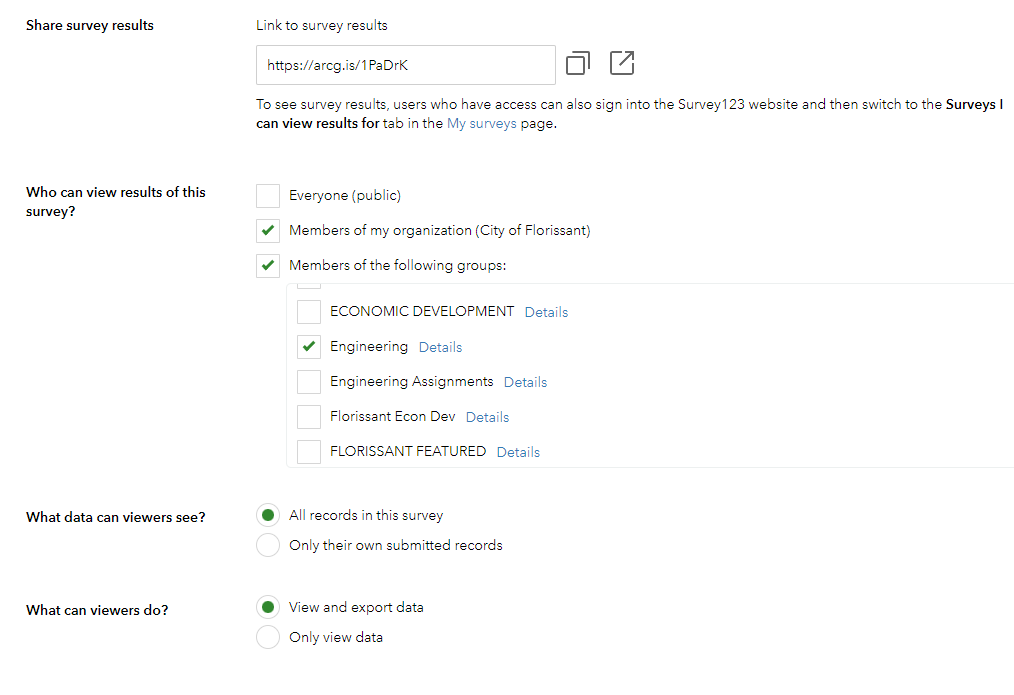
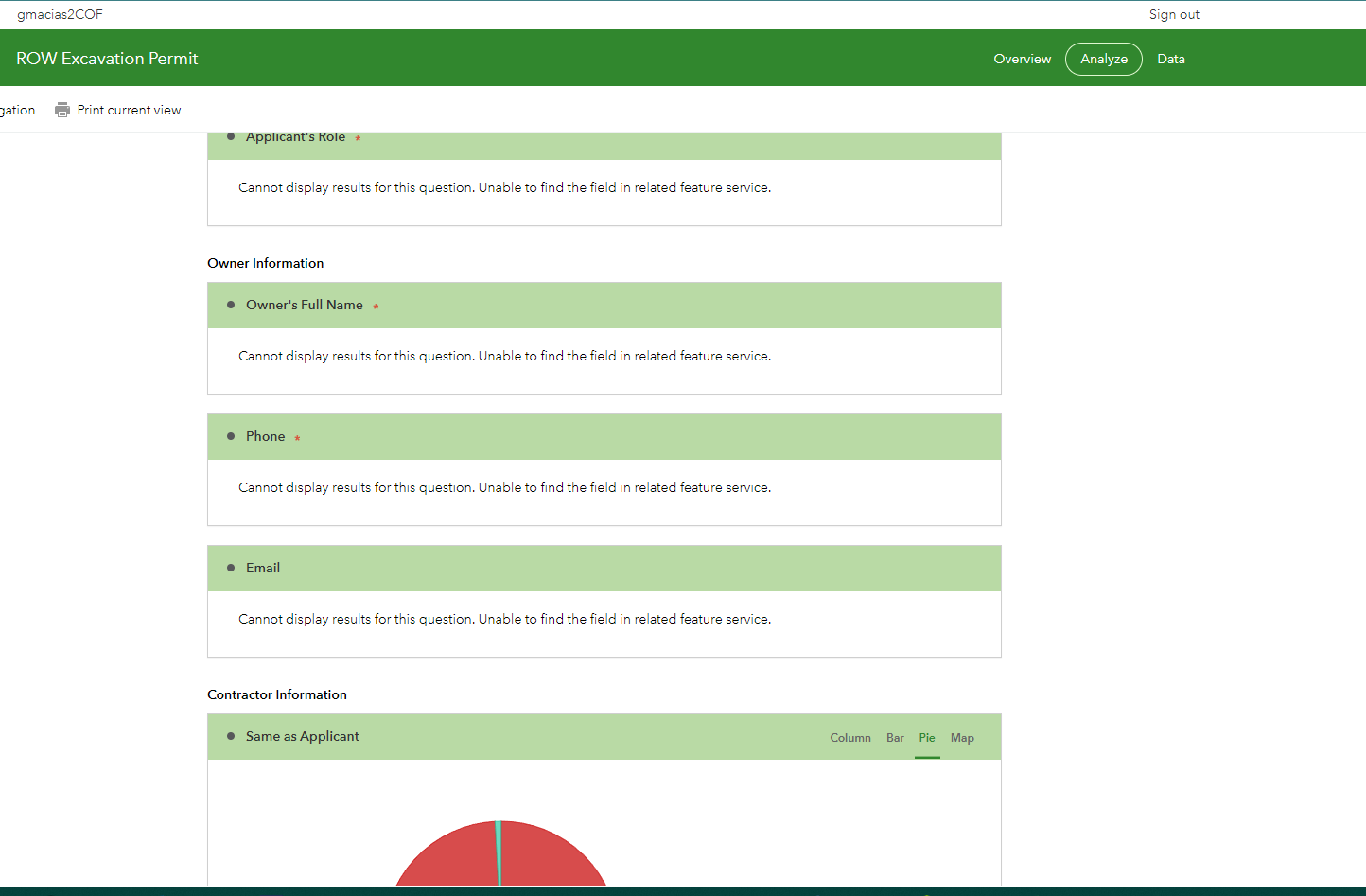
I have confirmed the members with share results access are in the group. The link that is shared will take the user to the analysis view and the attributes specified above with issues are showing this error message:
Cannot display results for this question. Unable to find the field in related feature service.
I will upload a copy of my survey123 connect file. Please let me know if I need to share anything else.
I appreciate your help it troubleshooting these issues.



