I've created this map through Experience Builder. I'm able to configure the contents of the Pop-up within map viewer. However, is there a way to change the colors of the pop-up? The default colors make the contents practically illegible. (Please no coding suggestions...that is over my head 😸)
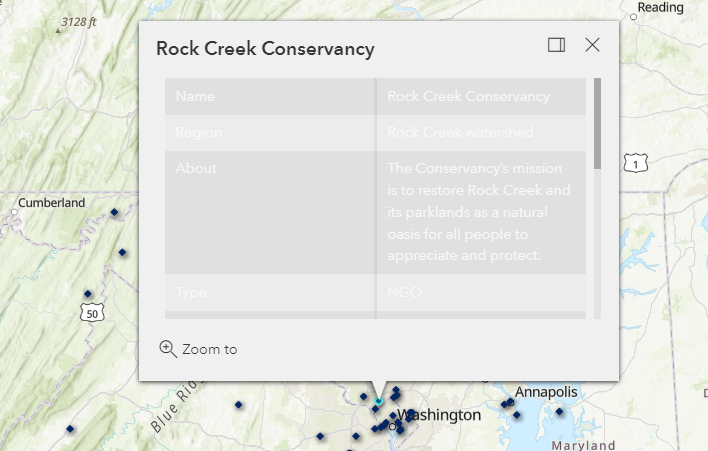
Thanks for any advice!

Â
DMV! 🙂
Not on the experience builder team but from my use you can adjust the styling with tweaking the colors used I think you need to tweak the color styling themes here:Â
https://doc.arcgis.com/en/experience-builder/build-apps/change-app-theme.htm
Thanks! I took it off the organization's theme and was able to edit it enough to be legible.Â
Thank you for sharing this. I've had a similar issue with a popup, and it's been driving me nuts for weeks.Â
Signed in members can post, follow updates, and more. New here? Register a free account.
Find useful guides, FAQs, and documents to help you navigate and make the most of Esri Community.
