Hi,
Feeling frustrated here....
You know in ArcGIS Desktop, I was able to create Domain and Subtype and it was easy to follow. As I am learning more about ArcGIS Pro 2.9.1 and I had to copy the geodatabase from previous work and I am re-creating it again to improve the fields.
Problem is that I did follow the instructions here: Create and manage domains—ArcGIS Pro | Documentation
and I know it should work because I did in ArcMap. However, in ArcMap, you would have to use Editing Toolbar to enable to have the Attribute Table open and use the drop-down to choose which to populate from the list
See an example from ArcMap :

But in ArcGIS Pro, I was not able to see that and wonder why. ? Did I miss something simple here ?
Should it be easy around to fix this issues ?
So here is what I did;
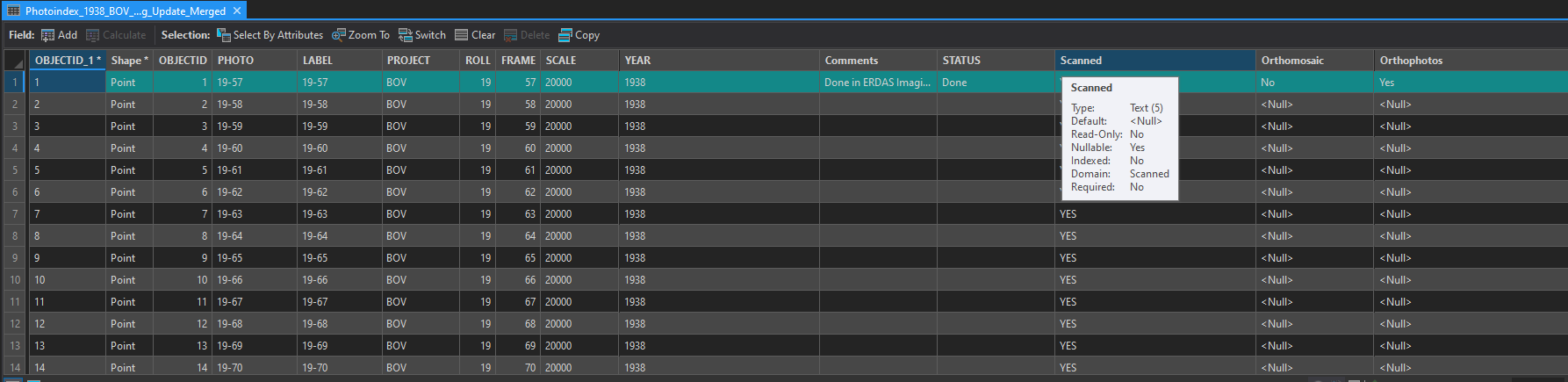
I highlight the layer that has these Domains then open the Attribute Table to show the status of each Doman :
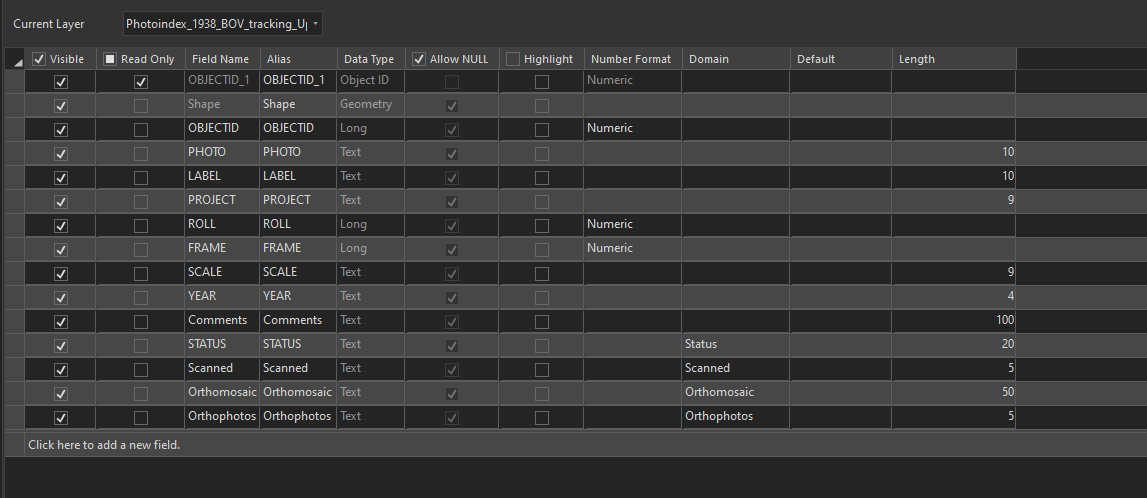
Screenshot of my Fields with Domains :