I am working with a feature layer, a related table, and a survey built from S123 Connect that, when submitted, adds a record to the related table. The feature layer is a point layer with a variety of information, while the table is related "one-to-many" to the "Name" field in both the feature and the table. The "Name" field is my feature's unique ID.
The purpose of this workflow is to allow field personnel to navigate to a point using field maps, and then click the point which will present the user with a custom pop up that has a link to survey123 mobile, with certain survey questions auto-populated based on the information of the selected point. I used the guidance in this article to set up this workflow:
https://support.esri.com/en/technical-article/000021198
I configured my feature pop-up to use the following link to direct the user to survey 123 mobile.
arcgis-survey123://?itemID=3ac76ef7297d406ba833f37581ce7b3f&field:tract_name={Tract}&field:Name={Name}&field:habitat_type={HabitatGAP}
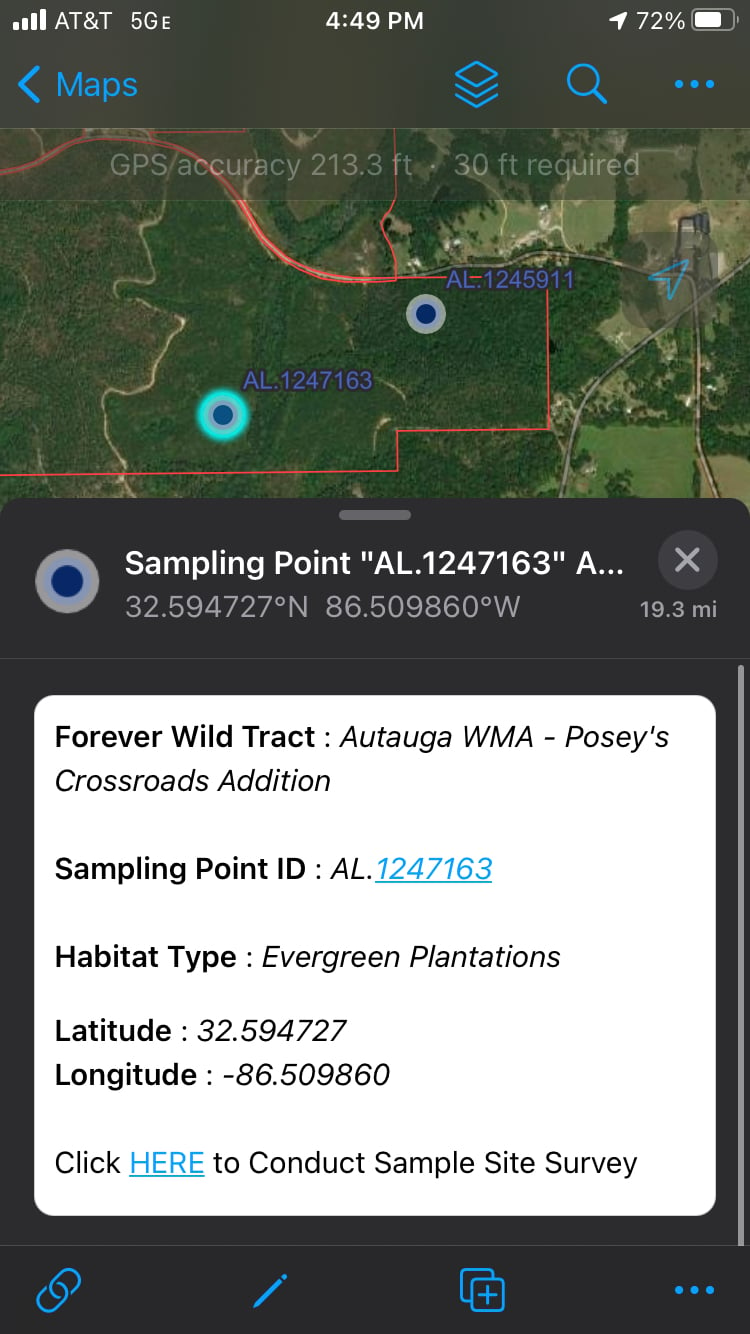
The Pop-Up is as follows:
But.... When I click "HERE" to link to the survey, the Survey looks as follows.
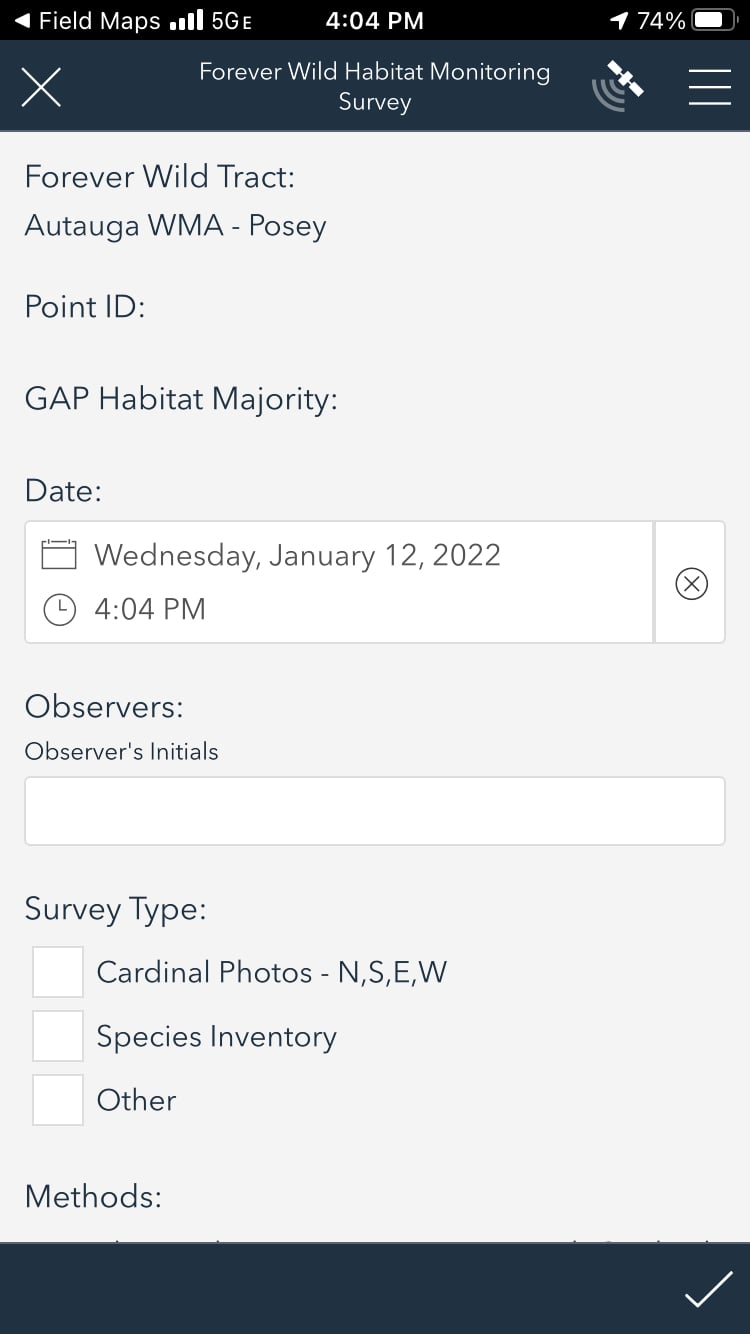
You can see how the Tract name after "Posey" is cut off and then no additional auto-populated information is available in the survey (Missing Point ID and GAP Habitat Majority-autofilled questions). However, it was only 2 points exhibiting this type behavior. All other habitat point surveys that were opened would show the auto-populated information: the tract name, point ID and GAP Habitat Majority when opened in S123.
I deliberated on this issue until I tried removing the apostrophe from the tract name. Consequently, the survey/field map work flow worked as it should, at the compromise that the tract name is no longer reflected correctly in the pop-up or in the related records. My big question- Is there a work around for this issue? Has anyone else ran into this? Clearly apostrophe's don't have a place in this work flow so is there any way this is a bug? I'd like to reiterate the point that the rest of the workflow works with no issues, for the exception of the two points that occur specifically on this Forever Wild Tract.
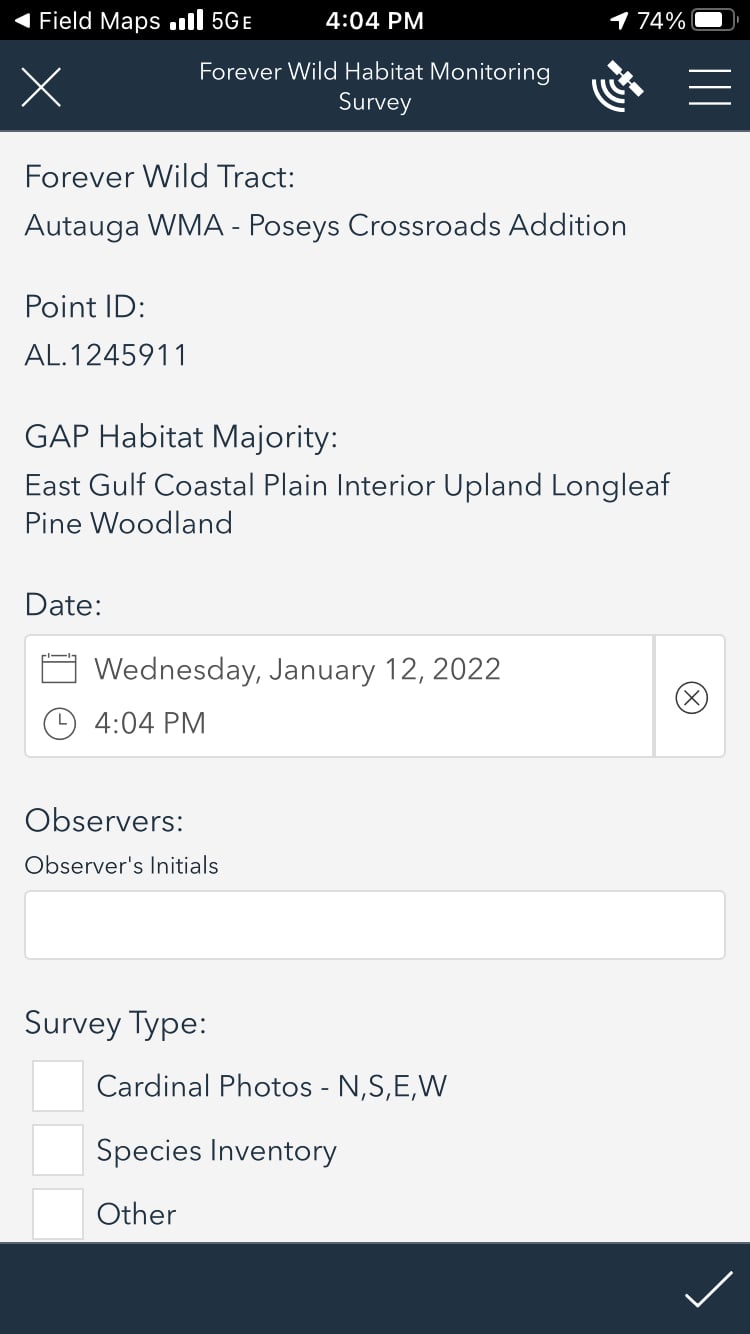
When I change the tract name of the feature to "Poseys" instead of "Posey's", the form is autopopulated with no issues. Note: Habitat majority is different in this screenshot but it is still a point that occurs on the same tract with the tract name in question.
I hope this makes any sense and will be happy to answer any questions anyone might have.




