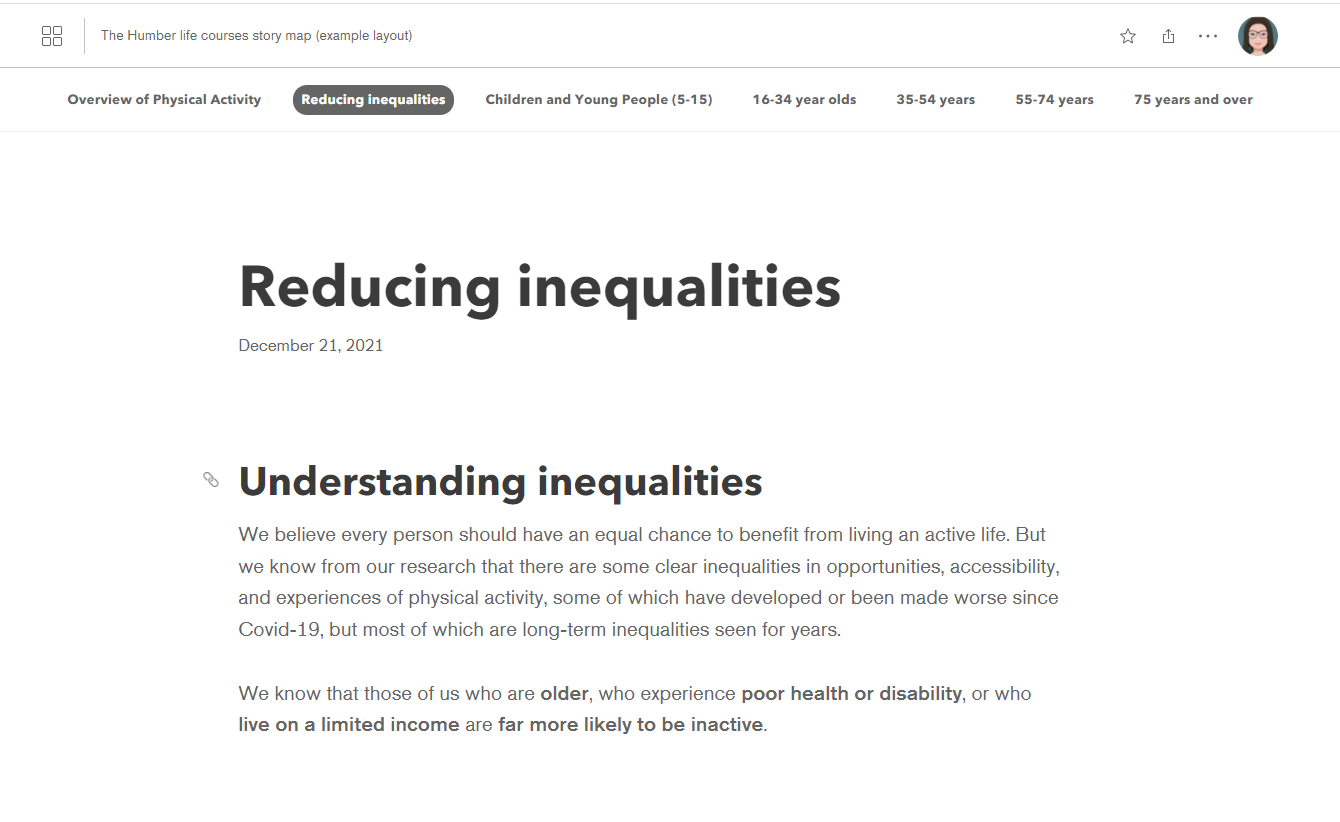
Is there any way of removing the storymap heading section? Once a storymap has been embedded into a collection it seems like overkill to have the heading within the menu bar at the top (where it's really helpful); and again in very big letters below!
Yep! That's the story cover. Just hover over the story in the collection builder overview page, click the gear, and then check the box to hide the cover.
@Laura This article describes a feature that may help you accomplish what you are looking to do:StoryMap Collection "modes" - Esri Community
@RichfieldMN , the link above also may interest you.
How can we do this in 2025?
It was from Embed option. Thank you for clarifying it. I also have tried adding header=flase&cover=false to the url parameter, and it also didn't work. https://storymaps.arcgis.com/collections/2b11e1577294491fafca8645945a586d?header=flase&cover=false
Is there a way we can remove header from StoryMapCollections? (Where different tabs show different embeded content similar to what we can currently do with the old map series story map?
Thanks!
@RichfieldMN -- No, this functionality wasn't removed. Is the item you are modifying a StoryMap? If so, did you add it from the ArcGIS Content option or the Embed option? The hide story cover option will only be available if you add the story via the ArcGIS Content option.
There's no option to "Hide story cover" - Only options for Title and Thumbnail appears. Was this functionality removed?
Fantastic - thanks @OwenGeo !
Signed in members can post, follow updates, and more. New here? Register a free account.
Find useful guides, FAQs, and documents to help you navigate and make the most of Esri Community.