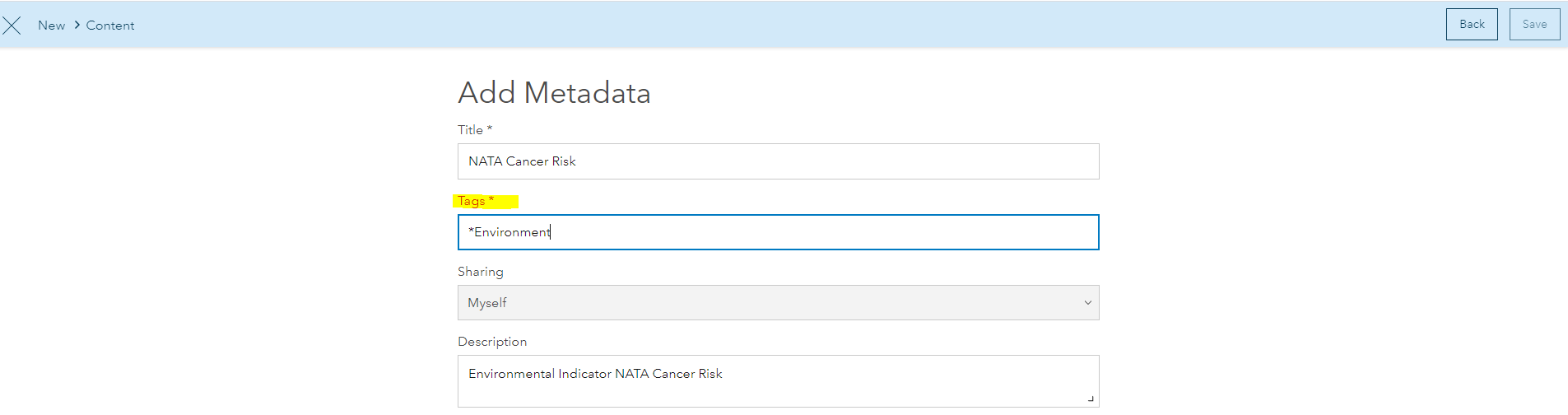
I'm having some difficulty adding a web service to my hub. I've copied the url and input the required fields but it seems like the "Tag*" is not being accepted. I've tried creating a new tag and making sure that the entry matched existing tags but neither seems to work. Please advise:
I think that you just need to press Enter on your keyboard once you've typed the tag, or word. The ArcGIS Hub Metadata Tags will accept the asterisk "*" (see below); however, I can't think of many cases when this would be necessary.
ArcGIS Hub Metadata Tags
Remove the "*" from the beginning of the the tag name.
Hello Roscopeters, I'm new at ArcGis Hub and I have that same problem, did you have some solution?
Thanks.
That worked. Sorry, it seems very basic...
You need to press the ENTER key after each tag to commit the tag. If you're using the TAB key to go to the next field, the tag(s) will not be accepted.
Do you know how to fix this problem? I'm a newbie here at ArcGis Hub and I'm having the same issue. thirdle
Signed in members can post, follow updates, and more. New here? Register a free account.
Find useful guides, FAQs, and documents to help you navigate and make the most of Esri Community.