I have a group layer that I've published to our ArcGIS Server, with one of the layers referencing a point feature class from our SDE database so it will be updated with all the additions and edits that are performed. In a web map I have this layer unchecked by default, since it has a lot of points and can make the map quite noisy. This is how it looks like in the Classic Map Viewer content menu:
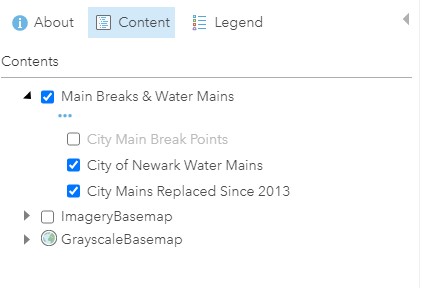
When I open the same web map in the New Map Viewer I cannot figure out how to expand the group layer and access the sub-layers to turn the point layer on/off:
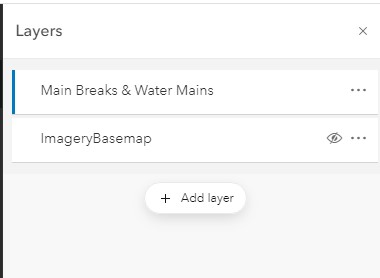
When I click on the group layer it just displays the properties of the layers that are checked by default, and I've looked at all the other options that are available and can't see how to access the sub-layers.
I've tried other group layers that I've published to our Sever in the New Map Viewer and I'm seeing the same issue in accessing sub-layers. I don't have a lot of experience with the new map viewer, but me and my co-workers couldn't see a way to access the sub-layers. Am I missing something or are group layers coming from Server not supported in the New Map Viewer?



