I have a survey that users are accessing through embedding the form in a dashboard using URL parameters so that users only see the entries assigned to their jurisdiction. The form captures current capacity info at various facilities, including facility bed capacity, beds available and beds in use. We also need the form to track new admissions and new discharges each time the user submits a report for a given facility.
I have been trying to setup the form to capture the daily data updates using repeats so that a related table shows changes over time for each facility.
Is there a way to configure a URL parameter to open a survey in edit mode and only allow the user to submit a new repeat, without seeing any of the previous repeats? I've followed this post regarding the use of repeats and found the section on setting the bind::esri:parameters to allowUpdates=false and allowAdds=true. Does that functionality only work in the field app and not the web form?
Ideally, I want the user to see the embedded survey with a repeat section that looks similar to this:
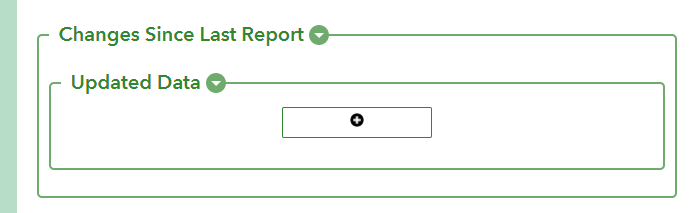
So far, I've only been able to set up the repeat to display this way for a new form submission and not editing an existing one by setting the appearance for the begin repeat to minimal.
It's not a requirement to capture the daily change data in a repeat, so I am open to a better way to do this. My end goal is to capture the daily data updates so that we can have a record of change over time at each facility.




