- Home
- :
- All Communities
- :
- User Groups
- :
- Web AppBuilder Custom Widgets
- :
- Questions
- :
- LocalLayerWidget Version 2.5 and AccessifizrWidget...
- Subscribe to RSS Feed
- Mark Topic as New
- Mark Topic as Read
- Float this Topic for Current User
- Bookmark
- Printer Friendly Page
LocalLayerWidget Version 2.5 and AccessifizrWidget Layer - 09/28/2017

- Mark as New
- Bookmark
- Subscribe to RSS Feed
- Permalink
I've been having a blast playing around with the new Web AppBuilder, and have taken a few cracks at putting together some custom Widgets that I'd like to share with the community. I hope these can assist in everyone's future Mappmaking endeavours!
LocalLayerWidget
LocalLayerWidget v 2.5
September 28 2017 : LocalLayerWidget v2.5 released: This major release includes the following enhancements for the widget. Thanks to everyone who's donated!:
Release LocalLayerWidget 2.5 · cmndrbensisko/LocalLayer · GitHub
- Support for 2.5 Release of ArcGIS Web App Builder
- Support for Custom Layers via Transformers
- Demos and sample apps
- Prototype 3D Widget
- Dynamic GUI changes at runtime and css insertion via odds.json/odds.css
- And more!
November 14, 2016: LocalLayerWidget v2.2 released: This major release includes the following enhancements for the widget:
Release LocalLayer v2.2 · cmndrbensisko/LocalLayer · GitHub
- Related Table Viewing and Editing
- ImageService Viewing and Popups
- WMS Service Viewing and Popups
- Ability to integrate with the IncidentAnalysis widget
- Hide Layer In Legend capability added
- Dynamic mode added, allowing for URL-fed configuration files
- And more!
May 18, 2016: LocalLayerWidget v.2.0 released: This substantial change for Web App Builder v.2.0. removes the need to edit any core files in the Web App Builder, unlike previous versions. A slight change will still be necessary for the AttributeTable widget to work properly with LocalLayerWidget layers.
- https://github.com/cmndrbensisko/LocalLayer/releases/tag/v2.0
- Enhancements:
- Added autorefresh capability for dynamic layers, and sub-minute decimal values can be specified for time.
- Added support for non-consecutive sublayer numbering to support 10.3.1 mapservices
- Editor Tracking via an organizational Active Directory instead of ArcGIS Online User now supported
- Bug Fixes:
- View Attachments now works for Dynamic Layers
- Addition of GeoJson layers fixed
- Fix to MapService sublayer visibility when no sublayers are selected to display by default.
Mar 29, 2016: LocalLayerWidget v.1.3.1 released; Contains bugfixes to v.1.3. related to custom rendering for Feature Layers and toggling sublayer visibility in the LayerList widget.
Mar 22, 2016: LocalLayerWidget v.1.3 is now available! (Note the version naming change; Version 1.3 refers to its compatibility with v1.3 of the WAB - This is indeed the latest version of the widget as of March 22, 2016). Be sure to read the github page to see what tweaks need to be made to ensure that everything continues running smoothly in version 1.3 of the Web AppBuilder.
- Includes support for GeoJSON and WebTileLayers
- Custom Symbology and Labelling Options for Feature Layers
- Currently requires the use of playground to generate custom json layer and label styling for Feature Layers. For more information, please follow the instructions on the Github page.
Feb 10, 2015: LocalLayerWidget v.1.5 is now available! This release contains full support for adding Tiled layers to your application directly from ArcGIS Server, in addition to the Basemap, Dynamic, and Feature layers available before. Feel free to grab the widget from our Release page located at https://github.com/cmndrbensisko/LocalLayer/releases.
Feb 2, 2015: LocalLayerWidget v.1.2 is now available! This release provides a great GUI developed by Robert Scheitlin to more easily add Feature, Dynamic, and Basemap layers to your ArcGIS Web AppBuilder Applications. Take it for a spin, and please keep us informed of any bugs or desired enhancements through our Github Issue Tracker located at https://github.com/cmndrbensisko/LocalLayerWidget/issues.
Jan 12, 2015: Note that LocalLayerWidget v.1.1 is now available, which provides Click-To-Identify support and the option to add Feature and Basemap layers in addition to Dynamic layers.
The LocalLayer Widget is intended to allow the direct addition of MapServices to an ArcGIS Web AppBuilder application, without needing to wrap the desired services in an ArcGIS Online/Portal Web Map.
https://github.com/cmndrbensisko/LocalLayerWidget
Basically, your basemap will still need to come from Portal/AGOL, but otherwise you just provide direct URLs to your own MapServices in the widget's configuration settings. The MapServices should load and display as usual in the map, and cooperate with the Legend, LayerList, and Attribute Table widgets. Click-To-Identify functionality won't work currently, though, because the current WAB implementation relies on Portal for all the popup info. As stated in the January 12th 2015 release, popups are fully customizable. Note that it's not an in-panel widget, so you'll need to follow a few extra steps in the project's Readme file.
AccessifizrWidget
Let's make Mapps accessible for everyone! With an eye on WCAG compliance, the Accessifizr Widget is designed to help make web applications keyboard navigable without having to modify core application code and UI.
https://github.com/cmndrbensisko/AccessifizrWidget
Information about how to configure this widget is available in the core Accessifizr.js library project available here, but the gist is that you create a JSON-based 'roadmap' detailing the keyboard navigation of your web application, and how it should change in response to users entering modal menus, hitting the escape button, etc. For applying descriptive alternate text to page elements, the widget leverages dojo's built-in internationalization support to specify multilingual alternate text strings. The end result is a web app that, hopefully, is a bit easier to use for people with mobility or visual challenges.
- Mark as New
- Bookmark
- Subscribe to RSS Feed
- Permalink
Hey Barnaby, I've added better control over layer order as an enhancement to the widget: I agree that it's very important, and that Feature Layers shouldn't necessarily float to the top if we can prevent it.
I'm a little curious about the issue you're describing here, regarding your use of a Tiled Service as a Feature Layer:
"Edit 3: Note that a tiled service (a geodatabase of nationwide vectors in this case) added as a Feature layer using the widget draws very slowly. The same tiled service draws instantly when it is part of an AGOL Web Map added to a WAB Dev app"
I haven't tested myself, but it seems like in this particular situation, the slowness you're experiencing could be because a Feature Layer will by default query all the visible features from a data source and send them to the client to render, in this case the Web App. Instead of quickly sending the pre-rendered tiles your way, which is what I imagine you're expecting to see, it's slowly rendering all the features in the browser.
If my guess is on the mark, I'd imagine this is the cause of the slowness you're seeing. I'm curious then about the AGOL Web Map you're mentioning; Would you be able to pass along a public AGOL Web Map containing this Tiled Feature Layer? My guess is that the AGOL Web Map has the Tiled Layer added in such a way that the tiles are being correctly streamed, and that's why you're seeing the tiles rapidly drawing, instead of the slow process of client-side vector rendering.
Does this sound like it could be on the right track? Do you have any public URLs you can share so that I can try to troubleshoot your issue on my end?

- Mark as New
- Bookmark
- Subscribe to RSS Feed
- Permalink
Hi Adam,
Sounds to me like you are on exactly the right track. I doctored a public AGOL Web Map for you. Can you see this map?
If so, the layer named "SGMC_March2014_Geology" is the tiled (cached) layer. The "Geology (State Geologic Maps)" is the same data, but in an uncached, dynamic service.
Let me know if you can't open that Web Map, and I'll figure something else out.


- Mark as New
- Bookmark
- Subscribe to RSS Feed
- Permalink
Once Version 1.3 comes out with tiled layer support this might be moot point.

- Mark as New
- Bookmark
- Subscribe to RSS Feed
- Permalink
In 1.3, it's indeed moot. Good job. 
Also moot (for me) is the "Feature layer always on top" issue. Tiled layers are not always on top, and my Feature layer (Geology) has now been added as a Tiled layer, so it can be overlain with Dynamic layers. So I'm good. But others will run into the "Feature layer always on top" issue, I assume, so hopefully it will be fixed in a future widget release.
The principal remaining issue for me is that Dynamic layers must have the top layer off as set in published service for sublayers to be toggled (Adam's working on this). However, with 1.3 the Legends now display normally for sublayers of Dynamic layers that are published even with top layer on!  But to get the Legends to display, one must toggle sublayers manually. Although the Legends will display for the checked sublayer, the sublayers do not actually toggle visually in the app display.
When I have been editing layers and pop-ups in the widget and click OK, which saves my edits, the CPU cranks up and my browser hangs for up to several minutes. But I haven't had a browser crash yet (using Chrome). Could the save process (writing edits to widget json config file for app) be optimized?
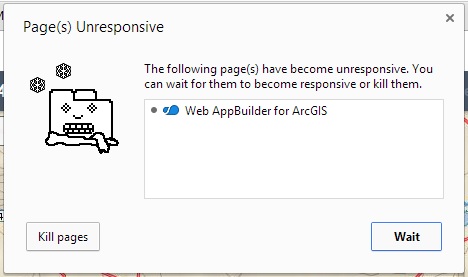
Possibly related to that is I'm getting INFO messages in WAB Dev cmd window during the save process saying, "No portal URL is set, redirect /webappbuilder/ to /webappbuilder/?action=setportalurl"
Here's an interesting question: is there a way to select "None" for the Web Map, and just add a default basemap using the widget?
- Mark as New
- Bookmark
- Subscribe to RSS Feed
- Permalink
Barnaby,
No currently you have to start with a Web Map from AGOL to start. I don't currently see us getting away from this requirement unless esri changes something in the main WAB core.
- Mark as New
- Bookmark
- Subscribe to RSS Feed
- Permalink
Thanks. I've just been selecting an AGOL basemap as the Web Map, and that works ok. But doing that adds layers to my app without asking me, such as Boundaries and Transportation, depending on the Web Map. And I haven't figured out a way to get rid of those extra layers in my app Layer List. Plus, switching AGOL basemaps/Web Maps is hanging today for some reason. Perhaps my server and/or AGOL are partially on the fritz today?
Cheers,
Barnaby

- Mark as New
- Bookmark
- Subscribe to RSS Feed
- Permalink
Barnaby Rockwell wrote:
Thanks. I've just been selecting an AGOL basemap as the Web Map, and that works ok. But doing that adds layers to my app without asking me, like Boundaries and Transportation, etc. And I haven't figured out a way to get rid of those extra layers in my app Layer List
I'm assuming the Boundaries and Transportation are part of the "base map" you selected from AGOL? I had a layer showing up on top of my raster base map that I didn't want. I just created a copy of the base map and removed those layers, then pointed to the new clean base map.
Not sure if your situation is more complicated than that, but thought I'd pass that simple fix along.
- Mark as New
- Bookmark
- Subscribe to RSS Feed
- Permalink
Interesting. How does one create a copy of an AGOL basemap? I don't have Portal installed locally (which is the whole reason I've been experimenting with this widget). I could create a new Web Map on my group AGOL account, add a Basemap, and edit. Then I could use that Web Map for my local WAB Dev app. Is that what you mean?
I'm hesitant to do that since it would require logging in to AGOL every time the local WAB app is opened, I think.
- Mark as New
- Bookmark
- Subscribe to RSS Feed
- Permalink
Just by using the WAB, and the initial setup you are basically logging into AGOL. If you remember when you install the WAB it asked for you AGOL/Portal URL, and then you had to enter a AppID? That AppID in the AGOL/Portal actually has you local machine registered. I haven't tried to disconnect my internet while editing in WAB, but I know if the machine isn't "registered" then you get the "redirect" error.
So, what I did was logged onto AGOL, found the base map I was using. opened it up. Saved as a new Map Service. Edited it by removing all but "its" basemap. Saved. Shared to "Everyone".
Then back in WAB, I pointed to this new one that no longer has my community layer. I can add that back as a layer in WAB if I decide I need it.

