- Home
- :
- All Communities
- :
- User Groups
- :
- New to GIS
- :
- Questions
- :
- Re: How do I get my data to show together
- Subscribe to RSS Feed
- Mark Topic as New
- Mark Topic as Read
- Float this Topic for Current User
- Bookmark
- Subscribe
- Mute
- Printer Friendly Page
How do I get my data to show together


- Mark as New
- Bookmark
- Subscribe
- Mute
- Subscribe to RSS Feed
- Permalink
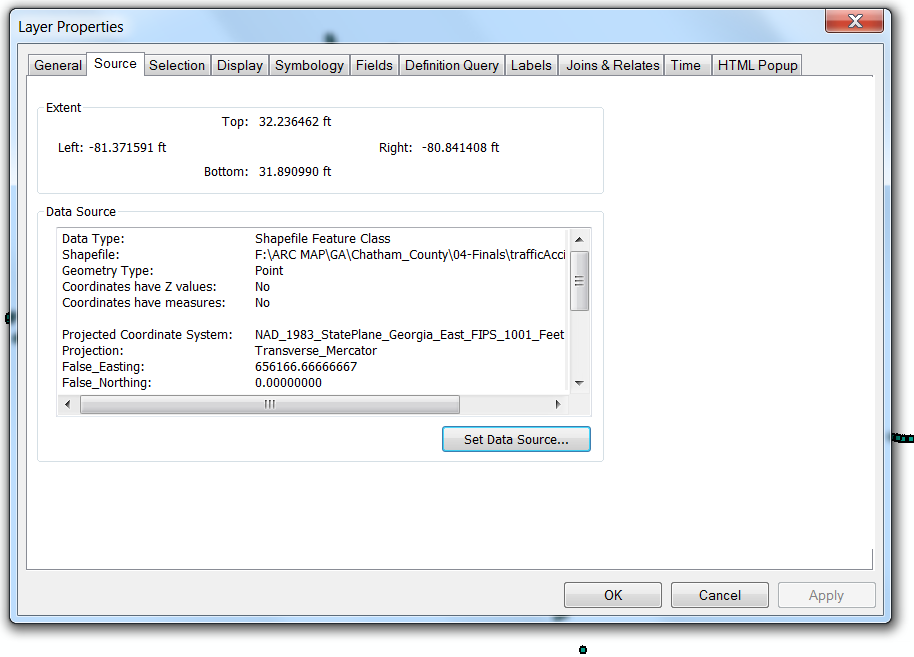
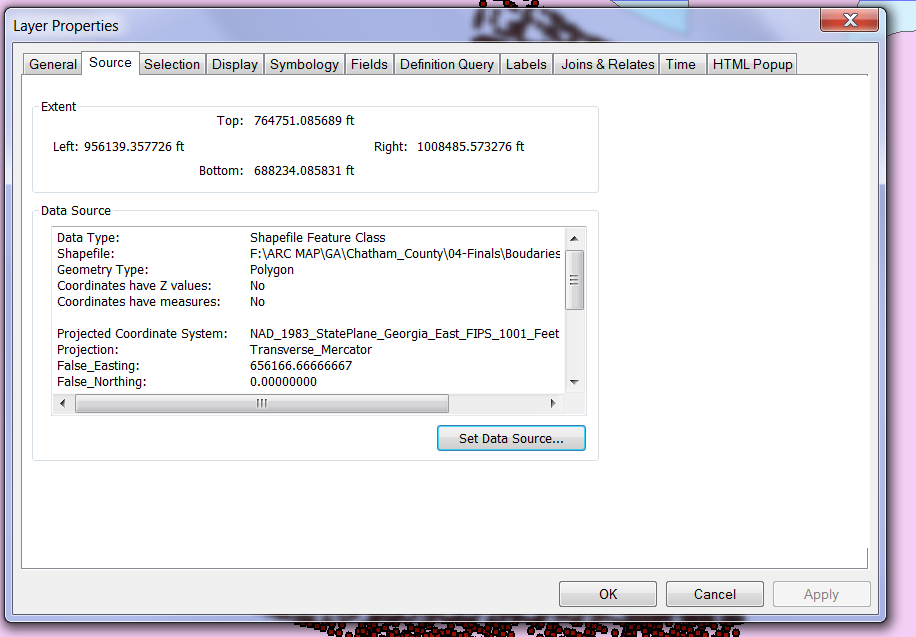
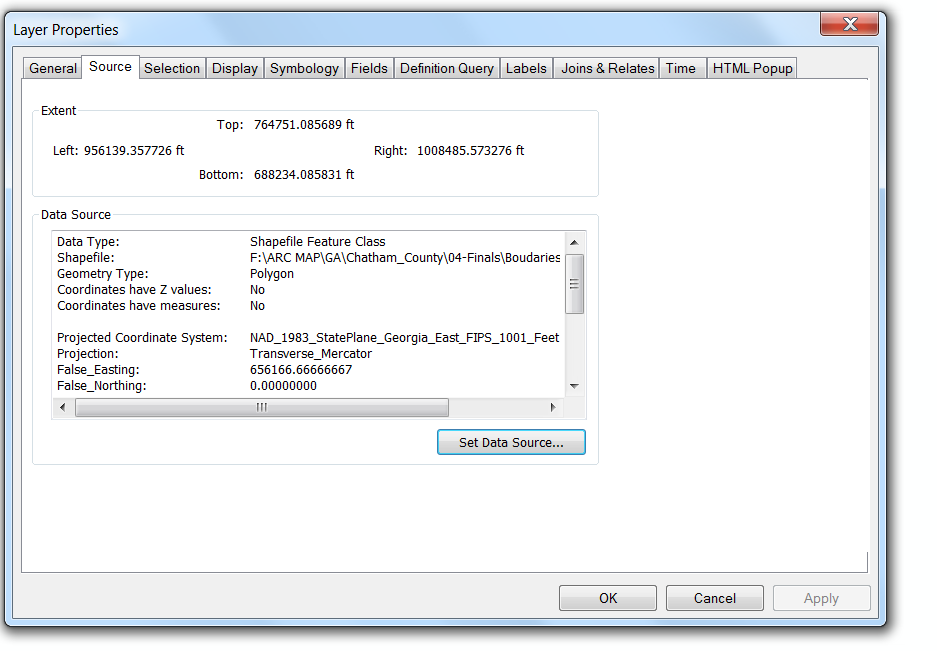
If they are meant to overlap, check the extent of both the layers. One of them should be defined a different coordinate system.
Could you mention the extent of both the layers and their projection system?
Think Location
- Mark as New
- Bookmark
- Subscribe
- Mute
- Subscribe to RSS Feed
- Permalink
I will check that...
Where do I find the extend? in the properties?
Thank you
- Mark as New
- Bookmark
- Subscribe
- Mute
- Subscribe to RSS Feed
- Permalink
they have different extend...
How do I change that?
Thank yiu
- Mark as New
- Bookmark
- Subscribe
- Mute
- Subscribe to RSS Feed
- Permalink
I don't have an access to any GIS software. If the extent of a shapefile is between 0-180, you need to define a geographic coordinate system (e.g. GCS_WGS_1984)
In ArcCatalog, right-click the shapefile and go to its properties. Edit the spatial reference and define a different coordinate system to check if it falls correctly on Map.
Think Location

- Mark as New
- Bookmark
- Subscribe
- Mute
- Subscribe to RSS Feed
- Permalink
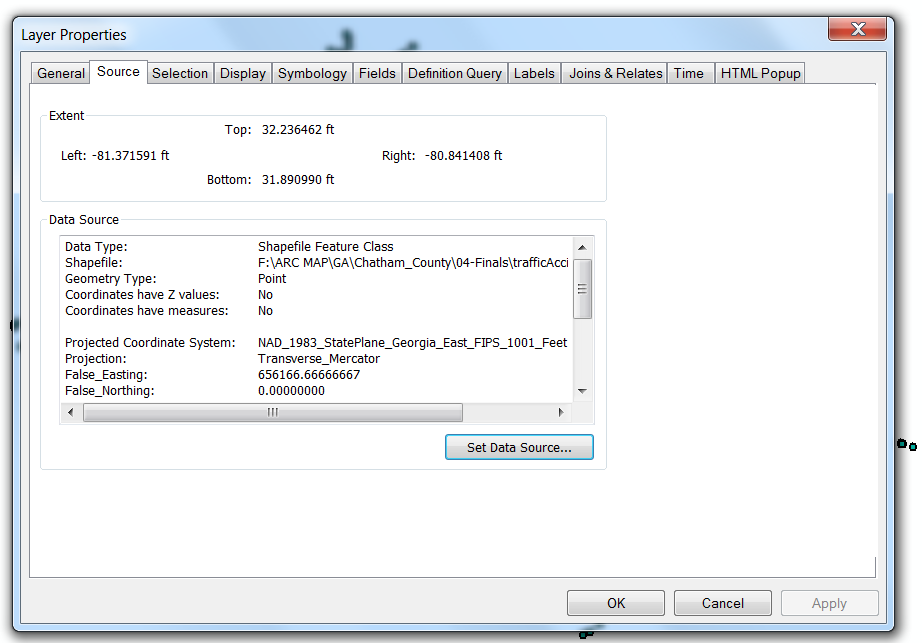
The traffic data is defined a wrong projection.
From ArcCatalog, go to its properties, and edit the spatial reference to Geographic Coordinate System > World > WGS 1984.
Else you could also define it as GCS_North_American_1983.
Check for the more appropriate coordinate system.
Think Location
- Mark as New
- Bookmark
- Subscribe
- Mute
- Subscribe to RSS Feed
- Permalink
Since your current projection system is derived from GCS_North_American_1983, I would try this one first.
Think Location
- Mark as New
- Bookmark
- Subscribe
- Mute
- Subscribe to RSS Feed
- Permalink
I see it.
Thank you...
I will try that.
C
- Mark as New
- Bookmark
- Subscribe
- Mute
- Subscribe to RSS Feed
- Permalink
Hello, I can see the second and thirds together, but not the first... Why will this one not show in the window with the two below? they seem to have the same coordinates??