We’re Back!
Guess what? The long-awaited and greatly anticipated second installment of our three-part Survey123 AI Capabilities blog series is finally here. You might be asking yourself, “What’s coming up in part two?” Or maybe you’re thinking, “Wait, did I miss part one?” No worries, I’ve got you covered! If you haven’t checked out the first post yet, you can find here - https://community.esri.com/t5/gas-and-pipeline-blog/the-survey123-assistant-for-gas-utilities/ba-p/1644926.
Last time, we dove into how the Survey123 AI Assistant can help you quickly create and design surveys using natural language. This round, we’re switching gears to spotlight another game-changing feature: the Language Translation assistant in Survey123, and how gas utilities can put it to work.
Why do you need this?
Language translation isn’t just a nice-to-have, it’s a must for every organization, and today I want to highlight how it really makes a difference for utilities. Let’s be clear: the Survey123 translation assistant isn’t here to take the place of a human translator. Its real value is helping you quickly translate forms, giving your team a solid starting point to review and refine before anything gets published or shared. These assistants are designed to help boost your productivity, not replace the expertise of your people.
Building an inclusive workplace where every employee can fully engage with their work is more important than ever. Whenever I’m designing a survey, it’s essential that everyone who fills it out can quickly and easily understand what’s being asked. The Survey123 Language Translation Assistant makes it simple to ensure any survey is accessible to the whole organization.
There are plenty of other practical scenarios, too. For instance, when utilities run safety outreach campaigns, a gas utility often needs to gather feedback from the communities they service. With the translation assistant, your organization can make sure every community member has the opportunity to access and share their input. It also means that regardless of language, everyone can participate and report issues like odor complaints or safety concerns, helping drive faster response times and building greater public trust.
Let’s be honest, if you’re not translating your contractor forms, you’re asking for confusion as a standard operating procedure. Utilities rely on contractors for everything from onboarding to safety checks and compliance, so making those forms available in multiple languages isn’t just thoughtful; it’s essential. Otherwise, you’re leaving part of your workforce out of the loop, and nobody wants that.
Let’s head into the office
Now, picture yourself as a GIS Analyst at your local gas utility. You’ve just built a shiny new Atmospheric Corrosion form with Survey123, and you want everyone to use it, no matter what language they speak. Here’s where the translation assistant comes in handy: just pick your language, hit “Translate,” and voilà! Your form is essentially ready.
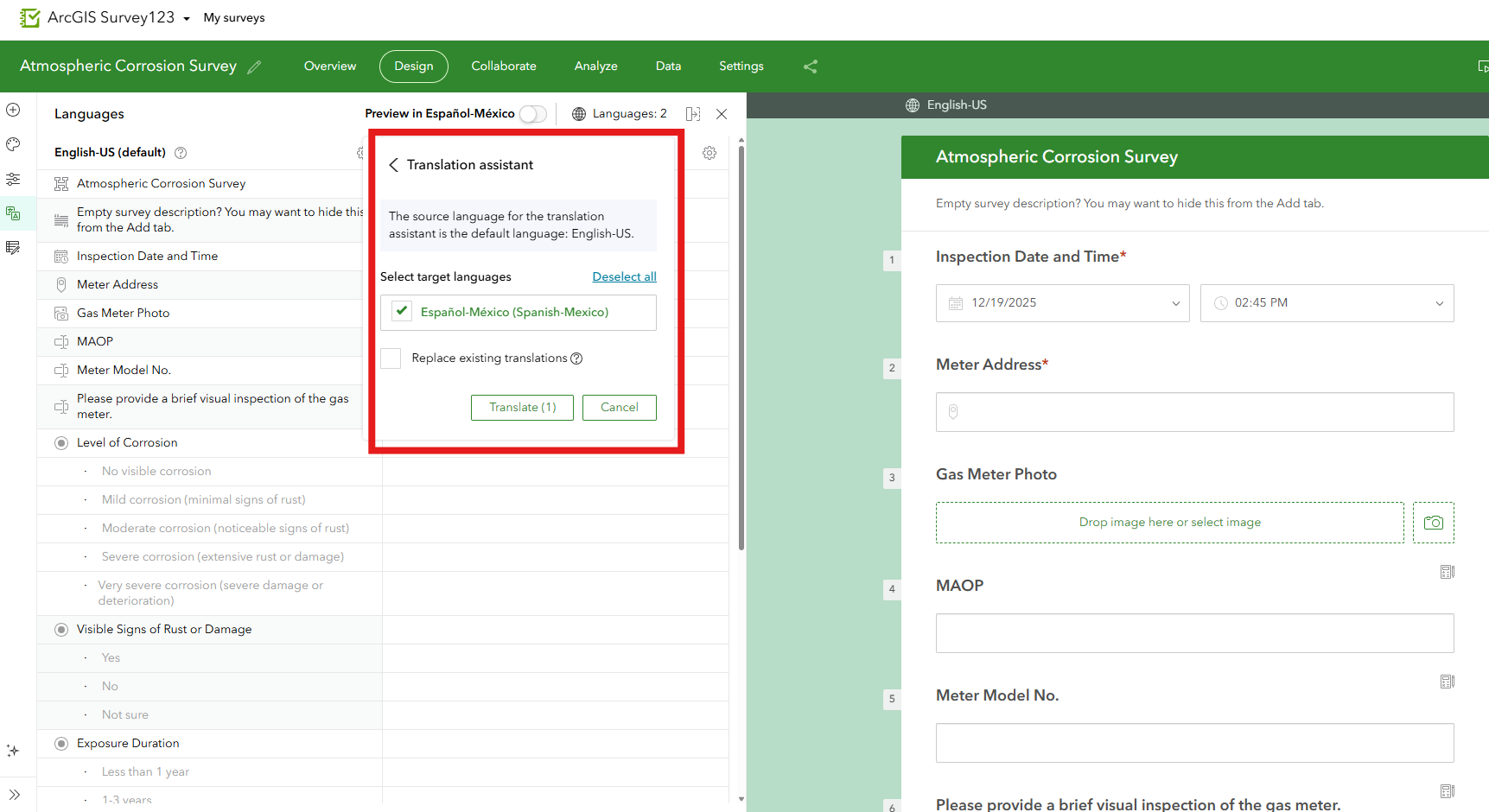
Within a few seconds, your entire survey is translated into the language or languages you choose.
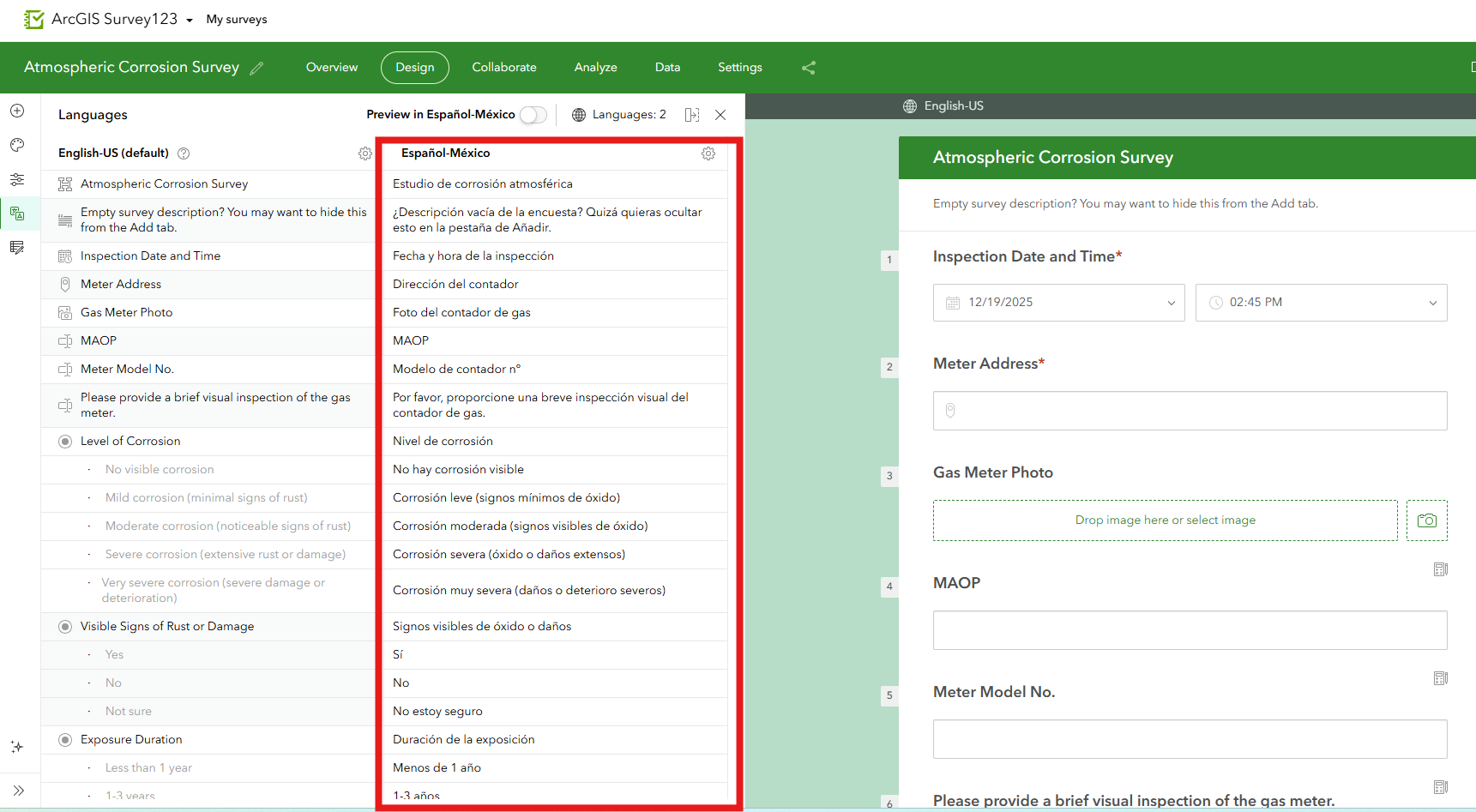
With our survey translated, we can now view it in the different languages we translated it into.
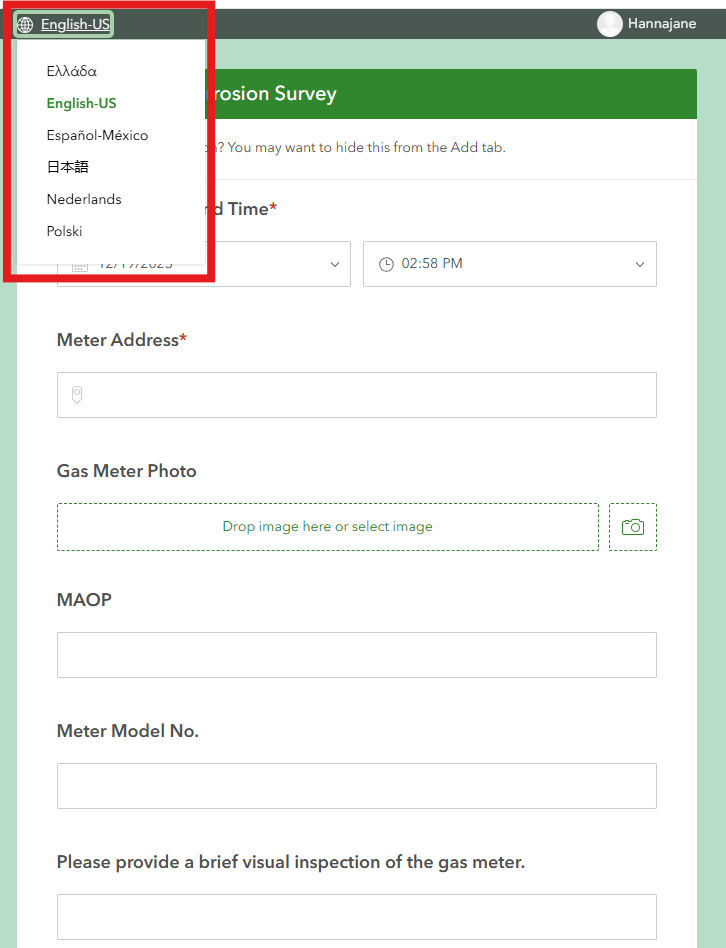
You’ve probably wondered more than once, how does this work? It’s powered by large language models and machine learning, with Microsoft Azure AI Translator Service doing the heavy lifting behind the scenes. The best part? You can use the translation assistant in both the web designer and Survey123 Connect, so your surveys get translated no matter where or how you build them. It’s smart, seamless, and ready to make your life easier, and who doesn’t love that?
How do I make it work?
Maybe you’re reading this and thinking, “Wait a minute…why don’t I see those buttons she’s talking about…?” If that’s the case, it’s probably because your organization hasn’t enabled these AI assistants yet, and just a heads-up: you’ll need to have admin privileges to turn them on.
How do I opt in?
If you have the necessary permissions, you can…
- Sign in to your organization with a role with privileges to manage the organization’s security and infrastructure.
- Click Organization, and then click the Settings tab.
- On the AI assistants page, enable the Allow use of AI assistants by members of your organization toggle button.
If you don’t have the right permissions, don’t worry, just email your AGOL administrator and ask them to enable these features.
What’s next?
Using the Survey123 Language Assistant means everyone, inside or outside your utility, can access the tools they need. Whether it’s a member of the public providing feedback, a contractor doing work, or crews out in the field doing their daily safety checks, ArcGIS and the AI assistants help make sure nobody gets left out of the process.
So, if you’re ready to dive in and start using the power of these assistants, check out the official ArcGIS Online documentation for all the steps you’ll need: https://doc.arcgis.com/en/arcgis-online/administer/configure-assistants.htm. Here’s to making your workflows smarter, faster, and a whole lot easier.
PLEASE NOTE: The postings on this site are my own and don’t necessarily represent Esri’s position, strategies, or opinions.
