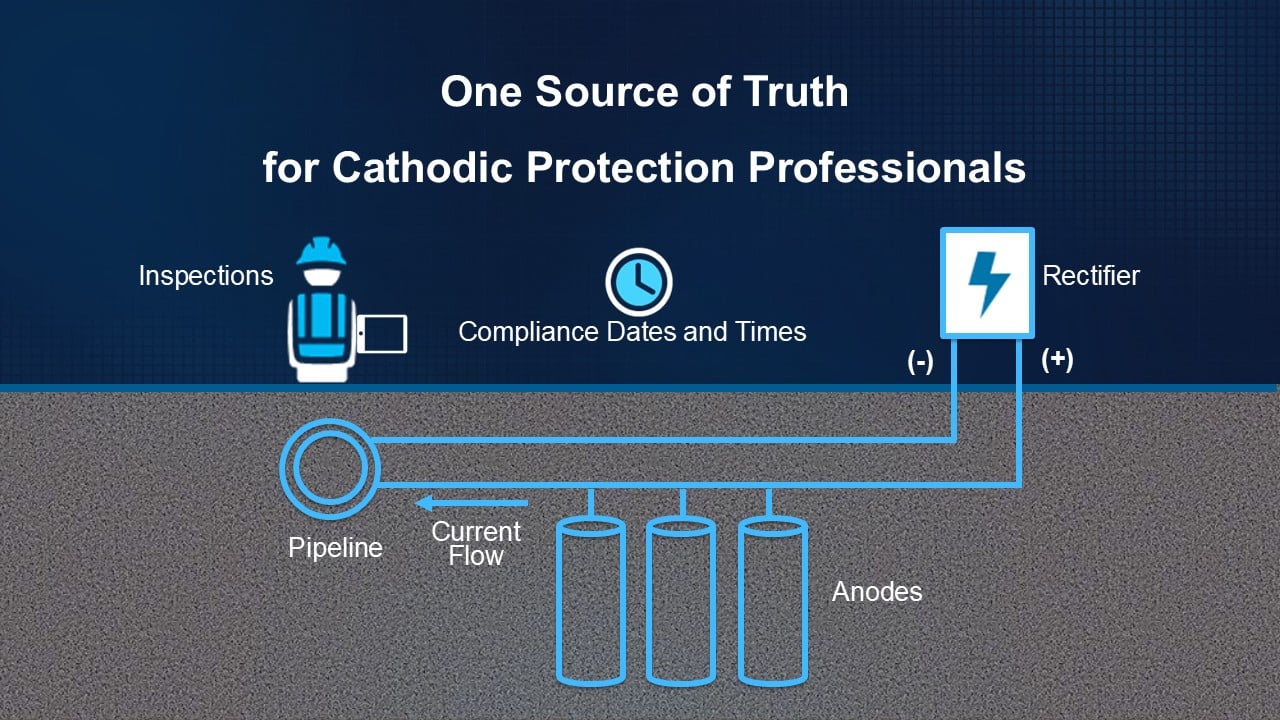
One Source of Truth for Cathodic Protection Professionals
By Tom DeWitte and Tom Coolidge
Managing Cathodic Protection (CP) has traditionally been a story of siloes for data management. For many CP departments, multiple data systems contain the information they rely upon. One system stores and manages the compliance dates. Another system stores and manages the data collected by field inspections. A third system stores and manages the location of the CP assets. Yet another system may be used to model these electrochemical circuits of pipes and CP components.
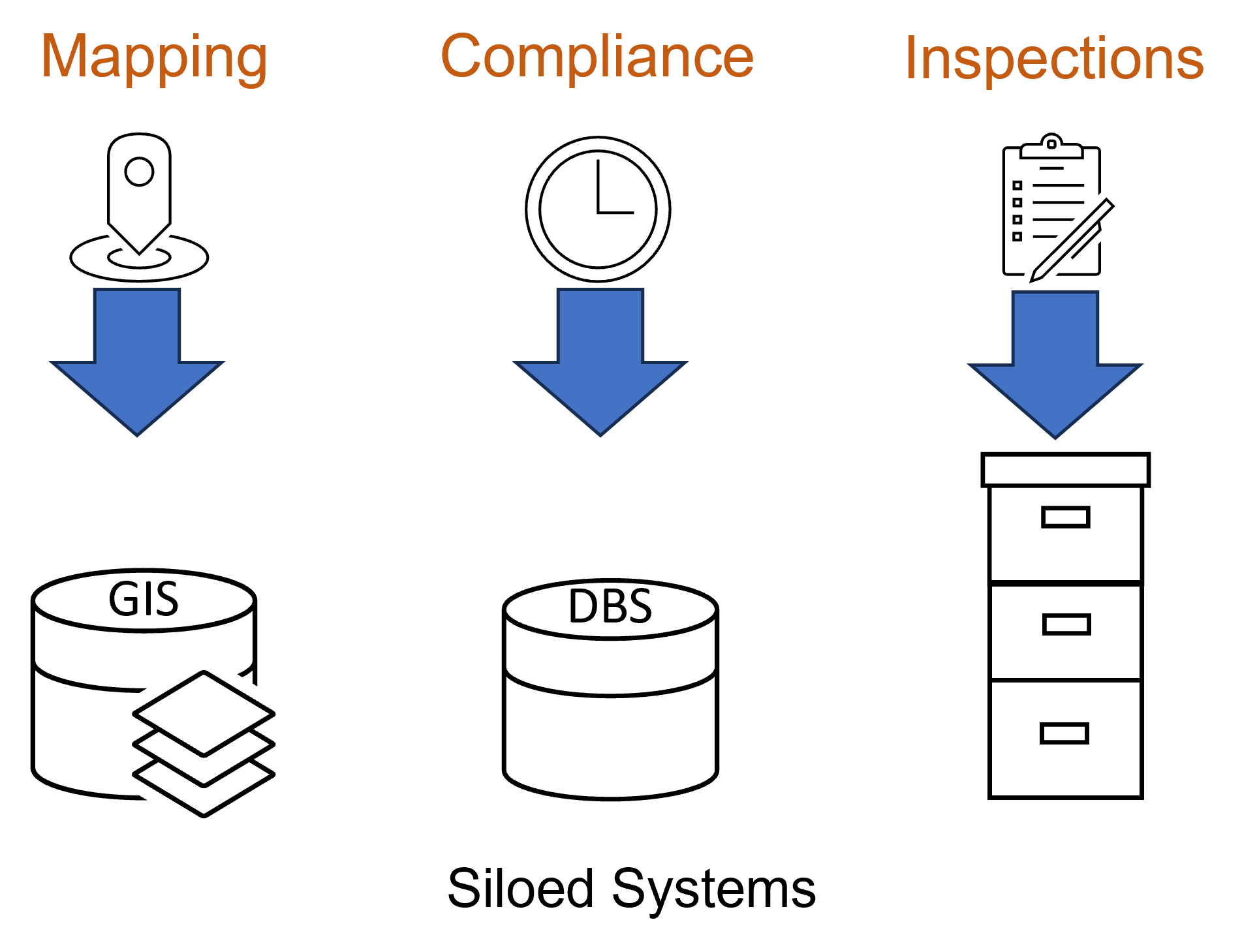
This siloed approach to data management has left many CP Professionals frustrated, confused, and wondering why it is so difficult to gain a comprehensive understanding of what is happening with a specific CP circuit. Why are these CP Professionals, who are performing a task that is not only critical to the safe operation of the pipe network, but also federally required, unable to get a single comprehensive view of the information needed to manage this CP system?
Advancements in technology are enabling CP departments to consolidate these disparate data silos into a single source of truth. One geospatial data management solution can store and manage location, compliance dates, and field inspection data. This single geospatial enterprise system can provide this consolidated information to the entire organization, whether they are in the office or in the field. It also can use this one source of truth information system to model the CP circuits.
One Source of Truth with UPDM
ArcGIS, organized with the natural gas and hazardous liquid industry data model known as the Utility and Pipeline Data Model (UPDM), provides the capabilities needed to be that one source of truth. ArcGIS has a long history of mapping the location of cathodic protection assets.
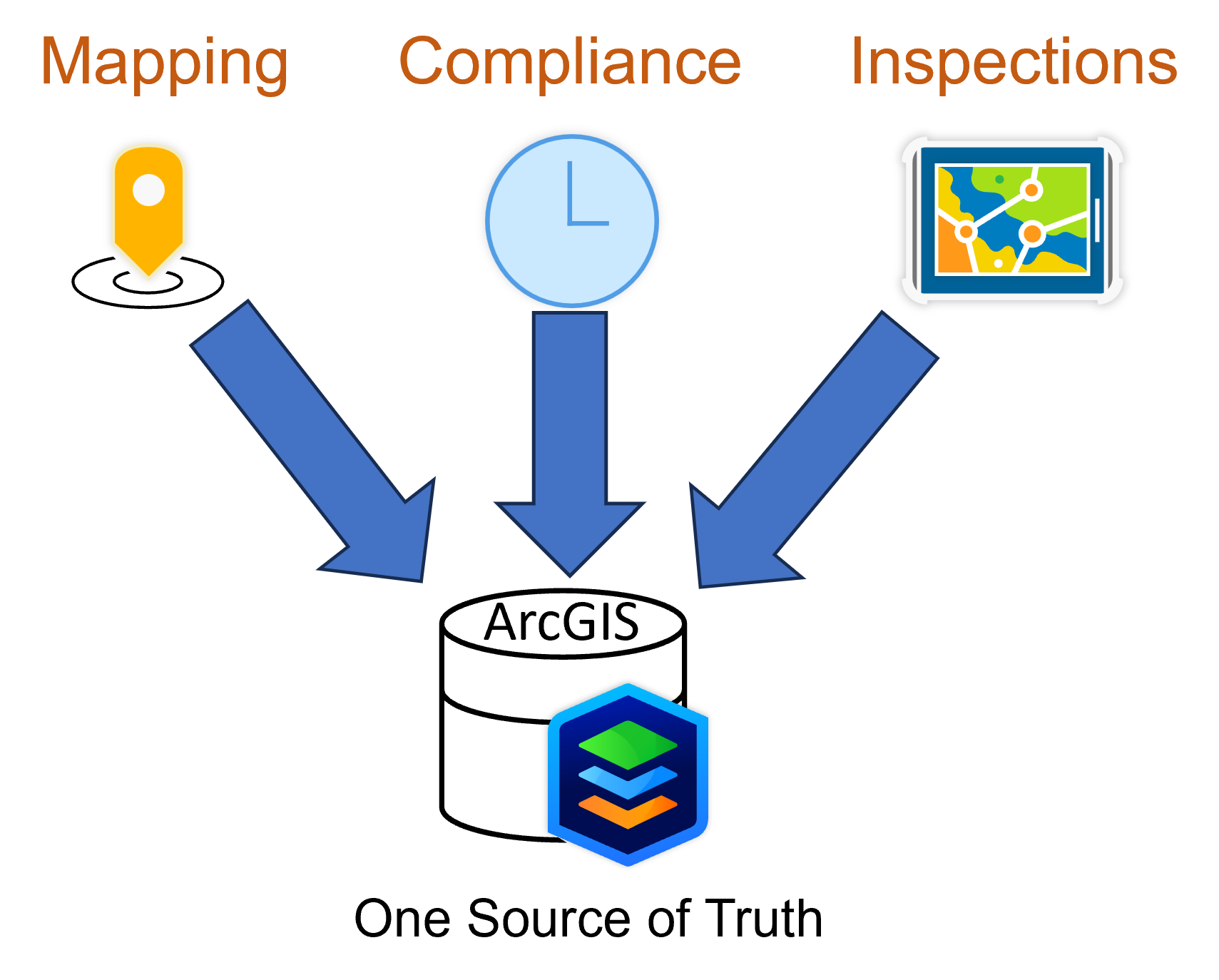
Since its original release in 2015, UPDM has also enabled the storage of field inspection data from activities such as test point readings and rectifier inspections. Since the release of ArcGIS Utility Network in 2018, the utility network has provided the core capability to model the circuits in which those cathodic protection assets participate. The upcoming release of UPDM 2026 will allow CP professionals to specify business rules to automatically manage the compliance dates. This last component of data management enables ArcGIS to provide the one source of truth CP departments have been looking for.
CP and Federal Regulations
In many countries, such as the United States, cathodically protecting metallic pipes in natural gas or hazardous liquid pipe networks is more than just a nice engineering solution. It is the law.
In the United States, the U.S. Department of Transportation’s Pipeline and Hazardous Materials Safety Administration (PHMSA) is responsible for regulating pipeline networks that transport natural gas or hazardous liquids.
PHMSA, since 1971, has required that each buried or submerged pipe must be protected from external corrosion (CFR 192.455 and CFR 195.563). In addition to requiring that all metallic pipes be cathodically protected, PHMSA requires that each operator maintain records or maps documenting the location of cathodically protected piping, cathodically protected facilities, galvanic anodes, and neighboring structures bonded to the cathodic protection system (CFR 192.491, CFR 195.589).
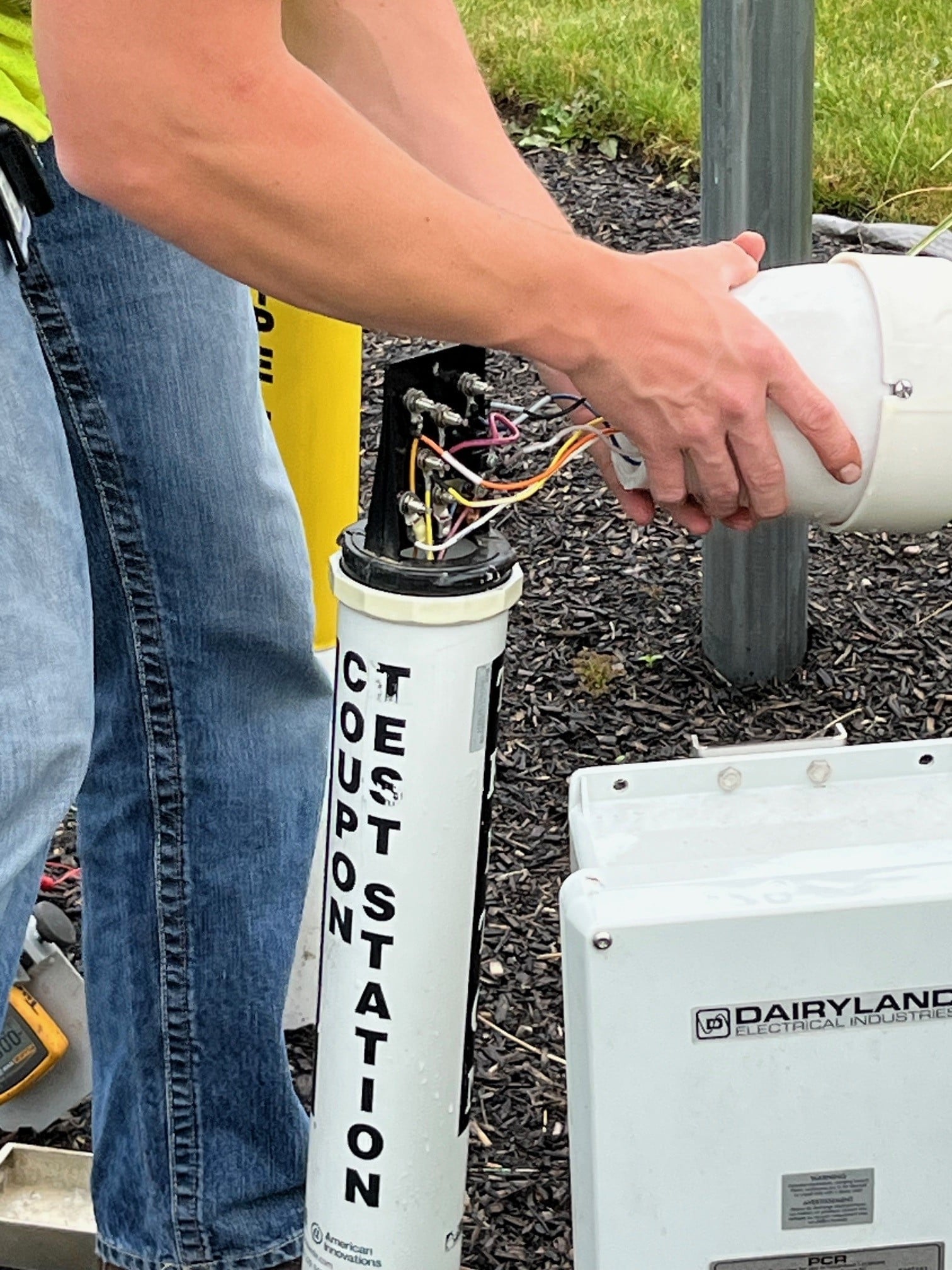
CP Test Station
Additionally, PHMSA requires operators to ensure that the CP system is regularly inspected to validate and document that the electrochemical process is functioning correctly (CFR 192.465, CFR 195.571).
Managing Location
Mapping the location of CP assets and cathodically protected piping is a federally required activity that applies to all natural gas and hazardous liquid organizations, regardless of size.
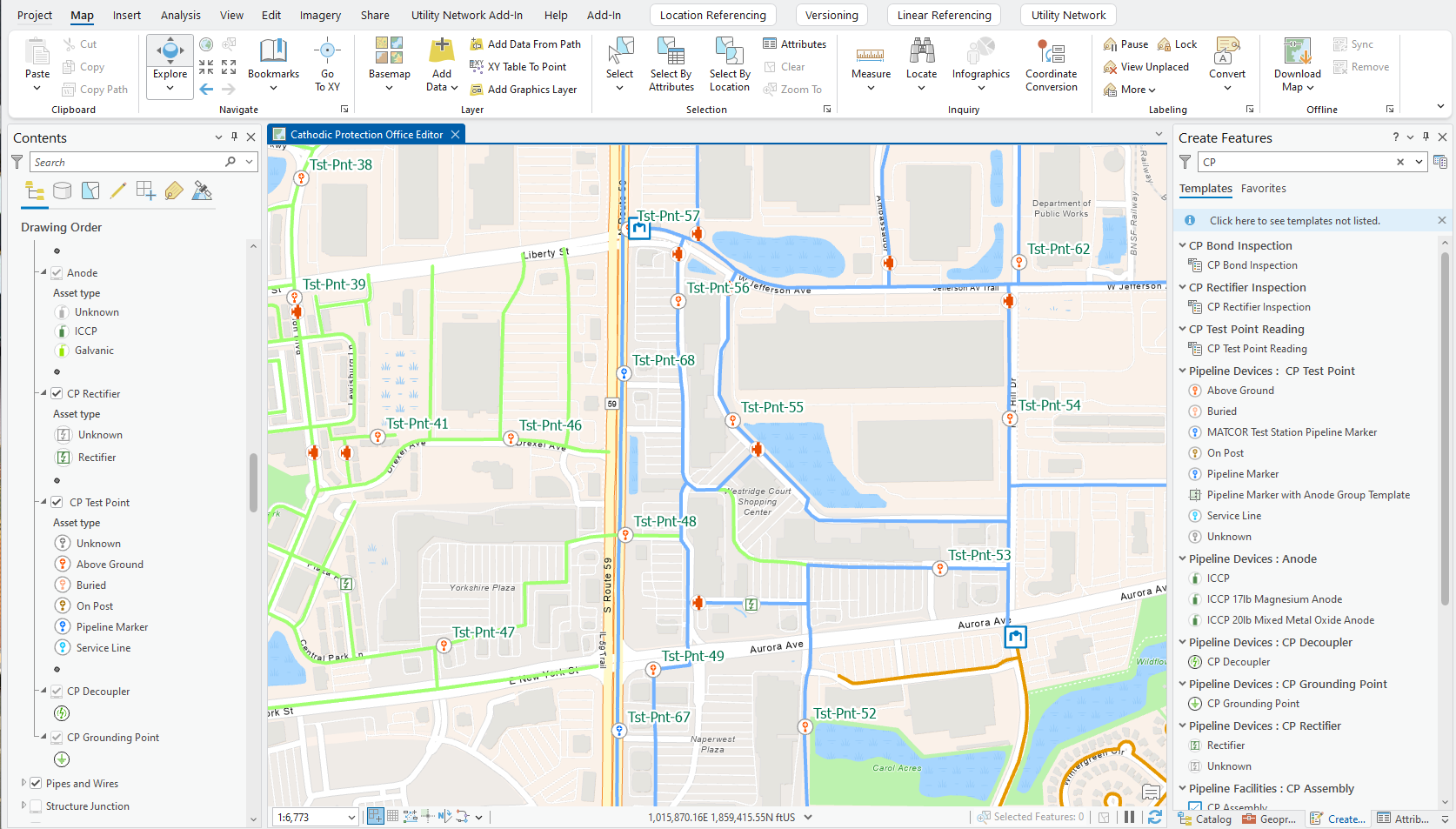
GIS professionals responsible for documenting the location of newly installed CP assets are familiar with desktop tools such as ArcGIS Pro for placing these components. This location and asset descriptor information is automatically stored in a Geodatabase. Once stored, it is immediately available to all organization users for viewing, querying, and analysis.
But what if that action of mapping the CP asset did more than simply comply with federal regulations to document its location?
Managing Compliance Dates
What if mapping the CP asset in ArcGIS also automatically initializes the compliance dates? This would be a single edit operation. In most CP organizations today, there are two edit operations: one to map the asset and one (in another system) to initiate compliance date management.
The spring 2026 release of UPDM 2026 adds a couple of attribute rules to the PipelineDevice featureclass. These attribute rules will automatically calculate the “Last Inspection Date”, “Next Inspection Date”, and “Compliance Date” fields for the newly placed CP asset.
The initialization of the compliance dates, by performing a mapping task that organizations are already performing is an immediate 50% reduction in the time and cost required to setup the compliance date management system.
Documenting Field Inspections
By combining mapping with the initialization of compliance dates, a CP asset, such as a CP Test Point or CP Rectifier, is now ready for a CP technician to perform the federally required inspection.
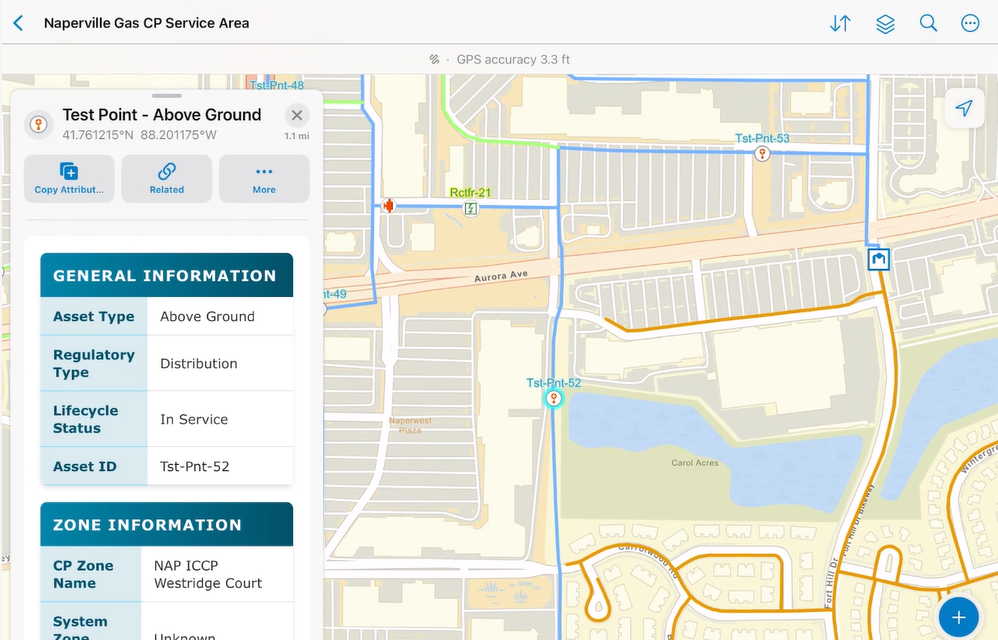
ArcGIS and its Field Maps mobile application enables CP professionals to easily perform this field inspection activity. It is important to understand that performing the field inspection is only one part of the field activity. The other part is to have the information available to understand the results. Here again, recent advancements in the management of related records and the ability to create a graph of historical readings for a designated asset addresses a core need of CP field technicians.
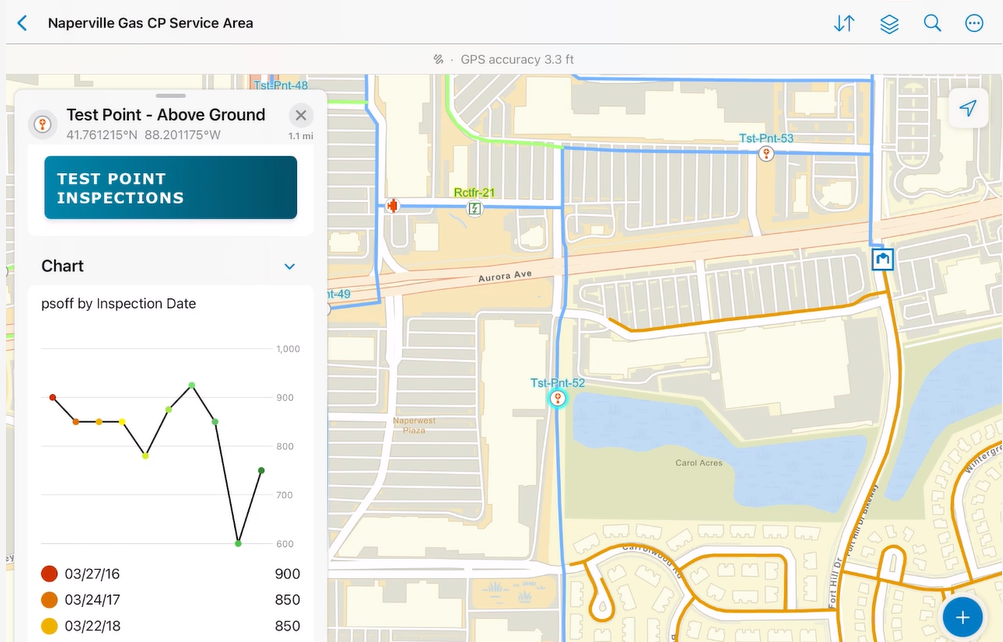
The need is to see the trends in CP measurements over the course of many inspections. The trend in measurements is as important as the measurement itself.
Completing the asset inspection satisfies the compliance requirements for a compliance cycle. Here is another opportunity to streamline another often-redundant activity. That is the recalculation of the asset’s compliance dates to prepare for the next compliance cycle. ArcGIS and its attribute rule capabilities automate this process. By storing inspections in ArcGIS, when the CP field technician submits the completed inspection document, the system automatically recalculates the “last Inspection Date”, “Next Inspection Date”, and “Compliance Date”. No manual intervention required.
Modeling the CP Circuit
For most of the history of cathodically protected pipe networks, CP technicians have spent the non-inspection season using colored pencils and paper maps to define the extent of a CP circuit/zone manually.
Now that mapping CP assets, managing compliance dates, and performing inspections can be stored and maintained in a single ArcGIS system, an organization can address this very time-consuming activity.
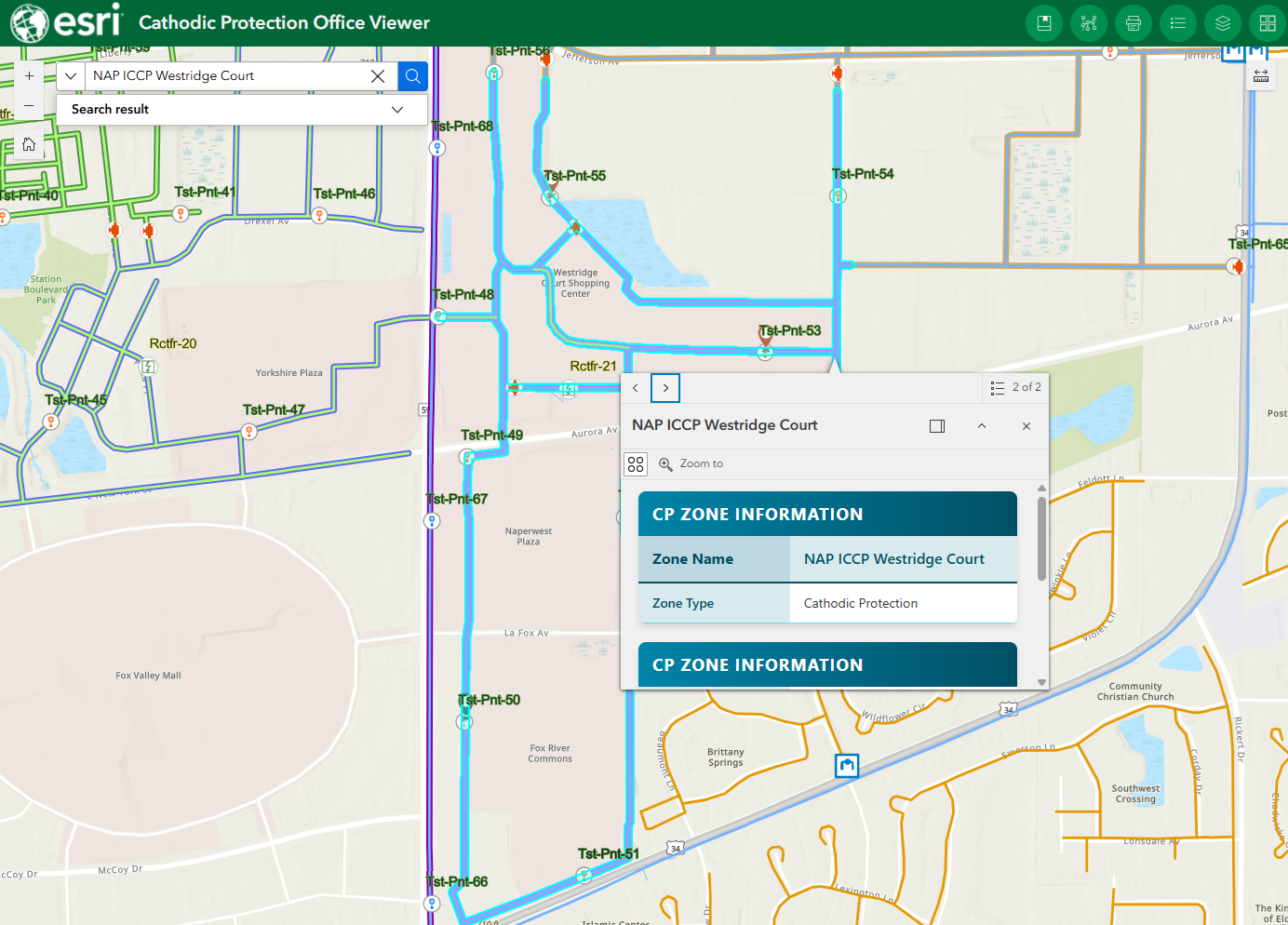
Leveraging the capabilities of ArcGIS Utility Network, and the CP capabilities defined within the natural gas and pipeline industry data model, UPDM, the CP circuits/zones can be automatically generated.
These CP circuits generated by ArcGIS are more than graphical representations; they are models of the electrical flow. The models also tabulate summary information for the CP circuit/zone, including its total length and the number of anodes connected to it.
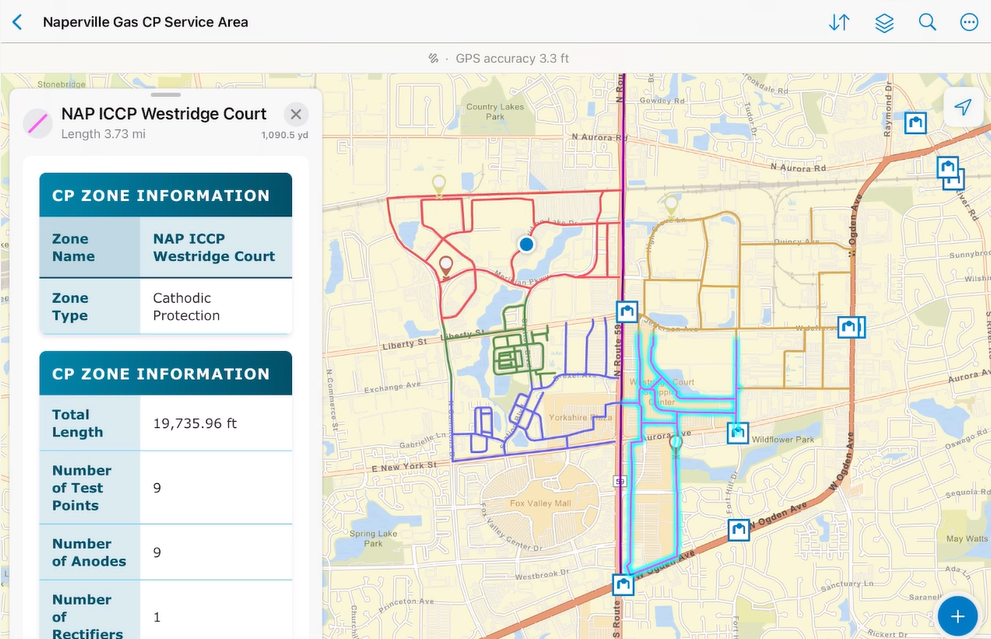
When a CP technician is in the field trying to determine the cause of a failed CP circuit/zone, a circuit/zone is not visible to the technicians since it is buried under about a meter of dirt. Having an interactive map that not only displays each unique CP circuit but also shows a little blue dot indicating where you are in relation to those circuits provides the simplicity of understanding they have long been looking for.
Providing a Comprehensive View
Combining these siloes of CP data into a single ArcGIS system, organized with UPDM and leveraging the capabilities of ArcGIS Utility Network, provides staff responsible for managing this critical system with a single source of truth - a single source providing the entire organization with a comprehensive view of the assets, the compliance dates, the inspections, and a model of the CP circuit’s electro-chemical flow.
PLEASE NOTE: The postings on this site are our own and don’t necessarily represent Esri’s position, strategies, or opinions.
