Select to view content in your preferred language

A privileges granted to a user for enterprise geodatabase layer,

4638
20
08-06-2014 01:23 PM
JamalNUMAN
Legendary Contributor

A privileges granted to a user for enterprise geodatabase layer,

I couldn’t figure out how a user can “see” layers stored in enterprise geodatabase while this user is not granted any privileges.

  1. The access type of the enterprise geodatabase (Q.mdf) is “public”
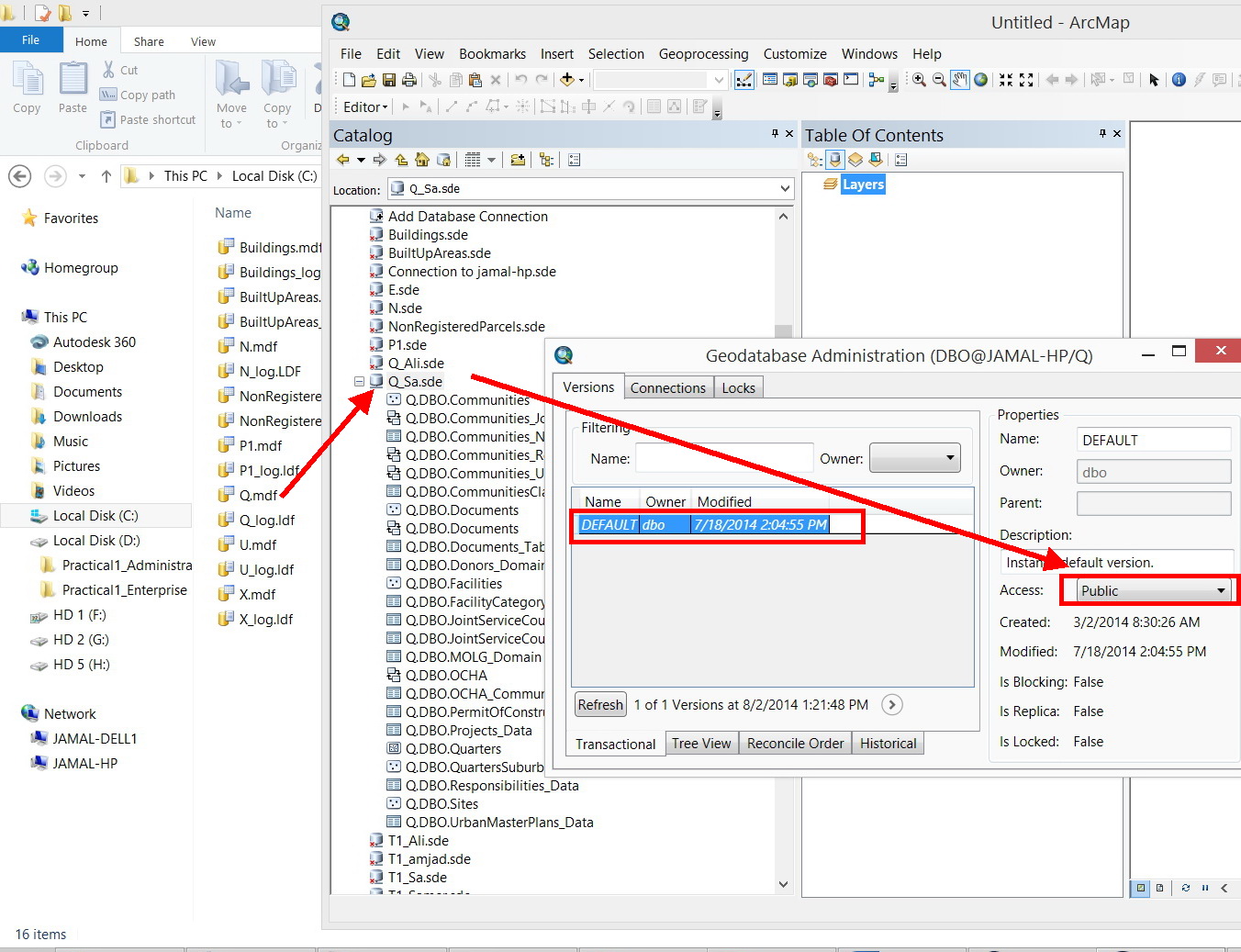
Clip_108.jpg

  1. The “Ali” user is not given any privileges to the “communities” layer
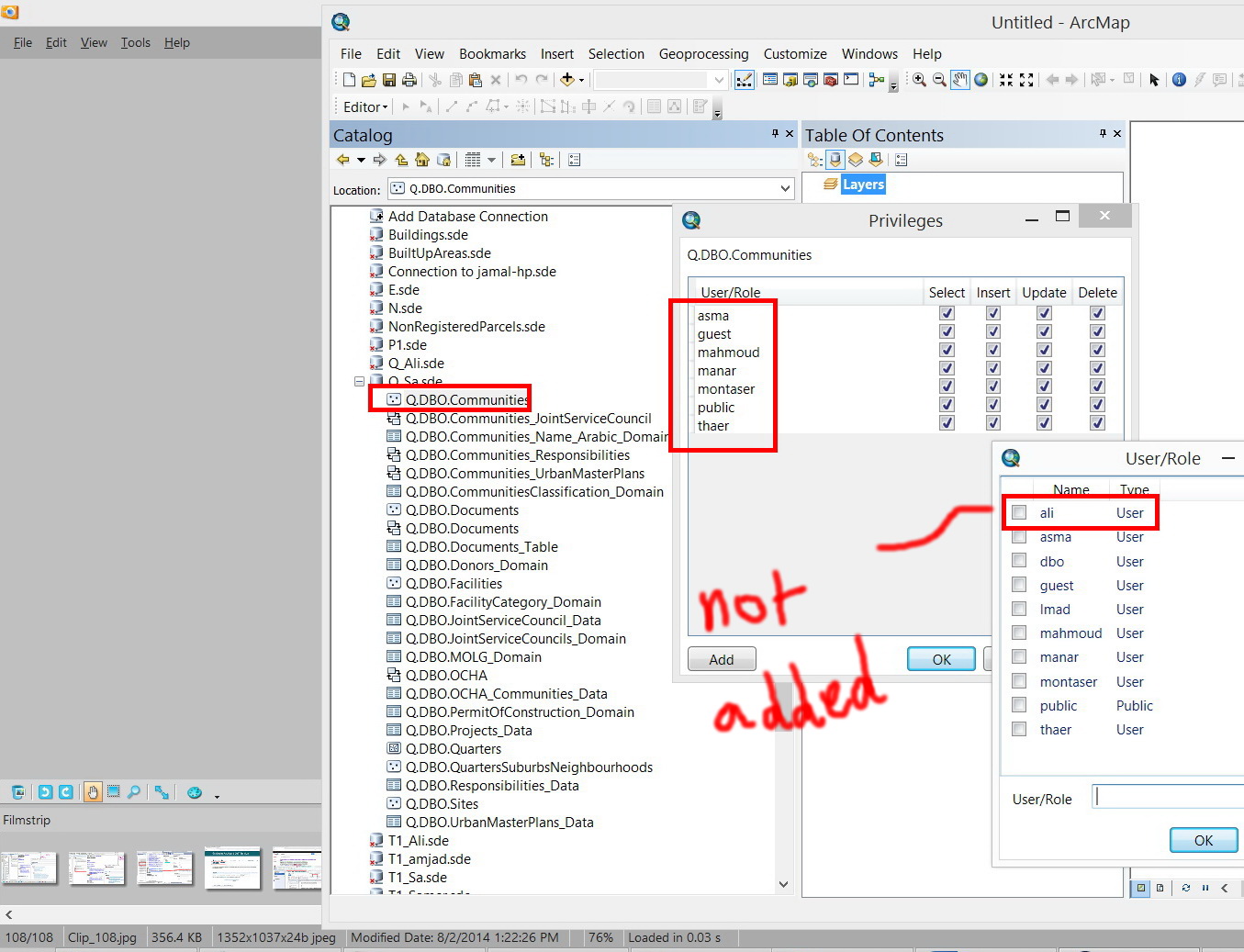
Clip_109.jpg

  1. Nevertheless, “Ali” can see the “communities” layer (as the “Q” enterprise database is accessed by Ali)
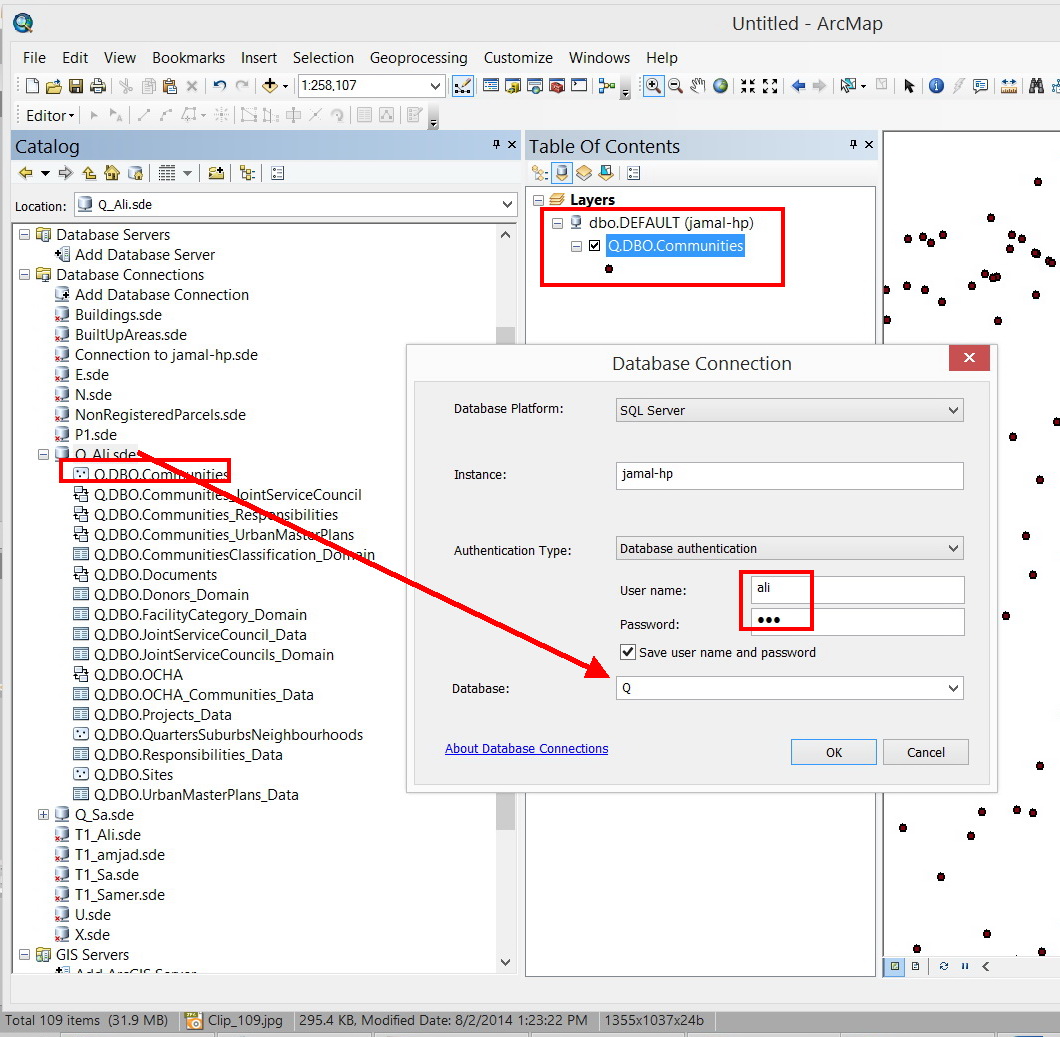
Clip_110.jpg

What might be the issue here?

How Could Ali access the “communities” layer while he has not given any privileges to it?

Thank you

Best

Jamal

----------------------------------------
Jamal Numan
Geomolg Geoportal for Spatial Information
Ramallah, West Bank, Palestine
0 Kudos
20 Replies
JamalNUMAN
Legendary Contributor

Thanks guys for the useful input.

Hi Asrujit,

Could you please try to add a user to an SQL database from the ArcGIS in your environment. Do you have the same behavior?

Hi Sol,

As we add a user to the database from the ArcGIS, there is no option to “revoke”.

----------------------------------------
Jamal Numan
Geomolg Geoportal for Spatial Information
Ramallah, West Bank, Palestine
0 Kudos
JamalNUMAN
Legendary Contributor

Thank you Sol. This is useful

Hi Asrujit:

I couldn’t figure out the equivalent tool of the “add user” of the ArcGIS in the SQL server manager?

  I tried the one in the screenshot below but couldn’t find how to apply password

Clip_755.jpg

Clip_756.jpg

----------------------------------------
Jamal Numan
Geomolg Geoportal for Spatial Information
Ramallah, West Bank, Palestine
0 Kudos
AsrujitSengupta
Deactivated User

You need to create the new login under Security at the Instance level, not under the Database security.

JamalNUMAN
Legendary Contributor

Thanks Asrujit,

“amjad” has been added, but he can see nothing.

Please, have a look in the screenshot below.

Clip_87.jpg

Clip_88.jpg

Clip_89.jpg

----------------------------------------
Jamal Numan
Geomolg Geoportal for Spatial Information
Ramallah, West Bank, Palestine
0 Kudos
AsrujitSengupta
Deactivated User

You need to Map "Amjad" to the required database.. using the "User Mapping" option in Login properties..

0 Kudos
JamalNUMAN
Legendary Contributor

Hi Asrujit,

Adding a user from the “SQL Server Management Studio” reproduces the same behavior.

As “Amjad” is added from the “SQL Server Management Studio”, he is able to Access and EDIT the content of the Q database (he is given permission and privilege’s in one hit!). The ArcGIS doesn’t show that Amjad is given any privileges; nevertheless, Amjad is able to Access and Edit the data!

What might this indicate for?

Clip_762.jpg

Clip_763.jpg

Clip_764.jpg

Clip_765.jpg

----------------------------------------
Jamal Numan
Geomolg Geoportal for Spatial Information
Ramallah, West Bank, Palestine
0 Kudos
AsrujitSengupta
Deactivated User

Can you list the permissions that shows up for the new user in the database properties.

Clip_763.jpg

JamalNUMAN
Legendary Contributor

“Amjad” has only “connect”, nevertheless, he can View and Edit the data!

Clip_107.jpg

Clip_108.jpg

Clip_109.jpg

----------------------------------------
Jamal Numan
Geomolg Geoportal for Spatial Information
Ramallah, West Bank, Palestine
0 Kudos
SharonLitteral
Deactivated User

We are using Windows Authentication and direct connect to the database.

Yes, they are a member of a lot of nested groups. However, we denied

access through SQL to a single table with a group that contains all domain

users. We then used ArcCatalog and changed privileges for another group

that the user belongs to to allow select. At this stage, we can see the

feature classes in the ArcCatalog tree view, but when we click on any

feature class in the feature dataset, it gives an error message box. The

message states that we have insufficient privileges on the feature class

where we denied access. Our dba has tried removing and adding db security

groups and Active Directory groups with select table granted back to the

single table with the same result. This user does not have a db login but

is a member of several nested groups that can connect to the db.

0 Kudos
AsrujitSengupta
Deactivated User

Its a bit confusing and maybe taking a look at your configuration will help in clearing things out. How about contacting ESRI Tech-Support...maybe that'll help and be a faster way of troubleshooting this.

0 Kudos
