Select to view content in your preferred language

Consolidate Story Maps into ArcGIS Online

2706
12
02-21-2024 06:54 AM
Status: Open
SaraJL
by
Frequent Contributor

I know this is probably a long shot, but here goes!

I work with training a lot of new users - having the 2 separate sites for Story Maps projects is incredibly confusing. It presents 2 separate workflows for users. I'll essentially have to show the students 2 different ways to use the software because there is no way to reliably assume that people will click on one back button over the other.

If you click on the smaller arrow on Story Maps - it re-directs to https://storymaps.arcgis.com/
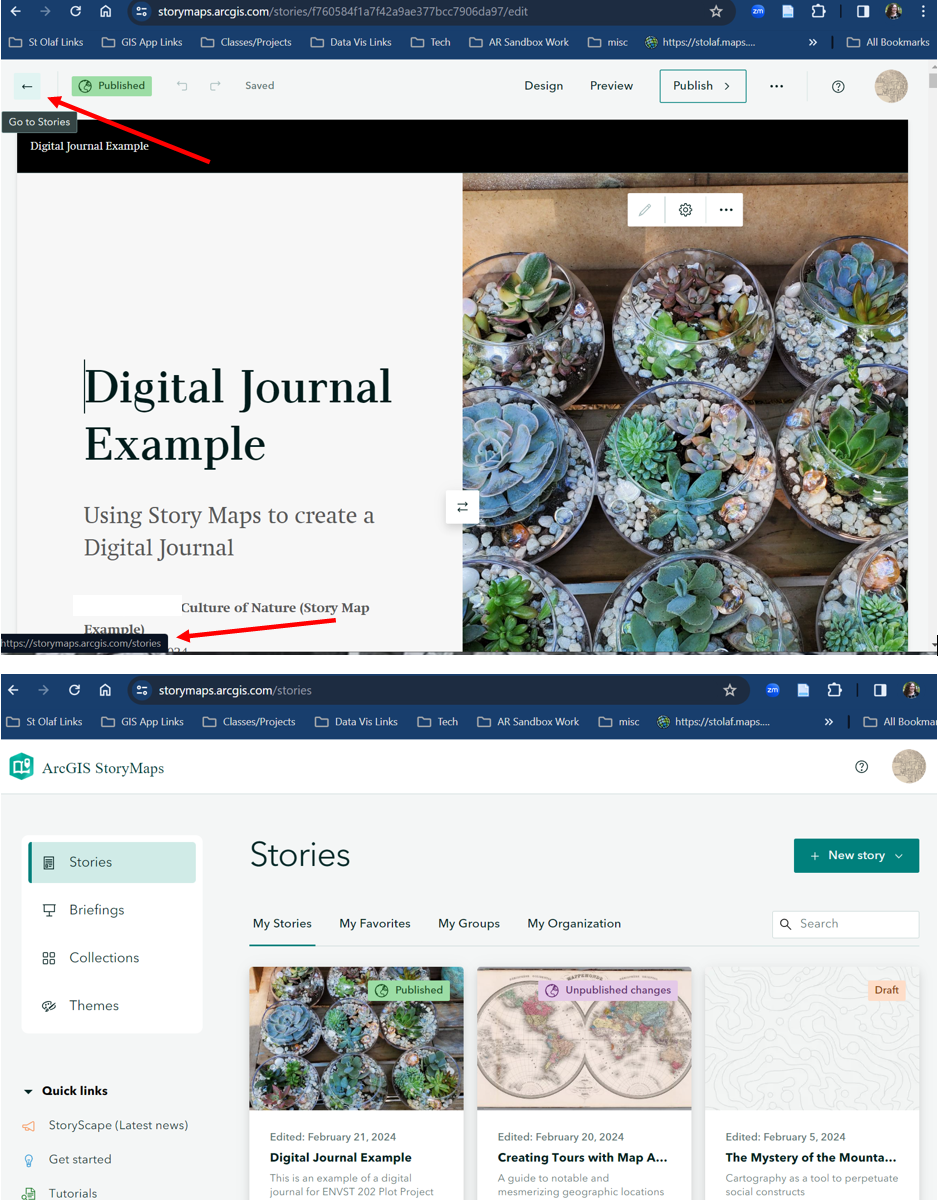
SaraJL_1-1708526820084.png

If you click on the back button on the browser - it takes you back to ArcGIS Online
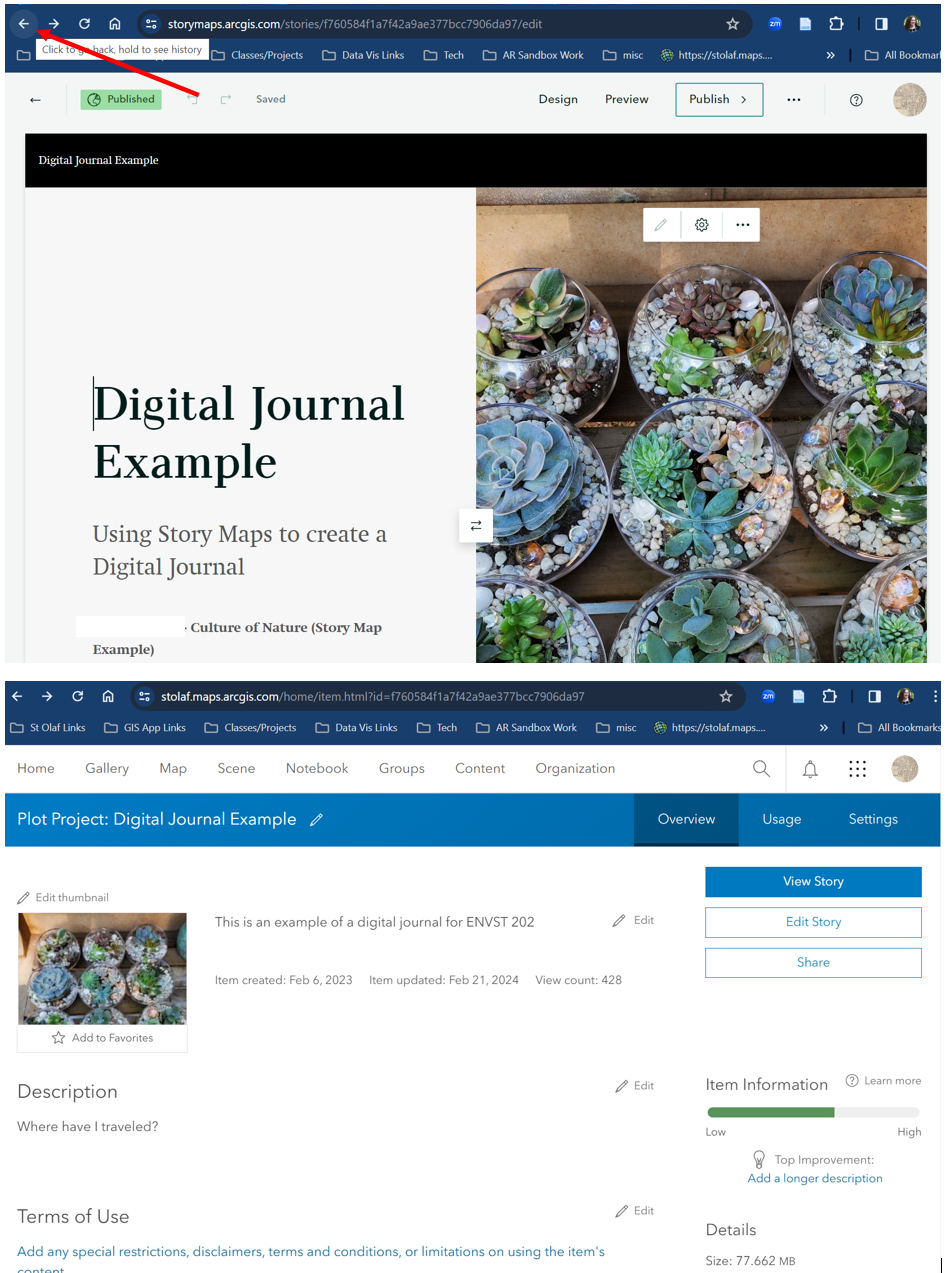
SaraJL_3-1708527093422.png

It would be nice if everything was just consolidated into ArcGIS Online so users wouldn't be redirected to another site. I'm not sure if there is a functionality reason why there are 2, or if it has to do with licensing, but it can be quite a challenge for new users and for those that have to teach with the software.

Thank you!

12 Comments
SaraJL
by

Just a quick update about this to keep this post alive -

This has been even more of an issue this semester. It's starting to create issues because we have to essentially show 2 workflows for simple things like adding metadata to StoryMaps. Users are pretty confused especially when they are working with Web Maps and other apps, but the site flipped back and forth between our SAML org site and storymaps.arcgis.com

Although I know that realistically there won't be a solution anytime soon, it's definitely still a problem!

I just had an email today from someone who was panicking because they added a description to the metadata in a StoryMap on ArcGIS Online, but when they went to storymaps.arcgis.com, they couldn't figure out how to get back to it. While there is an easy way to do this, for beginning/new users it's a lot of extra stress to have some many processes that do that same thing.

Sorry for the venting rant!

PeterKnoop

Another use case of confusion and lack of functionality resulting from having a separate ArcGIS StoryMaps landing page. If a user goes directly to https://storymaps.arcgis.com, then when they login successfully they do not see the ArcGIS Online Information Banner message.

At the end of each semester we need to encourage graduating students to do something proactively with their ArcGIS Online content. We do send an email notification out four weeks before the end of the semester; however, emails are often ignored. So we also add a note to the Information Banner four weeks prior to the end of the semester, and remove it at the end of the semester. That can be ignored as well, though the more channels we use to reach our people, the better our chance of success.

The separate ArcGIS StoryMaps landing page does not display the ArcGIS Online Information banner. Instead it has its own message banner over which administrators have no control. (Right now it is showing a message about Classic Esri StoryMaps retiring, which is not helpful in our organization, as we have already addressed that.)

(The same problem with not displaying the Information Banner exists with other siloed products that are supposed to be part of ArcGIS Online, such as https://experience.arcgis.com/ and https://survey123.arcgis.com/.)