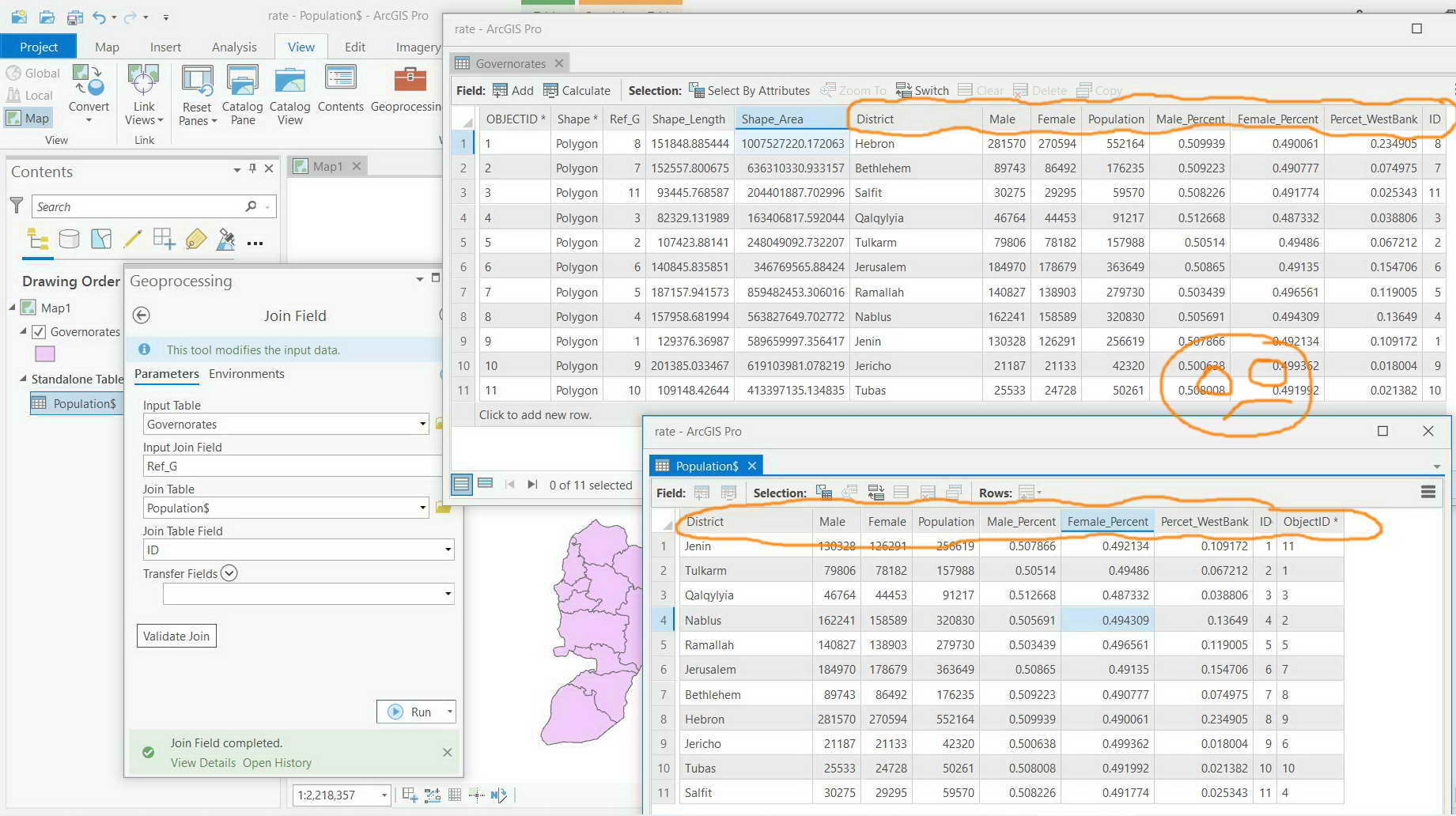
ArcGIS Pro 2.8.4: The “join field” tool gets ALL the source fields transferred to the destination attribute table,
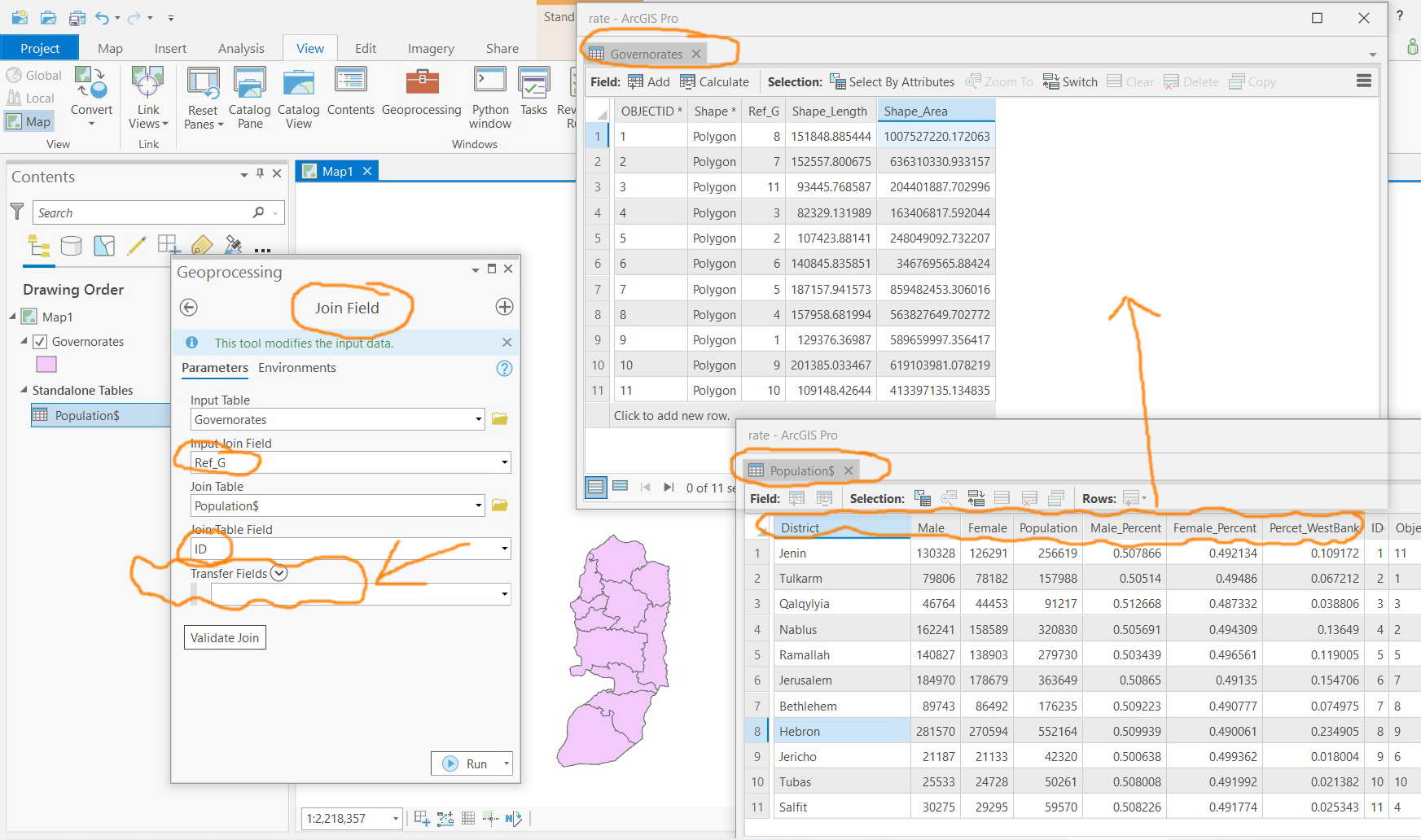
I couldn’t figure out why the “join field” tool gets All the source fields transferred to the destination attribute table despite the fact that none of the source fields are checked in the “transfer fields” option
Is this by design to transfer ALL the source fields transferred to the destination attribute table without having them selected in the “transfer fields” option?
Solved! Go to Solution.
Hi Jamal,
The parameter, Transfer Fields, of the tool is an optional parameter. Any optional parameter always has a default by design. If you don't know what the default behavior is, you can always look for information in the tool's documentation. Here is the documentation for the tool in Pro 2.8:
https://pro.arcgis.com/en/pro-app/latest/tool-reference/data-management/join-field.htm
If no fields are selected for the optional Transfer Fields parameter, all fields from the Join Table value will be joined to the output.
I am not sure what you expected to happen when you didn't specify any fields to transfer. Hope now you know how to select the fields that you need to transfer.
upgrade to Pro 3.0
Join Field (Data Management)—ArcGIS Pro | Documentation
You can select which fields from the join table will be added to the input table.
They don't backport capabilities, so when you are able to upgrade you will have this capability.
In the interim, you can try hiding the fields you don't want in the join to see if that works
Hi Jamal,
The parameter, Transfer Fields, of the tool is an optional parameter. Any optional parameter always has a default by design. If you don't know what the default behavior is, you can always look for information in the tool's documentation. Here is the documentation for the tool in Pro 2.8:
https://pro.arcgis.com/en/pro-app/latest/tool-reference/data-management/join-field.htm
If no fields are selected for the optional Transfer Fields parameter, all fields from the Join Table value will be joined to the output.
I am not sure what you expected to happen when you didn't specify any fields to transfer. Hope now you know how to select the fields that you need to transfer.
Right. If no fields are selected, then all fields are transferred to the destination attribute table. Otherwise, only the selected fields are transferred