- Home
- :
- All Communities
- :
- Products
- :
- ArcGIS Online
- :
- ArcGIS Online Ideas
- :
- Add Scheduled Notebooks to Member Utilization Summ...
- Subscribe to RSS Feed
- Mark as New
- Mark as Read
- Bookmark
- Printer Friendly Page

- Mark as New
- Bookmark
- Subscribe to RSS Feed
- Permalink
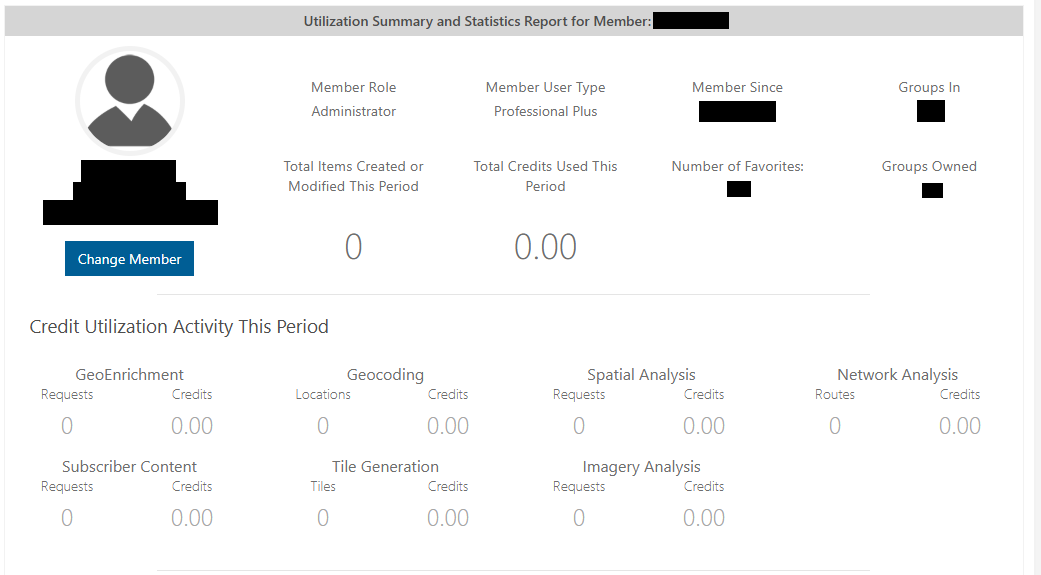
My organization has set credit utilizations for members in ArcGIS Online. When checking the utilization summary for members, there is no section for scheduled notebooks leading to inaccurate reporting.
The only section that shows this information is under the Credits tab -> Analytics on the pie chart -> Scheduled Notebooks. There we can see the credits used per user for the scheduled notebooks within the date filter.


As a workaround in the meantime, if you are an Administrator for your ArcGIS Online organization, you can run a Credit Report. It provides a comprehensive, spreadsheet view of users' credit utilization for a weekly, monthly, quarterly, or annual window, including a column for "ArcGIS Notebook - Scheduled".
If you're not familiar with admin reports in ArcGIS Online, check out the article Supercharge your ArcGIS Organization Management with Reports, or the documentation for Create and schedule reports.
You must be a registered user to add a comment. If you've already registered, sign in. Otherwise, register and sign in.