Select to view content in your preferred language

No Hotels Available to Book in Indoor Viewer

258
7
2 weeks ago
TerezaČernohousová
Occasional Contributor

Hello,

I've follwed the online documentation for configuring reservations. I have configured Space Planner and a Hotel Unit is assigned to a workspace area, and in the attribute table, the Assignment Type is set to Hotel. However, in the Indoor Viewer, I still get the message: 'There are no workspaces available to book'. I'm configuring the Indoor Viewer in ArcGIS Online.

Does anybody have any advice please?
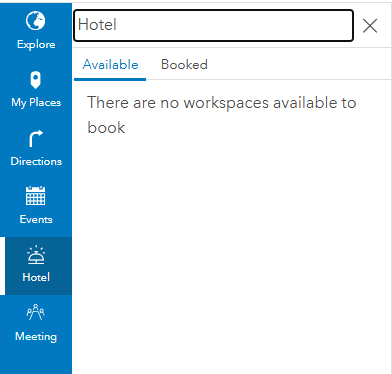
Terezaernohousov_0-1764247032948.png


7 Replies
GauravJobanputra
Esri Contributor
Hello, please check if there are values in the USE_TYPE field of the Units layer. Also, confirm that the Occupant record corresponding to the signed in user has been assigned to a workspace area that has office hotels.
0 Kudos
TerezaČernohousová
Occasional Contributor

Hello,

thank you for your respond. 
Unit has value in the USE_TYPE field and also the Assignment Type field is set as Hotel. This Unit is also assigned to work space in Space planner.
In Space planner I have assigned myself to this working area. But still in Indoor Viewer there are no workspaces available to book Hotel. How does the Indoor Viewer identify me in the list of employees? Is it based on my name - Know As field?

0 Kudos
AaronKoelker
Frequent Contributor

@TerezaČernohousová wrote:

How does the Indoor Viewer identify me in the list of employees? Is it based on my name - Know As field?


@TerezaČernohousová I believe it's based on the Occupants' layer "Email" field, and the app looks to match with the email associated with the user's ArcGIS Online account, which can be found on the account's Profile page.


-Aaron
0 Kudos
GauravJobanputra
Esri Contributor

@AaronKoelker thanks. That is correct.

@TerezaČernohousová pls check and confirm if this resolves your issue.

0 Kudos
TerezaČernohousová
Occasional Contributor

Hello,

I’ve checked the email address in Indoor Viewer, Space Planner, and in my account. It’s the same everywhere. Unfortunately, this still doesn’t resolve my issue.

0 Kudos
TerezaČernohousová
Occasional Contributor

Just to make sure — I’m assigned to the workspace area, but I don’t see the point symbol in the unit area in space Planner. Is that OK?

0 Kudos
AaronKoelker
Frequent Contributor

@TerezaČernohousová I believe a point only appears when an Occupant is assigned to a Unit, not a Workspace Area. For Workspace areas it just adds a value to the Area ID field in the Occupants feature, in order to relate it to the Areas table. 

-Aaron
0 Kudos
