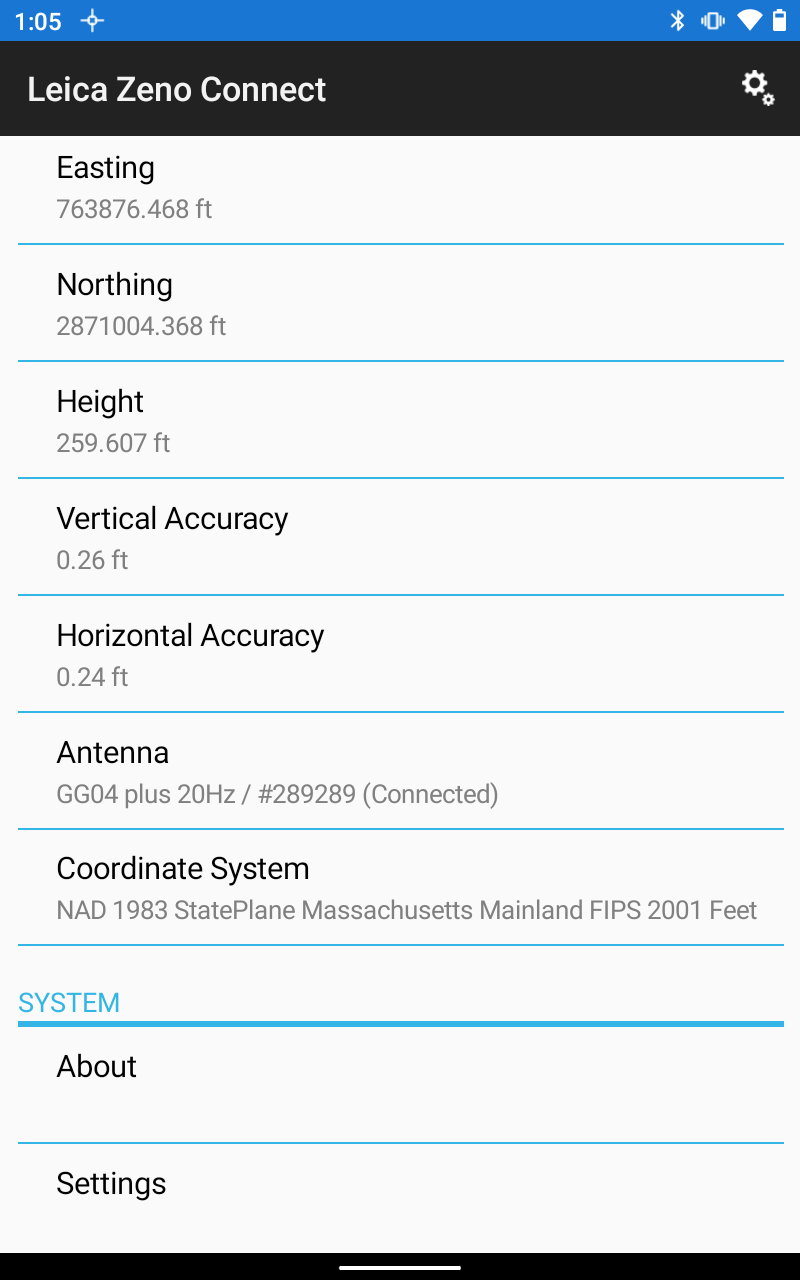
I have 'Zeno connect' running on the Android Tablet. With This Result
This is the result From the point I took in Field Maps.
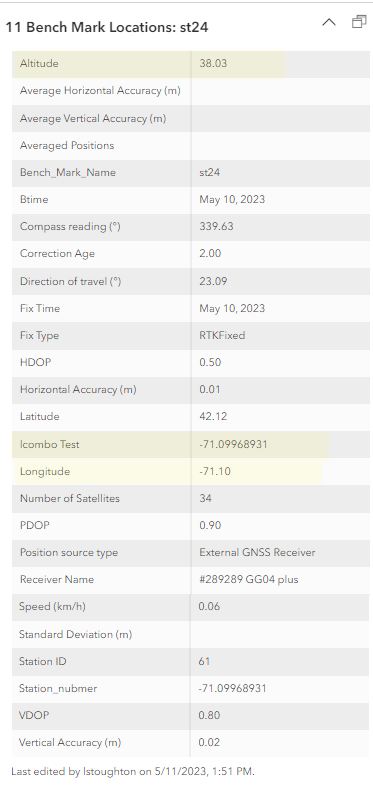
The Altitude is not in meters, it is about a quarter of the live results on the screen.
Any suggestions?
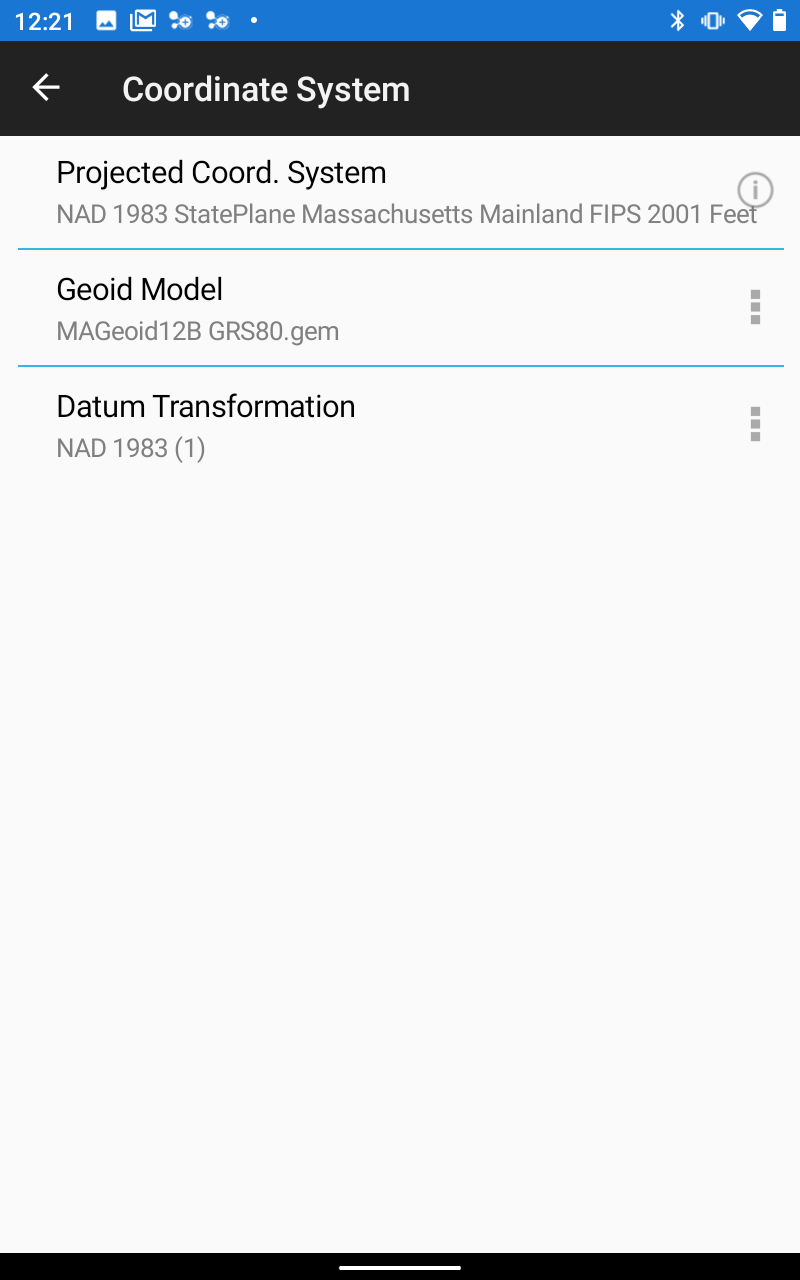
This is the settings from the "Zeno Connect' screen.
I could not get Z values to show up.
Thanks in advance Larry

Solved! Go to Solution.
And our solution for this issue is that we have totally empty/transparent basemaps for each local Gauss Kruger zone. I use those empty maps as a basemap and in top of that I can add any valid layer for that zone that can act like a basemap though real basemap actually contains nothing.
Hi all, this is NOT a solution to the poster's question. There is currently no way for a real orthometric height with a proper geoid model applied to write directly to attribute data within GIS. This shortcoming is not associated to the device, in this case Leica, but present in other devices like the Trimble DA2. The shortcoming lies with ESRI's GNSS metadata fields not having a field or other mechanism to write the numeric elevation into the data in real time. If there are devices that exist which have found a solution to this I'd be curious to know about them myself. Here is some other context:
@JPowellhave you already been through this thread? https://community.esri.com/t5/arcgis-field-maps-ideas/measure-the-orthometric-height-in-field-maps/i...
Thanks Bill, so many places this is arising. I'm following that idea, and I'll offer this same suggestion to that second poster as well.
@JPowell Is correct and this is what we have been doing and are requiring all features to have z-values regardless enabled. Only way We see accurate elevations in the field is to do expressions in the pop up so after the shot is collected the elevation displays for staff in the field. Its not recorded in the table but it allows them to see the elevation wit the antenna height taken into account. As the Zeno app does not have a place to place the antenna height.
We should probably also submit an idea to simply improve the documentation.
In typical Esri fashion the messaging is all over the place on this. As @JPowell mentioned there's no mention of publishing Z-Enabled data in their documentation to Prepare for high-accuracy data collection, but a video from their Field Maps team walks through setting up Arcade to calculate the Orthometric height without ever mentioning that the data needs to be Z-Enabled: https://community.esri.com/t5/arcgis-field-maps-videos/tip-from-morgan-zhang-collect-orthometric-hei...