Turn on suggestions
Auto-suggest helps you quickly narrow down your search results by suggesting possible matches as you type.
Cancel
- Home
- :
- All Communities
- :
- Developers
- :
- ArcGIS API Silverlight (Retired)
- :
- ArcGIS API Silverlight Questions
- :
- how to Zoom to point?
Options
- Subscribe to RSS Feed
- Mark Topic as New
- Mark Topic as Read
- Float this Topic for Current User
- Bookmark
- Printer Friendly Page
how to Zoom to point?
13164
9
09-27-2010 07:01 AM

09-27-2010
07:01 AM
- Mark as New
- Bookmark
- Subscribe to RSS Feed
- Permalink
Hi, i am trying zoom to a point in map, but doesn't work, i know cannot zoom to a point, and need make a new extent but how i can do that with silvelright api?
9 Replies

09-27-2010
07:25 AM
- Mark as New
- Bookmark
- Subscribe to RSS Feed
- Permalink
Like a bookmark?
Check out http://help.arcgis.com/en/webapi/silverlight/samples/start.htm#NavigationActions
Check out http://help.arcgis.com/en/webapi/silverlight/samples/start.htm#NavigationActions
 <Button Style="{StaticResource MenuItem}"
                            Content="Zoom To" >
                        <i:Interaction.Triggers>
                            <i:EventTrigger EventName="Click">
                                <esri:ZoomToAction
                                    TargetName="MyMap">
                                    <esri:ZoomToAction.Geometry>
                                        <esri:Envelope XMin="-110" YMin="40" XMax="-100" YMax="50" />
                                    </esri:ZoomToAction.Geometry>
                                </esri:ZoomToAction>
                            </i:EventTrigger>
                        </i:Interaction.Triggers>
                    </Button>

09-27-2010
07:30 AM
- Mark as New
- Bookmark
- Subscribe to RSS Feed
- Permalink
Here is a code example on how to zoom to a point. Why does it not work for you?
or you can do it like in the interactive sdk example for the "Find an Address" example.
MapPoint myPoint = new MapPoint(x, y, spatialRef);

MyMap.ZoomTo(myPoint);
or you can do it like in the interactive sdk example for the "Find an Address" example.
09-27-2010
09:14 AM
- Mark as New
- Bookmark
- Subscribe to RSS Feed
- Permalink
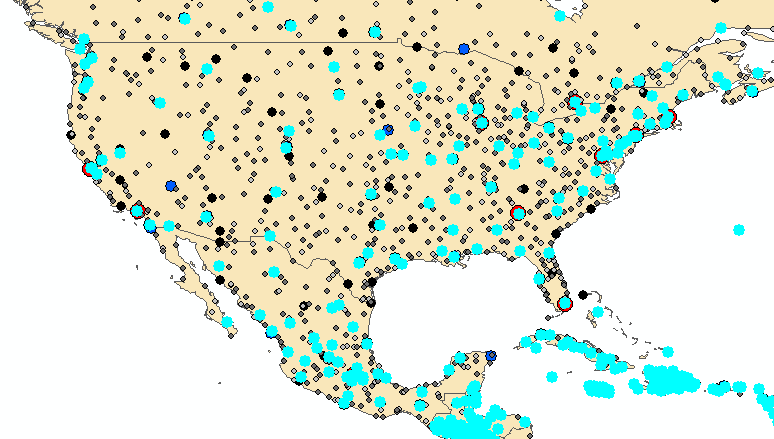
I want zoom a point(like image bottom), a point dont have start and end, when i zoom geometry, nothing happens, because dont have start and end, i suppose


09-27-2010
10:10 AM
- Mark as New
- Bookmark
- Subscribe to RSS Feed
- Permalink
You can use the following code, where mapPoint is the point geometry you want to zoom to.
MyMap.ZoomToResolution(MyMap.Resolution / MyMap.ZoomFactor, mapPoint);
MyMap.ZoomToResolution(MyMap.Resolution / MyMap.ZoomFactor, mapPoint);

09-27-2010
11:13 AM
- Mark as New
- Bookmark
- Subscribe to RSS Feed
- Permalink
The above code only zoom "around" that point (meaning that's the point that will stay at the same place on the screen, similar to a double-click zoom where the point you clicked stays at the same position).
I'm guessing you want to the point centered on the screen?
As you found out, you cannot zoom to a point, since a point has an infinitely small extent. The map simply doesn't know how far in you want to zoom. If the point represents an address, you probably want to zoom further in than if the point represents a city.
You can zoom to a point by constructing an extent around the point. ie.
In this example if the map units are meters, it would zoom to a 1kmx1km box centered on the point 'p'. Based on your map units and the scale you want to zoom to, you probably want to use a different number.
Alternatively you can just pan to the point: Ie: MyMap.PanTo(p);
I'm guessing you want to the point centered on the screen?
As you found out, you cannot zoom to a point, since a point has an infinitely small extent. The map simply doesn't know how far in you want to zoom. If the point represents an address, you probably want to zoom further in than if the point represents a city.
You can zoom to a point by constructing an extent around the point. ie.
Envelope env = new Envelope(p.X - 500, p.Y - 500, p.X + 500, p.Y + 500);
MyMap.ZoomTo(env);
In this example if the map units are meters, it would zoom to a 1kmx1km box centered on the point 'p'. Based on your map units and the scale you want to zoom to, you probably want to use a different number.
Alternatively you can just pan to the point: Ie: MyMap.PanTo(p);

09-27-2010
12:52 PM
- Mark as New
- Bookmark
- Subscribe to RSS Feed
- Permalink
The above code only zoom "around" that point (meaning that's the point that will stay at the same place on the screen, similar to a double-click zoom where the point you clicked stays at the same position).
I'm guessing you want to the point centered on the screen?
As you found out, you cannot zoom to a point, since a point has an infinitely small extent. The map simply doesn't know how far in you want to zoom. If the point represents an address, you probably want to zoom further in than if the point represents a city.
You can zoom to a point by constructing an extent around the point. ie.Envelope env = new Envelope(p.X - 500, p.Y - 500, p.X + 500, p.Y + 500); MyMap.ZoomTo(env);
In this example if the map units are meters, it would zoom to a 1kmx1km box centered on the point 'p'. Based on your map units and the scale you want to zoom to, you probably want to use a different number.
Alternatively you can just pan to the point: Ie: MyMap.PanTo(p);
I used the points from a FINDTASk - but couldn't make it work. here are the codes, Any suggestions would be appreciated!
FindResult findResult = (FindResult)FindDetailsDataGrid.SelectedItem;
Graphic graphic = findResult.Feature;
ESRI.ArcGIS.Client.Geometry.Envelope selectedFeatureExtent = new ESRI.ArcGIS.Client.Geometry.Envelope(graphic.Geometry.Extent.XMin, graphic.Geometry.Extent.YMin, graphic.Geometry.Extent.XMax, graphic.Geometry.Extent.YMax);
MyMap.ZoomTo(selectedFeatureExtent);
09-27-2010
12:55 PM
- Mark as New
- Bookmark
- Subscribe to RSS Feed
- Permalink
I used the points from a FINDTASk - but couldn't make it work. here are the codes, Any suggestions would be appreciated!
FindResult findResult = (FindResult)FindDetailsDataGrid.SelectedItem;
Graphic graphic = findResult.Feature;
ESRI.ArcGIS.Client.Geometry.Envelope selectedFeatureExtent = new ESRI.ArcGIS.Client.Geometry.Envelope(graphic.Geometry.Extent.XMin, graphic.Geometry.Extent.YMin, graphic.Geometry.Extent.XMax, graphic.Geometry.Extent.YMax);
MyMap.ZoomTo(selectedFeatureExtent);
OK, I made it work by adding and subtracting a number for X and Ys
thanks for the codes

09-28-2010
09:32 AM
- Mark as New
- Bookmark
- Subscribe to RSS Feed
- Permalink
You might also be interested by a centerAndZoom function:
You can use it to center on a point and zoom to a given resolution.
For example
private void centerAndZoom(ESRI.ArcGIS.Client.Map map, ESRI.ArcGIS.Client.Geometry.MapPoint mapPoint, double resolution)
{
double ratio = 1.0;
if (map.Resolution != 0.0)
ratio = resolution / map.Resolution;

if (ratio == 1.0)
map.PanTo(mapPoint);
else
{
ESRI.ArcGIS.Client.Geometry.MapPoint mapCenter = map.Extent.GetCenter();
double X = (mapPoint.X - ratio * mapCenter.X) / (1 - ratio);
double Y = (mapPoint.Y - ratio * mapCenter.Y) / (1 - ratio);
map.ZoomToResolution(resolution, new ESRI.ArcGIS.Client.Geometry.MapPoint(X, Y));
}
}
You can use it to center on a point and zoom to a given resolution.
For example
centerAndZoom(MyMap, pt, MyMap.MinimumResolution * 4);

04-16-2013
05:50 AM
- Mark as New
- Bookmark
- Subscribe to RSS Feed
- Permalink
You might also be interested by a centerAndZoom function:
private void centerAndZoom(ESRI.ArcGIS.Client.Map map, ESRI.ArcGIS.Client.Geometry.MapPoint mapPoint, double resolution)
{
double ratio = 1.0;
if (map.Resolution != 0.0)
ratio = resolution / map.Resolution;

if (ratio == 1.0)
map.PanTo(mapPoint);
else
{
ESRI.ArcGIS.Client.Geometry.MapPoint mapCenter = map.Extent.GetCenter();
double X = (mapPoint.X - ratio * mapCenter.X) / (1 - ratio);
double Y = (mapPoint.Y - ratio * mapCenter.Y) / (1 - ratio);
map.ZoomToResolution(resolution, new ESRI.ArcGIS.Client.Geometry.MapPoint(X, Y));
}
}
You can use it to center on a point and zoom to a given resolution.
For examplecenterAndZoom(MyMap, pt, MyMap.MinimumResolution * 4);
Center and Zoom needs to be modified for couple of reasons
- need to compensate for center when current resolution is already less than minimum resolution
- need to compensate for center when current extent envelope does not contain the input point
private void centerAndZoom(ESRI.ArcGIS.Client.Map map,
ESRI.ArcGIS.Client.Geometry.MapPoint mapPoint, double resolution)
{
ratio = resolution / map.Resolution;
if (Math.Round(map.Resolution,5) <= Math.Round(map.MinimumResolution,5))
map.PanTo(mapPoint);
else
{
map.PanTo(mapPoint);
ESRI.ArcGIS.Client.Geometry.MapPoint mapCenter = map.Extent.GetCenter();
double X = (mapPoint.X - ratio * mapCenter.X) / (1 - ratio);
double Y = (mapPoint.Y - ratio * mapCenter.Y) / (1 - ratio);
map.ZoomToResolution(resolution, new ESRI.ArcGIS.Client.Geometry.MapPoint(X, Y));
}
}
